Use the Host Audits Page
On the Host Audits page, you can view all host audit findings in your environment that Tenable One Vulnerability Management tracks.
To view your host audit findings:
Required User Role: Read-Only, Basic User, Scan Operator, Standard User, Scan Manager, or Administrator
-
In the left navigation, select
 Explore > Host Audits.
The Host Audits page appears, showing host audit findings from the past 30 days.
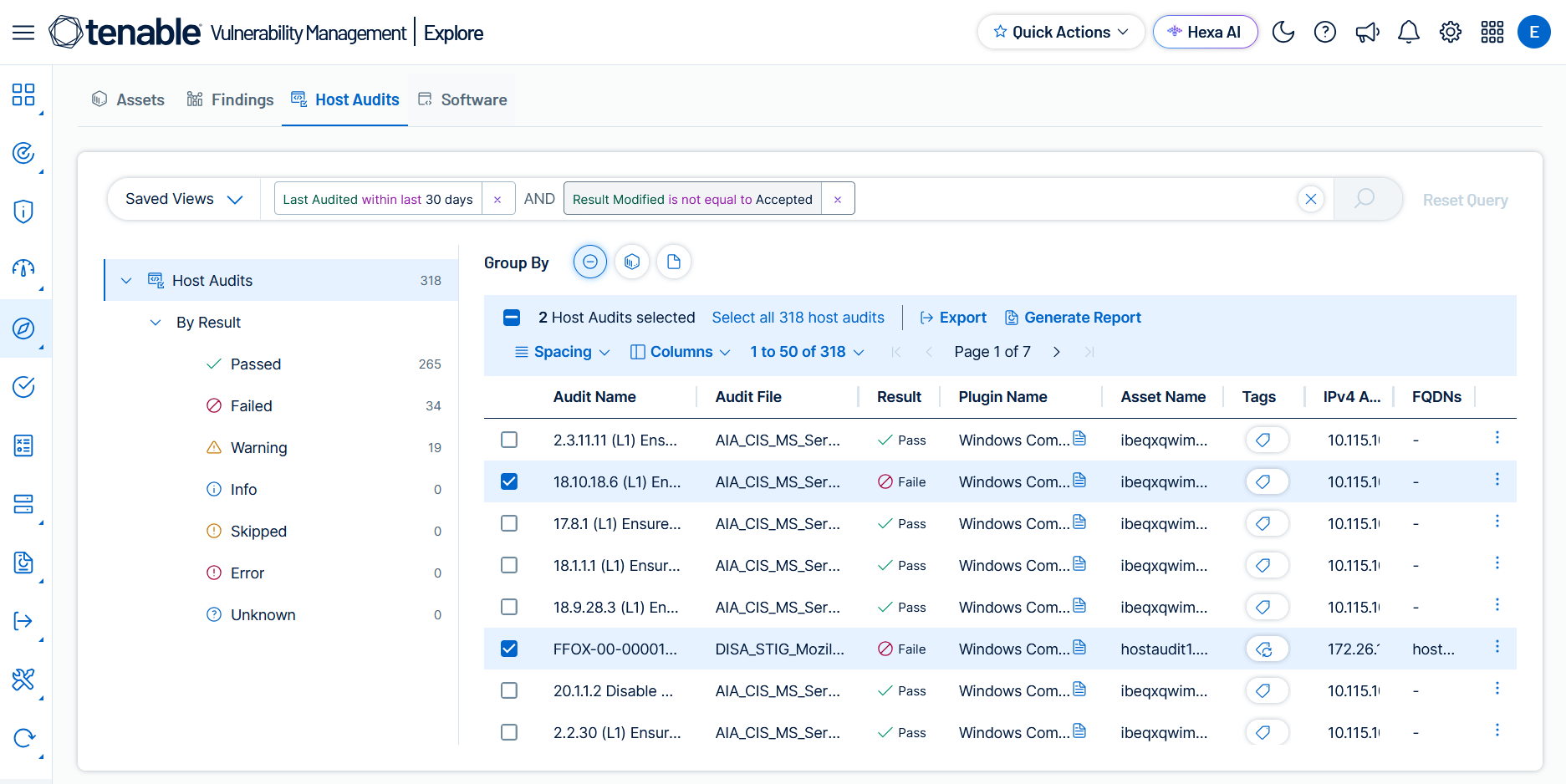
On the Host Audits page, you can:
-
View individual host audit findings in a table with columns of information.
-
On the left, use the By Result tree to filter findings by result value — for example, Passed, Failed, or Warning.
-
Select an individual finding to reveal a details pane.
-
In the Query Builder, use host audit filters to build custom queries.
-
Build enhanced queries by Using Group By Options on the Host Audits Page.
-
Access Saved Views to save and reuse queries — useful for recurring compliance reporting or sharing standard filters with your team.
-
Export host audit findings to CSV or JSON.
-
Create Jira or ServiceNow tickets to assign remediation work based on host audit findings. See Take Action.
-
Generate host audit reports.
-
In any finding row, use the
 menu to:
-
View Details in New Tab — Open the finding details in a new browser tab.
-
View Associated Findings — View vulnerability findings associated with the same asset.
-
Add Recast Rule — Apply a recast rule to change the result of a host audit finding.
-