Tenable One Cloud Exposure 2025 Q1 Release Notes
Tip: You can subscribe to receive these release notes by email or RSS.
These release notes are listed in reverse chronological order.
March 30, 2025 (Release 1.159)
New Features
 Workload Protection: Private (Internal) AMI Scanning
Tenable now support scanning Private (Internal) AMIs without requiring special permissions. These AMIs function similarly to snapshots, allowing for immediate scanning without the need to create an instance. The existing VM scan permissions will enable scanning of these images, ensuring security and compliance checks can be performed effectively.
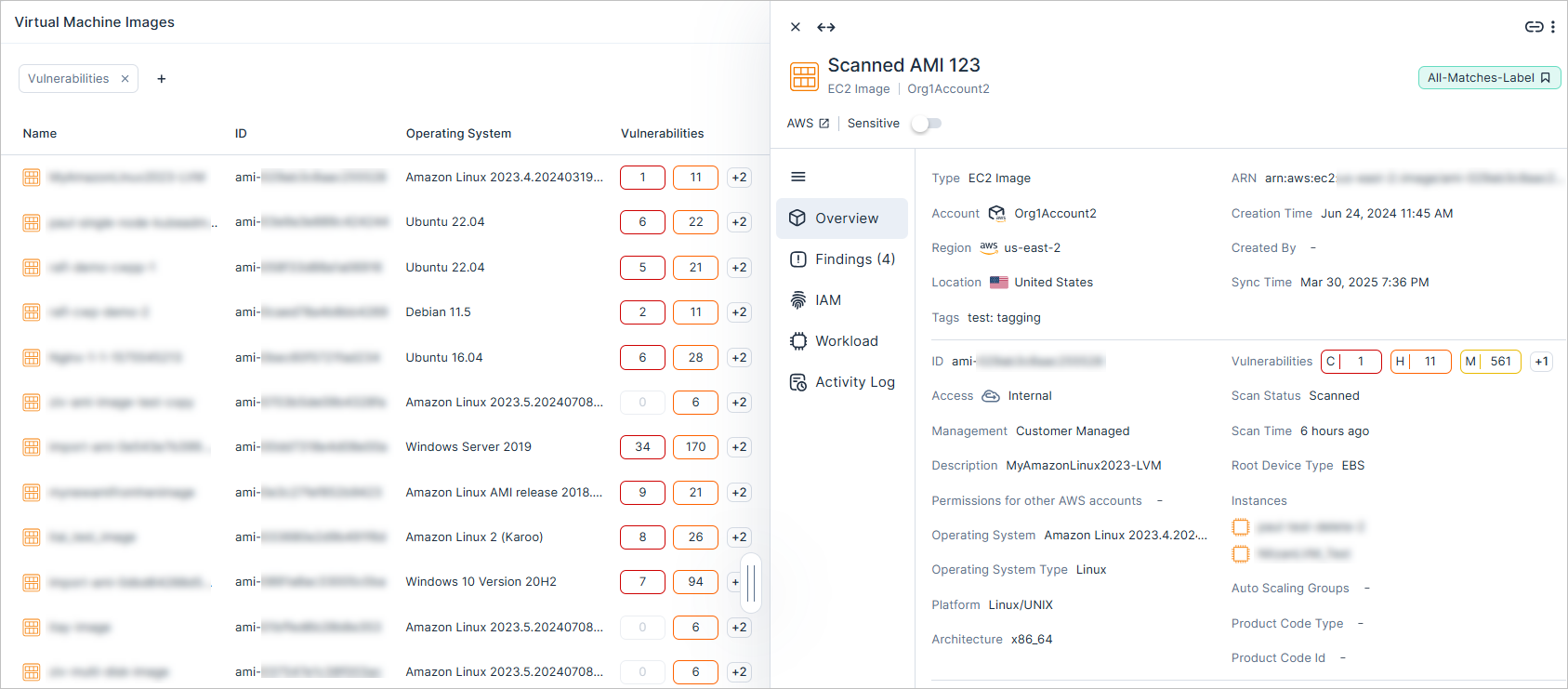
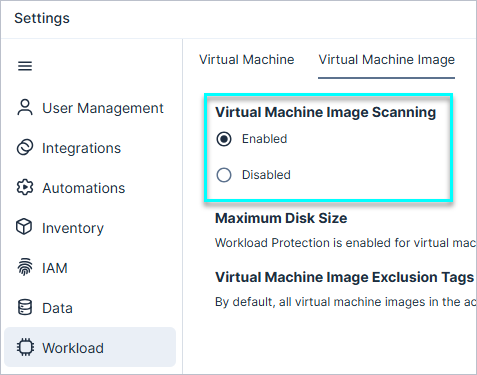
To scan AMIs, you need to enable the Virtual Machine Image Scanning option, located under Settings > Workloads > Virtual Machine Image.
Workload Protection: Expanded Export of Results for Vulnerabilities, Software, and Malicious Files
You can now export an unlimited number of results on the Vulnerabilities, Software, and Malicious Files pages, removing the previous limit of 10,000. This enhancement allows for more comprehensive reporting and analysis of large data sets.
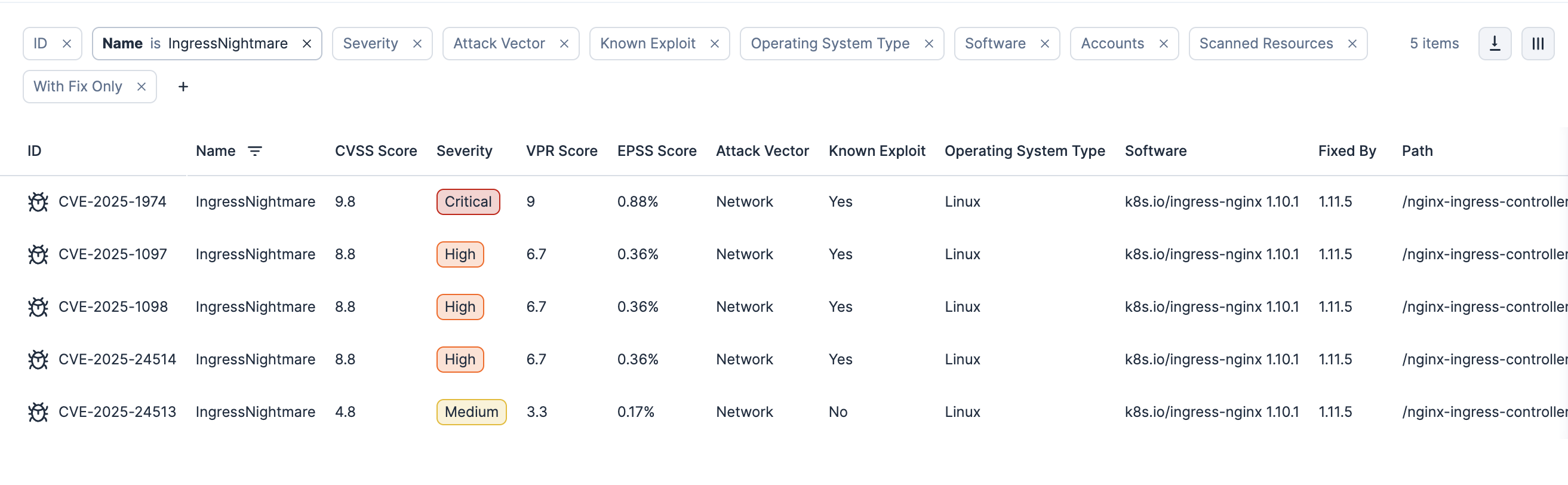
Kubernetes: Detection of ‘IngressNightmare' Kubernetes Vulnerabilities
Cloud Exposure now supports the detection of the newly disclosed ‘IngressNightmare’ Kubernetes vulnerabilities. With this update, Tenable can identify affected Ingress NGINX instances in your environment and flag any detected vulnerabilities. Learn more on the Tenable blog.
IAM: Enhanced Permission Query with Access Level Filtering
 API Support
The Permissions Query Access Level option has been enhanced as follow:
- API — You can now filter permissions by Access Level using the new AccessLevel field, which represents the scope of access granted to a resource. For more details, see API - Permissions.
- Console — The Access Level field, previously hidden by default, now appears as a default filter, improving usability and visibility.
This enhancement supports AWS, Azure, and GCP, providing better control and visibility over cloud permissions.
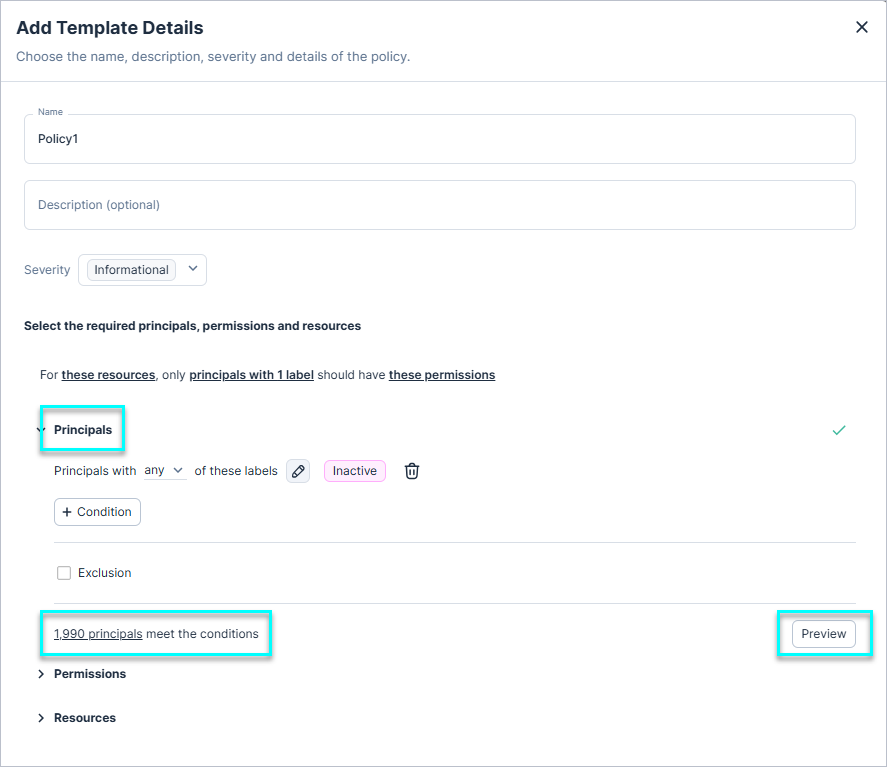
IAM: Preview for Principals and Resources in Custom Policies
You can now preview all Principals and Resources that meet your configured conditions in a custom policy immediately. This helps you validate and refine your policy configurations with confidence.
IAM: Disable Overprivileged Policies for Better Control
You can now disable any policy related to Overprivileged identities (e.g. an Overprivileged IAM Role), which removes any related findings, the Excessive label, and relevant rows from the Excessive Permissions page. The Access Graph remains unaffected, and you can configure the learning period for relevant identities through IAM settings.
New Policies in 159
API Support
The following policies were added in this release:
| Platform | Category | Name |
|---|---|---|
| AWS, Azure, GCP, On-Premises | Kubernetes | Kubernetes cluster API server uses static token authentication |
| AWS | Data | DocumentDB Cluster backup retention period does not meet minimum requirements |
| AWS | Data | Neptune Cluster backup retention period does not meet minimum requirements |
| AWS | Data | RDS Cluster backup retention period does not meet minimum requirements |
| AWS | Data | RDS Instance backup retention period does not meet minimum requirements |
| AWS | Data | Redshift Cluster backup retention period does not meet minimum requirements |
| Azure | Data | Key Vault key is not rotated |
| OCI | Data | File System root user access is not restricted |
New IaC Policies in 159
The following IaC policies were added in this release:
| Platform | Category | Name |
|---|---|---|
| Azure | Data | Key Vault key is not rotated |
| OCI | Data | File System root user access is not restricted |
Updated Policies: Expanded Coverage for OpenSearch Policies
Previously, the following policies generated findings only for Elasticsearch Service resources. They now also apply to OpenSearch Service resources:
- OpenSearch domain is not encrypted with KMS
- Unencrypted OpenSearch domain node-to-node communication
March 23, 2025 (Release 1.158)
New Features
Kubernetes: Admission Controller
Required License: Enterprise. For more information, see Licensing.
Kubernetes admission control provides a critical layer of control over the resources created and modified within a Kubernetes cluster.
Admission controllers intercept API requests, enabling administrators to enforce policies, validate configurations, and enhance security. Use admission controller policies to ensure that only compliant resources, such as containers, pods, and services, are allowed to be created, modified, or deleted, effectively helping to safeguard the integrity of the cluster.
On the Admission Controller Policies page, you can:
- Enable and configure admission controller policies, including what happens when a policy is violated.
- The violation effects can be Deny or Alert.
- Enabled policies apply only to clusters with the admission controller installed that reside within the selected scope.
All Kubernetes actions that were analyzed by admission controller policies are recorded on the Admission Controller Logs page, along with their analysis results.
See the documentation for more information.
Kubernetes: Unified Helm Chart - Enhanced Kubernetes & OpenShift Security
Cloud Exposure has improved the Helm Chart upgrade process to enhance cluster management and unlock powerful security capabilities. With this upgrade, you can choose which new features to deploy, ensuring your Kubernetes and OpenShift environments remain secure and up to date. For detailed instructions on upgrading your clusters, see the Documentation.
Key Capabilities:
- Admission Controller (Enterprise license required): Enforce security policies before deploying workloads. For more information, see Admission Controller.
- Agent-Based Vulnerability Scanning (Enterprise license required): Scan the cluster nodes and container images for vulnerabilities. An Enterprise license is also required for agent-based Kubernetes scanning of cloud-managed workloads. For more information, see Agent-Based Kubernetes Workload Scanning.
- Resource Sync — Gain complete visibility into cluster resources and misconfigurations.
Support Private Container Image Registries: By default, the upgraded image is pulled from the Tenable image registry (with the URL provided in case customers need to whitelist it). Ensure your images are updated at least every two weeks for optimal performance. For more information, see the Documentation.
New Policy: Kubernetes Cluster Controller Manager Private Key File for Service Accounts Is Not Set
| Component | Name |
|---|---|
| Controller Manager | Kubernetes cluster Controller Manager private key file for service accounts is not set |
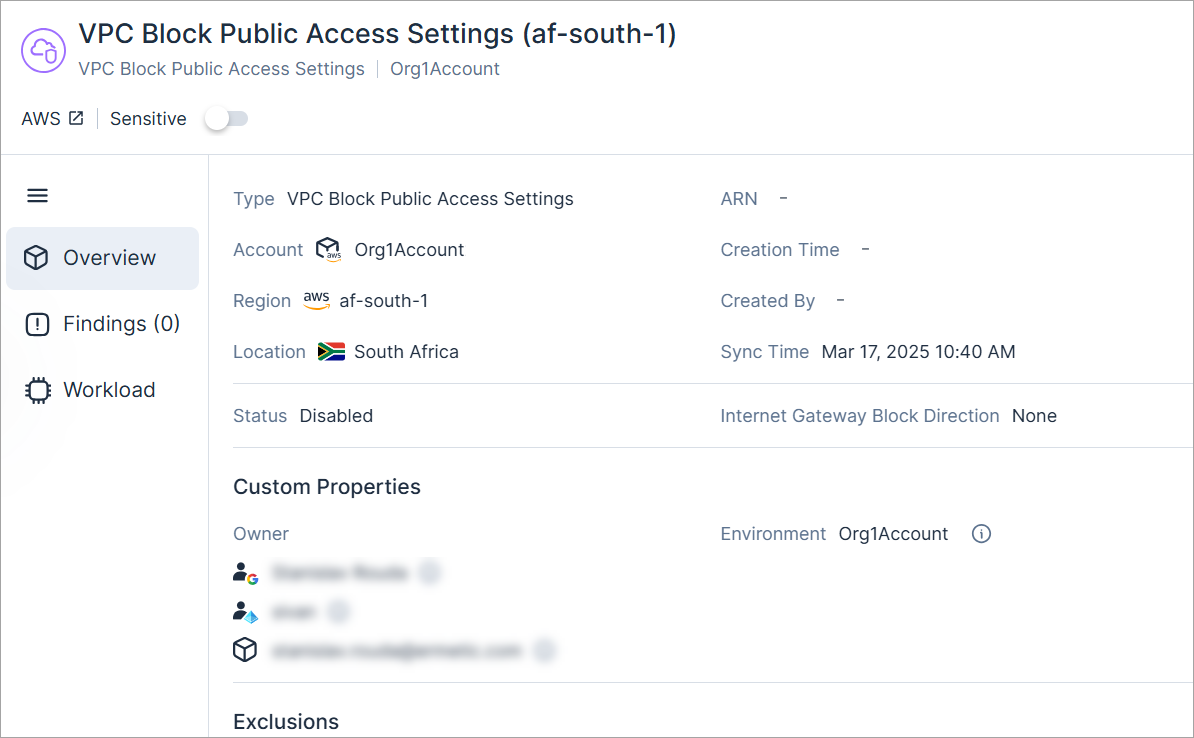
New AWS Resource Type: VPC Block Public Access Settings
API Support
VPC Block Public Access is a new AWS feature that allows you to block all public access to your VPCs within a region. This is useful when you’re certain no public access is required. Instead of dealing with complex configurations that are prone to misconfigurations, you can simply block public access. In addition, the feature provides the flexibility to exclude specific VPCs and subnets.
Cloud Exposure now provides visibility into VPC Block Public Access Settings via the Inventory view (AWS > Network), and displays relevant information.
The VPC Block Public Access Settings field can also be seen in the VPC and Subnet profiles.
See the documentation for a list of all supported resources.
Split AWS Finding: CloudTrail S3 Bucket Logging Is Not Enabled
The CloudTrail S3 Bucket logging is not enabled policy (Logging category) was modified to create a separate finding per resource, as opposed to a single finding that aggregates all resources with the same issue.
Creating a finding per resource allows Cloud Exposure to send granular notifications to third party tools for each specific resource.
See the documentation for more information.
Workload Protection: Agent-Based Kubernetes Scanning of Cloud-Managed Workloads
You can now scan cloud-managed Kubernetes workloads (virtual machines and container images) for vulnerabilities via an agent by leveraging a Helm chart command to onboard relevant Kubernetes clusters in your environment.
Agent-based protection provides deep visibility and real-time security by deploying a lightweight sensor on each workload, making it ideal for continuous monitoring and active threat defense.
For more information, see Agent-Based Kubernetes Workload Scanning. For a comparison of scanning methods, see Agentless vs Agent-Based Scanning.
Workload Protection: Scanning Windows VMs with Key Encryption Key
Cloud Exposure supports scanning Azure-encrypted Windows VM resources that use a Key Encryption Key (KEK).
To learn more about Azure-encrypted Windows VMs support, see the Documentation.
Data Protection: Support for Scanning Additional PII Data Types 158
Cloud Exposure now supports scanning the following additional data types:
| Data Type | Category | Sensitivity | Description |
|---|---|---|---|
| CPF | PII | Restricted | Brazilian individual taxpayer ID (Cadastro de Pessoas Físicas) |
| RG Number | PII | Restricted | Brazilian general registry number |
Data Protection: Support for Scanning ENV Files
Cloud Exposure now scans env files for sensitive data, enabling you to detect sensitive data in spreadsheets stored across your environments.
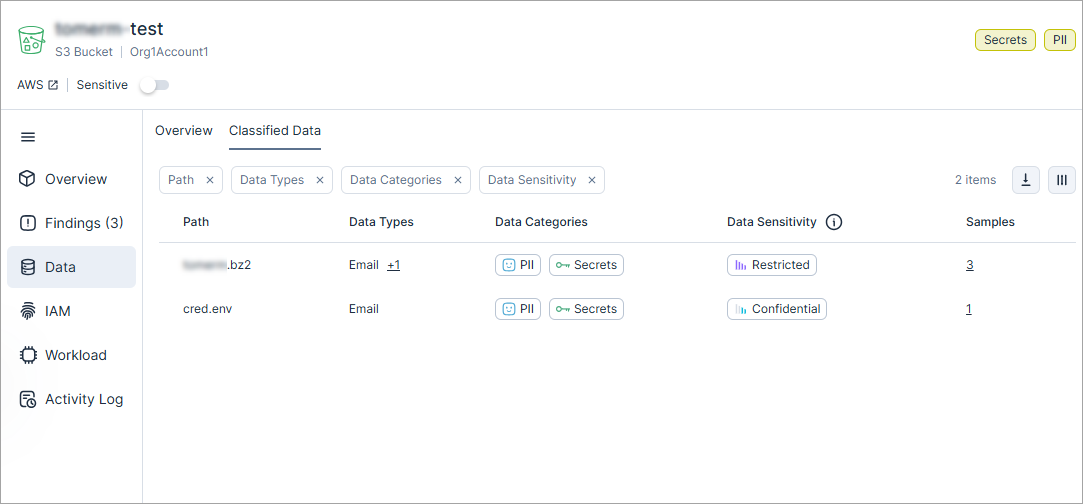
For a full list of scanned file types, see the documentation.
Data Protection: Support for Scanning Files without Extensions
Cloud Exposure has expanded file scanning capabilities to support files without extensions. Files without extensions can now be analyzed to determine if they match any of the supported formats based on their content.
March 16, 2025 (Release 1.157)
Upcoming Changes
Data Protection: Azure SQL Server Scanning
Cloud Exposure will be introducing data protection scanning for Azure SQL database resources.
For more information, see Azure SQL server scanning (May 2025).
New Features
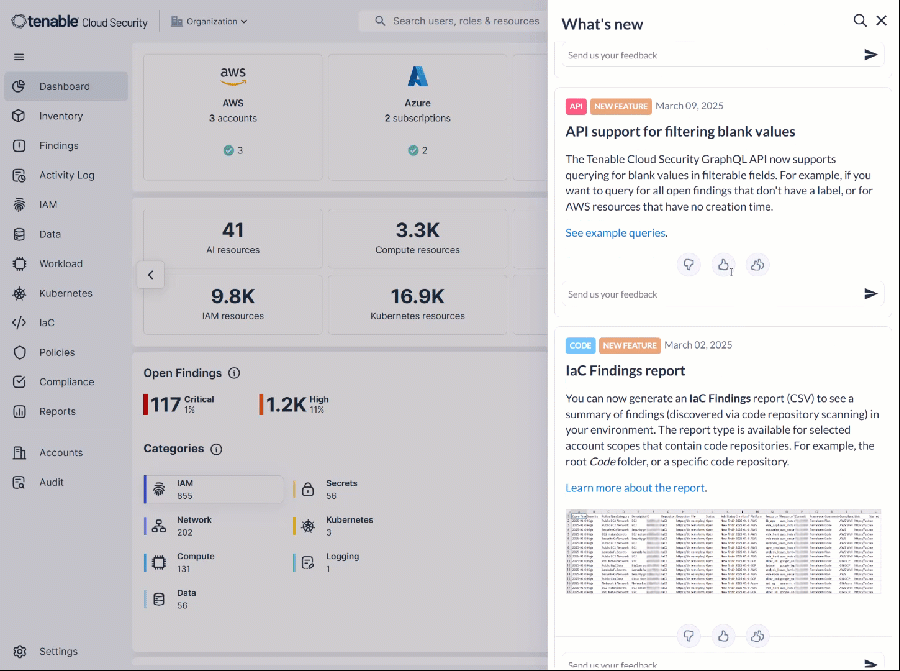
Introducing "What’s New"!
Stay up to date with the latest features, updates, and improvements all in one place! Check back regularly to see what’s new and how we’re making your experience even better.
New AWS Policies in 157
| Name | Category | Severity |
|---|---|---|
| DocumentDB Cluster does not publish logs to CloudWatch Logs | Logging | dynamically determined |
| DynamoDB Table delete protection is not enabled | Data | dynamically determined |
| Elastic Beanstalk does not publish logs to CloudWatch Logs | Logging | dynamically determined |
| Neptune DB Cluster does not publish logs to CloudWatch Logs | Logging | dynamically determined |
| OpenSearch domain does not publish logs to CloudWatch Logs | Logging | dynamically determined |
| RDS Cluster does not publish logs to CloudWatch Logs | Logging | dynamically determined |
| RDS Instance does not publish logs to CloudWatch Logs | Logging | dynamically determined |
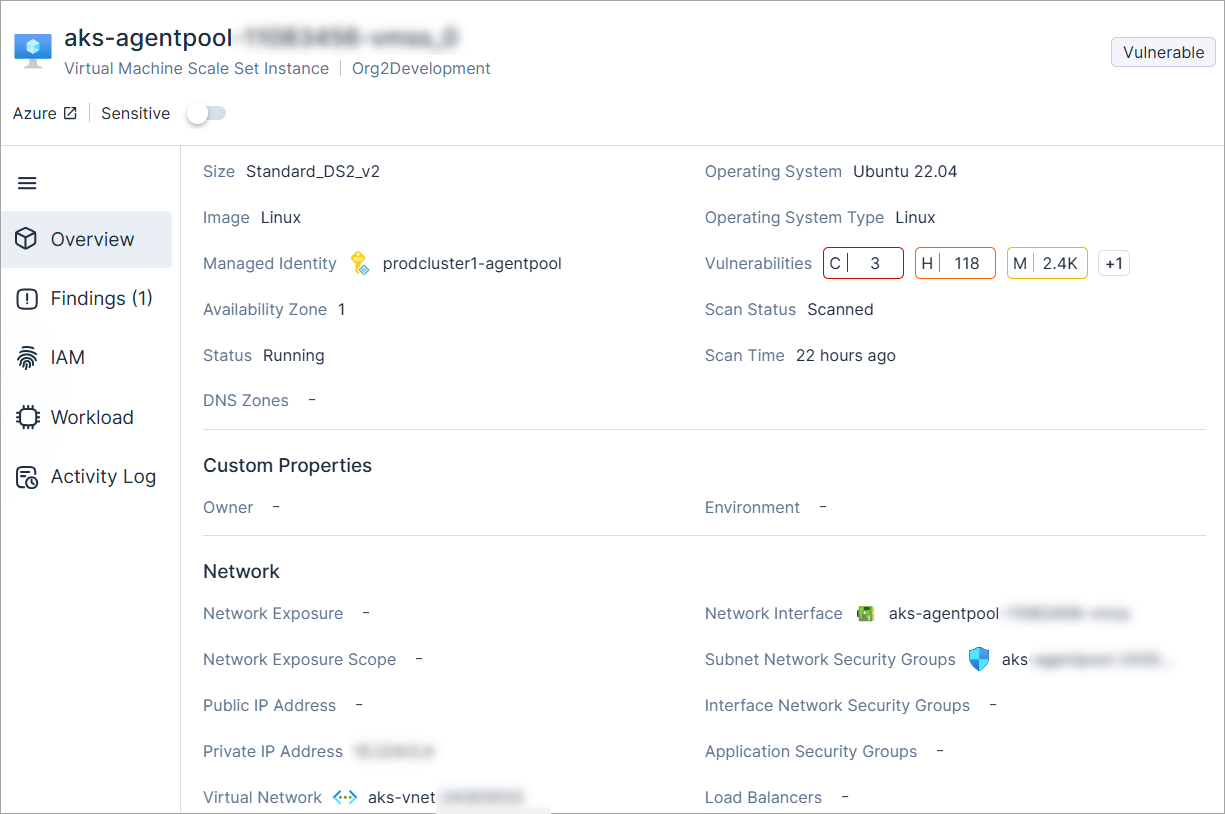
New Azure Resource Type: Virtual Machine Scale Set Instance
API Support
Cloud Exposure now provides visibility into Virtual Machine Scale Set Instance via the Inventory view (Azure > Compute), and displays relevant information.
See the documentation for a list of all supported resources.
New Azure Policies in 157
| Name | Category | Severity |
|---|---|---|
| Key vault key automatic rotation is not enabled | Data | dynamically determined |
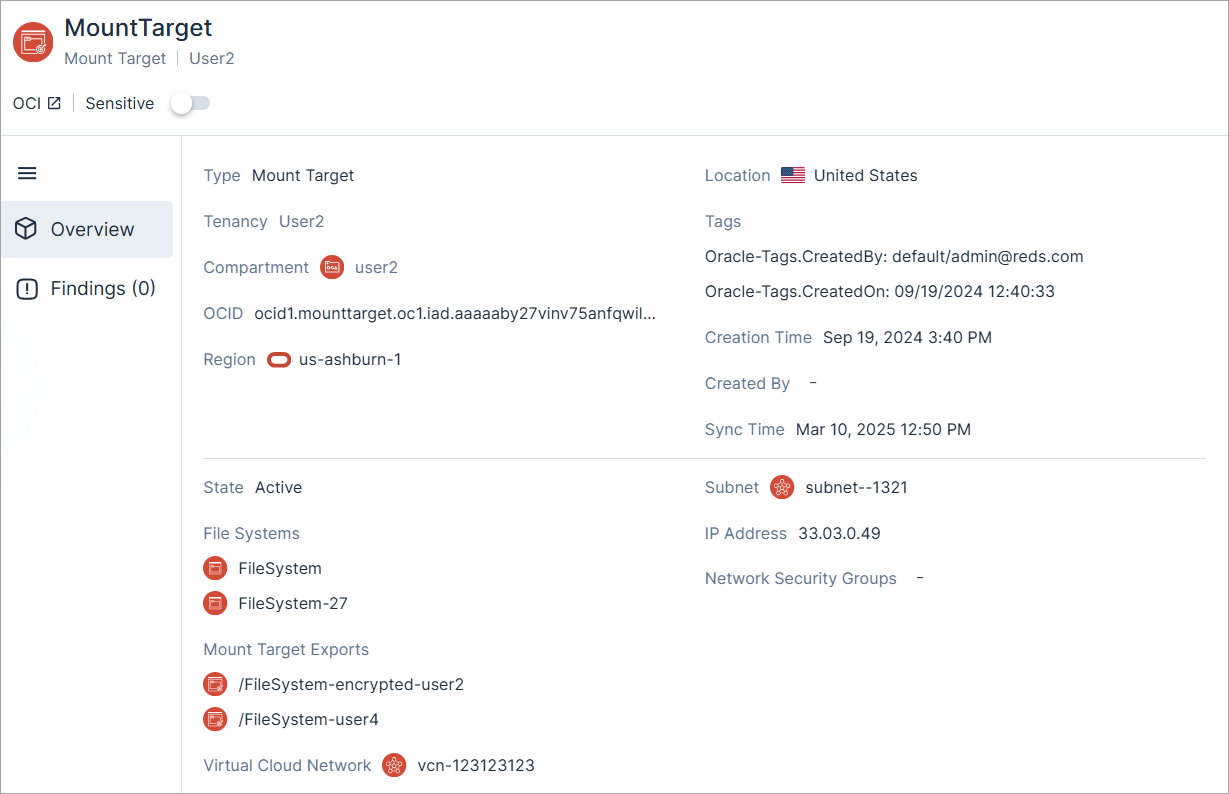
New OCI Resource Type: Mount Target
API Support
Cloud Exposure now provides visibility into Mount Target via the Inventory view (OCI > Data), and displays relevant information.
See the documentation for a list of all supported resources.
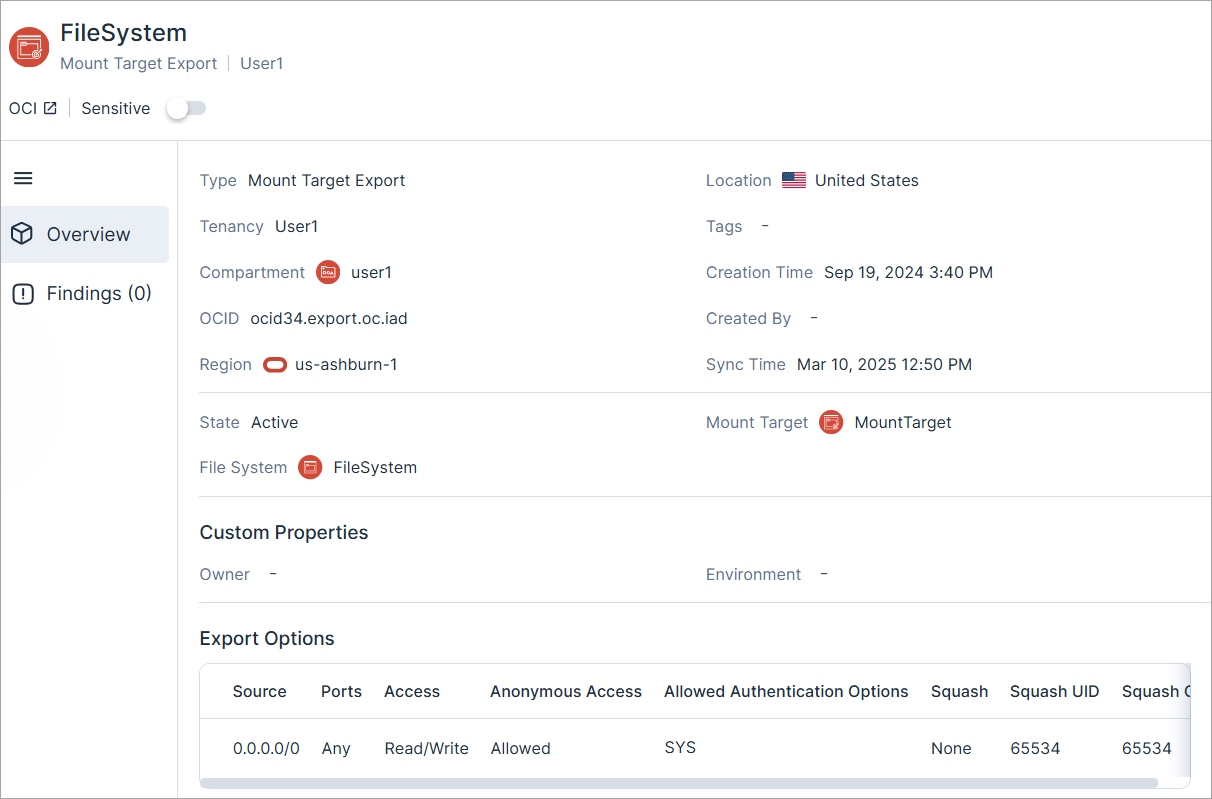
New OCI Resource Type: Mount Target Export
API Support
Cloud Exposure now provides visibility into Mount Target Export via the Inventory view (OCI > Data), and displays relevant information.
See the documentation for a list of all supported resources.
New Microsoft Entra ID Policies in 157
| Name | Category | Severity |
|---|---|---|
| Microsoft Entra ID Tenant 'Restrict non-admin users from creating tenants' is not enabled | IAM | Medium |
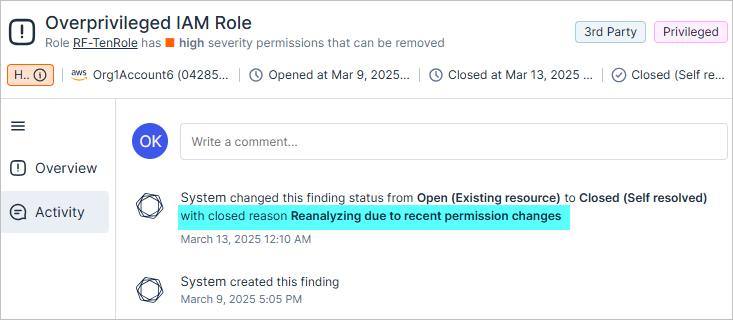
Platform: Closed Reason for Findings
Tenable now lists the closed reason for findings that were closed and have a sub-status of fixed or self resolved. The closed reason is listed in the Activity tab of the Finding profile.
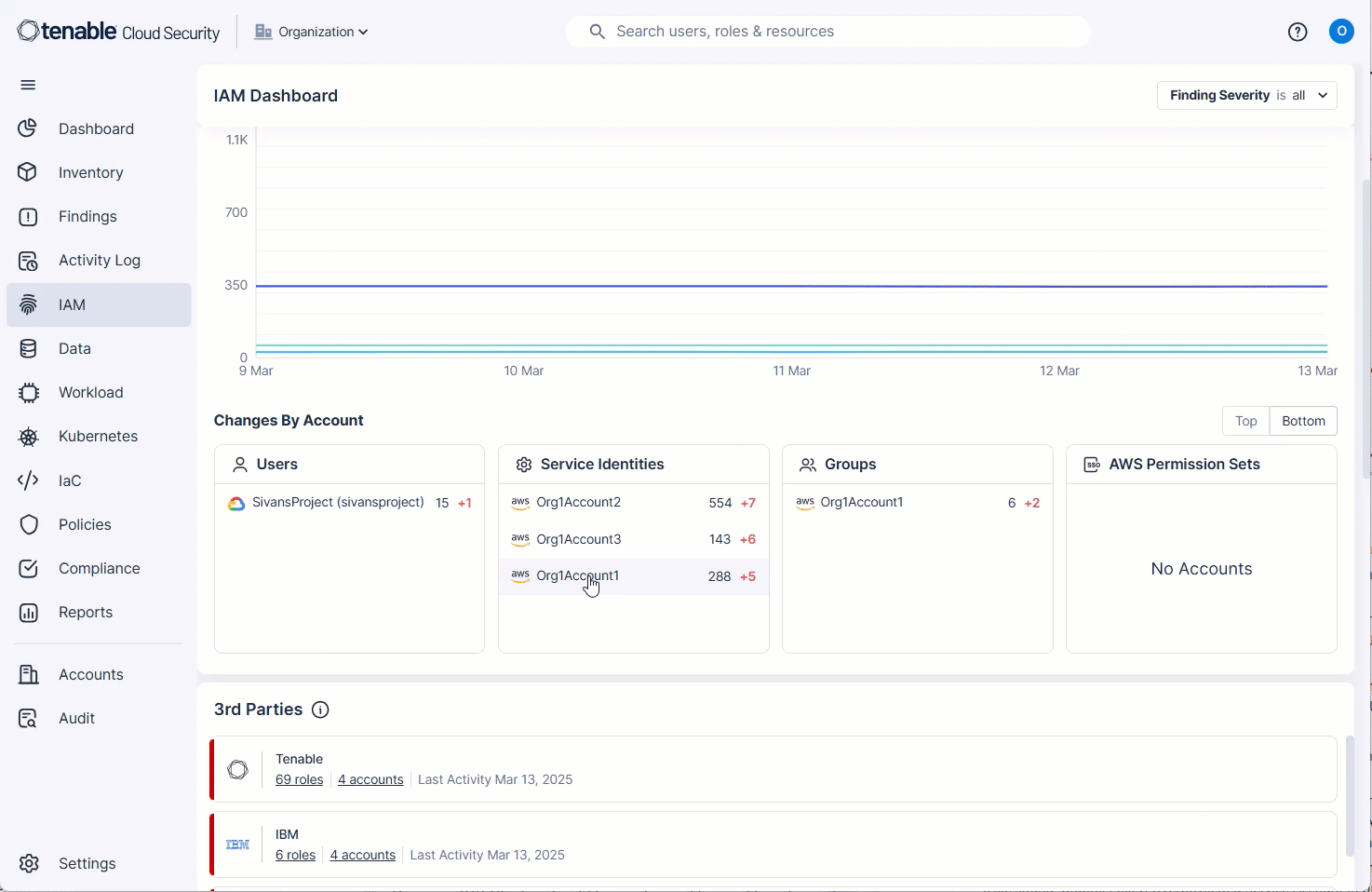
IAM Dashboard: Drill-Down into Overprivileged Accounts/Principals
In the IAM Dashboard, you can now click on entries in the Changes By Account widget to drill-down and see a list of the relevant open findings. The Open Time filter in the findings page is filtered according to the time period you choose in the dropdown in the Overprivileged Trend widget.
IAM: Root User MFA Is Not Enabled Policy Logic
Cloud Exposure has adopted AWS best practices for centralized root access within AWS Organizations. After centralizing root access, you can choose to delete root user credentials from member accounts in your organization and deactivate multi-factor authentication (MFA).
If you choose to centralize root access and delete root user credentials from member accounts, new findings will not be generated for Root User MFA is not enabled policy. As a result, existing finding will be closed with the sub-status false positive.
Data Protection: Support for Scanning an Additional PII Data Type
Cloud Exposure now supports scanning the following additional data type:
| Data Type | Category | Sensitivity | Description |
|---|---|---|---|
| South African ID | PII | Restricted | South African ID number, issued for citizens and permanent residents of South Africa |
See the documentation for a list of all supported data types, broken down by category.
Kubernetes: New Kubernetes and OpenShift Policies in 157
API Support
New Kubernetes and OpenShift policies were added to enhance security, compliance, and resource management within Cloud Exposure's Kubernetes system. All policies are in the Kubernetes category and have dynamically determined severity.
| Component | Name |
|---|---|
| API Server | Kubernetes cluster API server allows weak cryptographic ciphers |
| Kubernetes cluster API server is configured with insecure settings | |
| Kubernetes cluster API server uses --basic-auth-file argument for authentication | |
| Kubernetes cluster encryption providers are misconfigured | |
| Control Plane Configuration | Kubernetes cluster OAuth not configured with an identity provider |
| Controller Manager | Kubernetes cluster Controller Manager allows unrestricted communication |
| Kubernetes cluster Controller Manager private key file for service accounts is not set | |
| Kubernetes cluster Controller Manager --root-ca-file is not set | |
| Kubernetes cluster Controller Manager --use-service-account-credentials is not set | |
| etcd | Kubernetes cluster etcd auto TLS is enabled |
| Kubernetes cluster etcd certificate files not set | |
| Kubernetes cluster etcd client certificate authentication is not enabled | |
| Kubernetes cluster etcd peer auto TLS is enabled | |
| Kubernetes cluster etcd peer certificate files are not set | |
| Kubernetes cluster etcd peer-client certificate authentication is disabled | |
| Network Policies and CNI | Kubernetes cluster CNI does not support Network Policies |
| Worker Nodes | Kubernetes cluster Kubelet allows weak cryptographic ciphers |
| Worker Nodes | Kubernetes cluster Kubelet TLS certificate and private key are not set |
March 9, 2025 (Release 1.156)
New Features
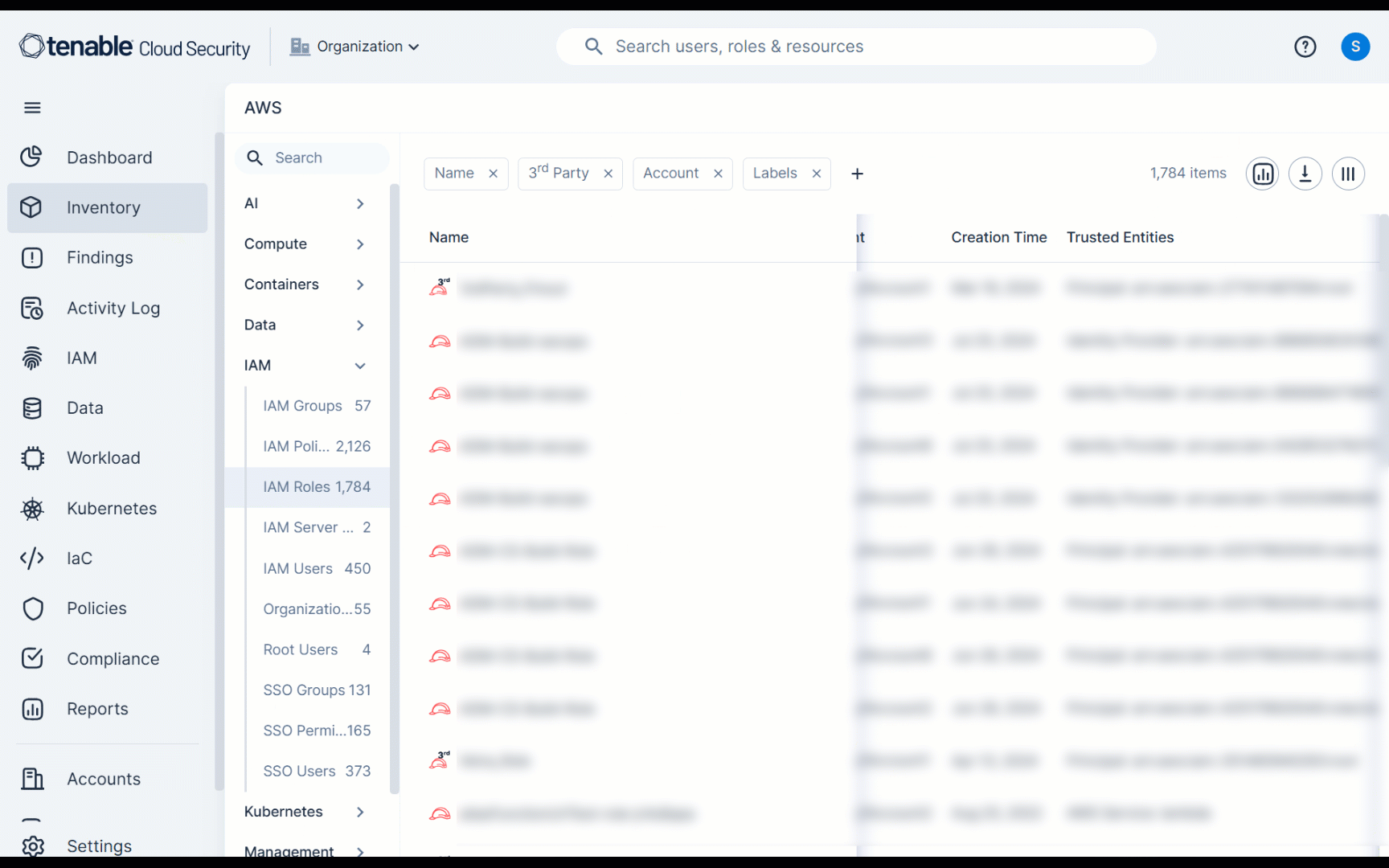
AWS IAM Roles: Vendor Information Display
IAM roles now display vendor information for better visibility. You can find the Vendor field in the:
- IAM Role page as a new column
- IAM role profile (slideout panel)
AWS Policy Update: Load Balancer Insecure Communication
The policy logic for Load Balancer insecure communication has been updated to generate findings only for load balancers with insecure communication.
Findings will now be generated for:
- NLB with TLS versions lower than 1.2
- ALB with HTTP or TLS versions lower than 1.2
- CLB with HTTP or TLS versions lower than 1.2
Existing false-positive findings have been closed. Users are advised to follow remediation steps to enforce TLS 1.2 or higher across all load balancers.
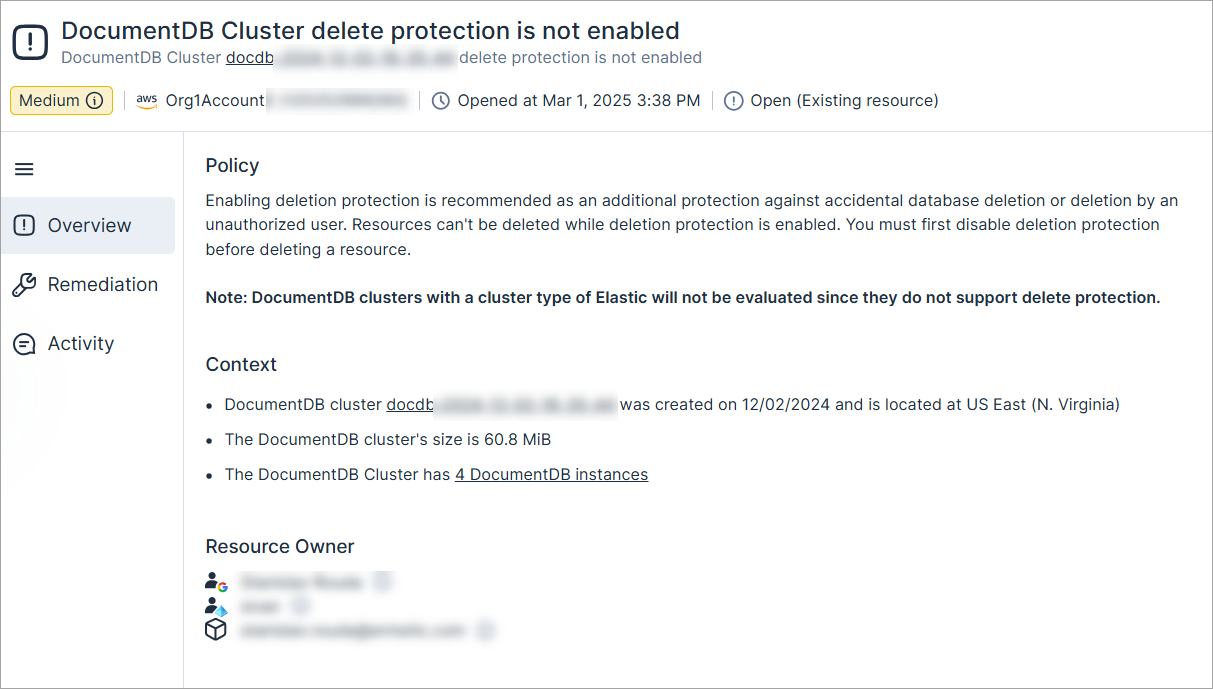
New AWS Policy: DocumentDB Cluster Delete Protection Is Not Enabled
Enabling deletion protection is recommended as an additional protection against accidental database deletion or deletion by an unauthorized user. Resources can't be deleted while deletion protection is enabled. You must first disable deletion protection before deleting a resource.
Note: DocumentDB clusters with a cluster type of Elastic will not be evaluated since they do not support delete protection.
The severity is dynamically determined based on whether the cluster is marked as sensitive.
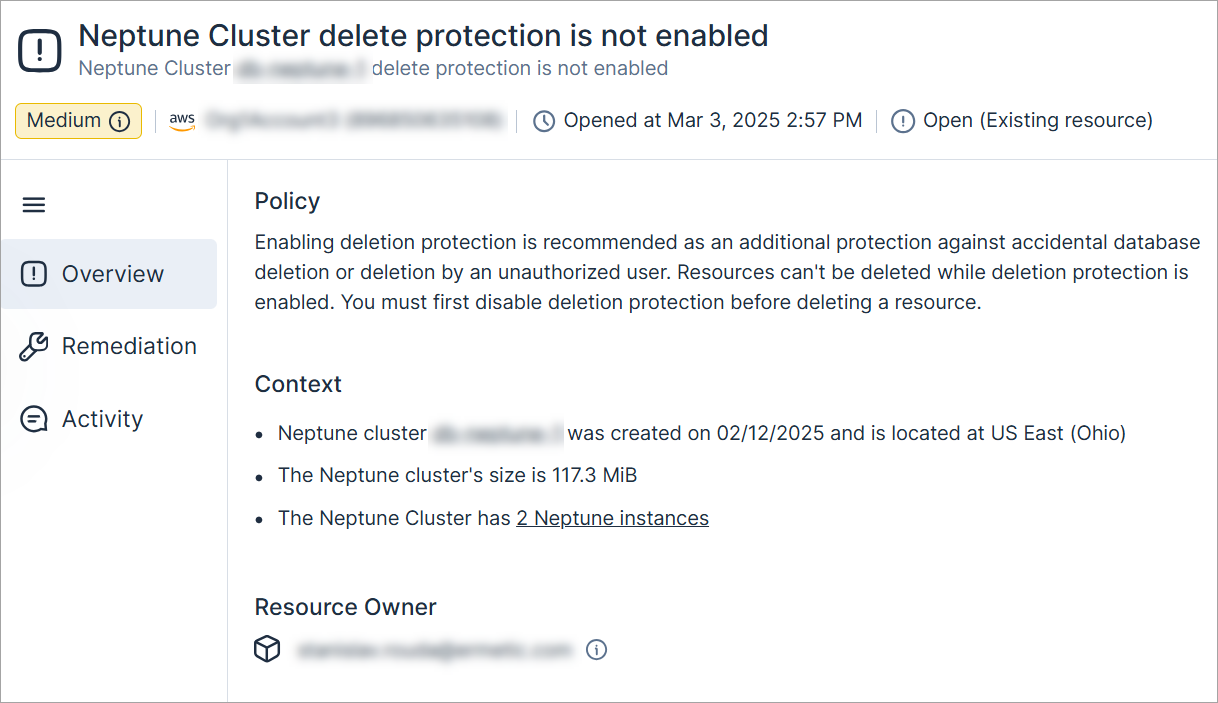
New AWS Policy: Neptune Cluster Delete Protection Is Not Enabled
Enabling deletion protection is recommended as an additional protection against accidental database deletion or deletion by an unauthorized user. Resources can't be deleted while deletion protection is enabled. You must first disable deletion protection before deleting a resource.
The severity is dynamically determined based on whether the cluster is marked as sensitive.
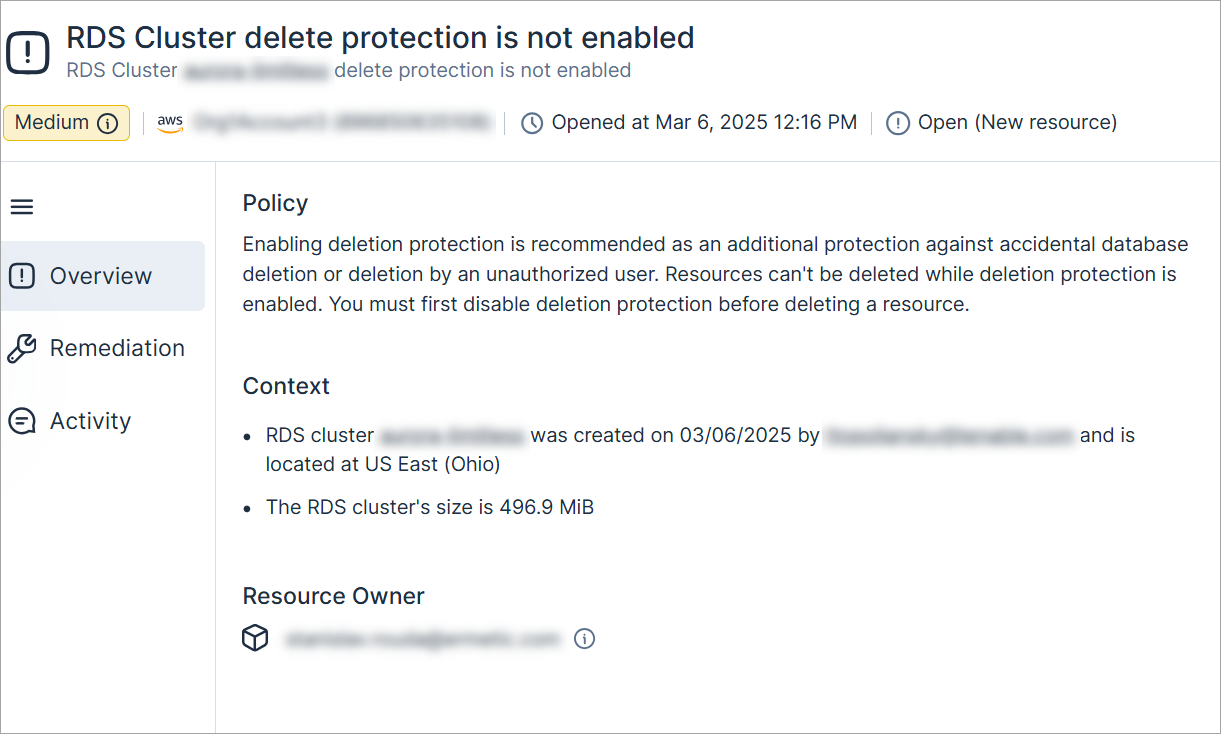
New AWS Policy: RDS Cluster Delete Protection Is Not Enabled
Enabling deletion protection is recommended as an additional protection against accidental database deletion or deletion by an unauthorized user. Resources can't be deleted while deletion protection is enabled. You must first disable deletion protection before deleting a resource.
The severity is dynamically determined based on whether the resource contains sensitive data or it is marked as sensitive.
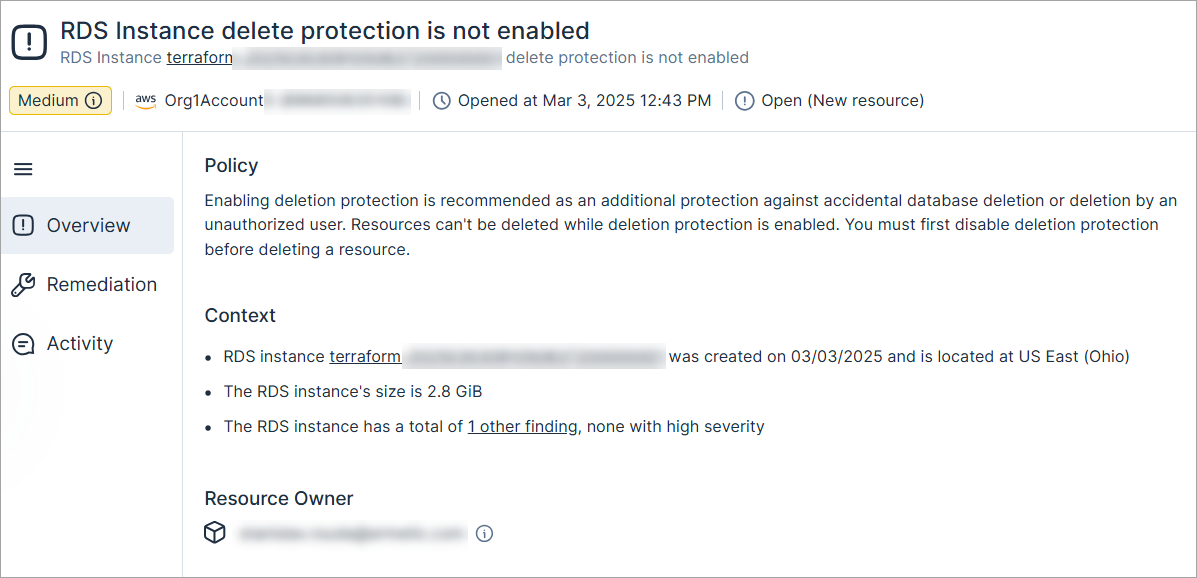
New AWS Policy: RDS Instance Delete Protection Is Not Enabled
Enabling deletion protection is recommended as an additional protection against accidental database deletion or deletion by an unauthorized user. Resources can't be deleted while deletion protection is enabled. You must first disable deletion protection before deleting a resource.
The severity is dynamically determined based on whether the instance/cluster is marked as sensitive.
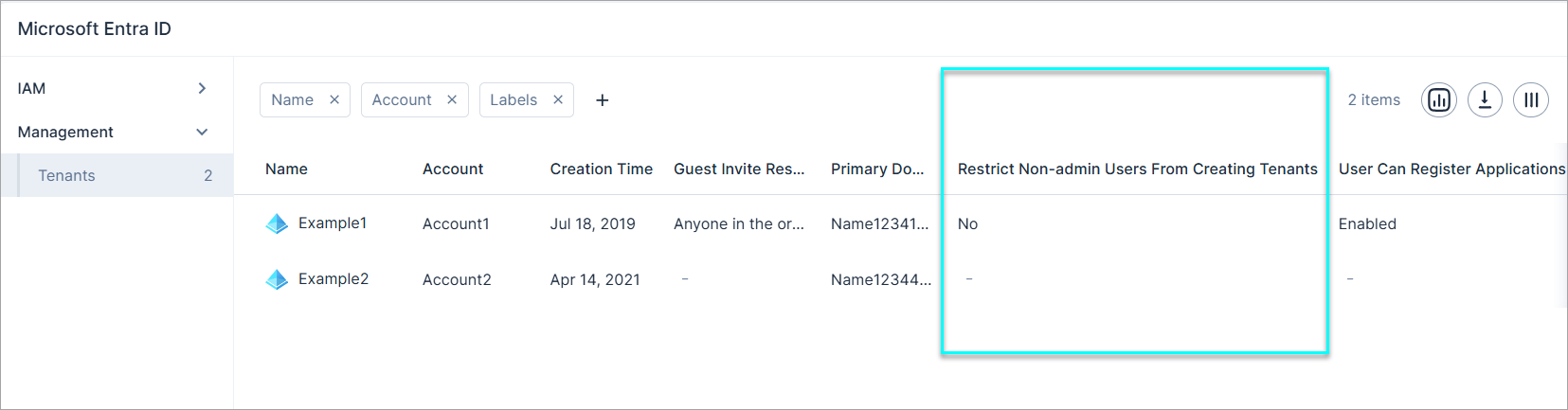
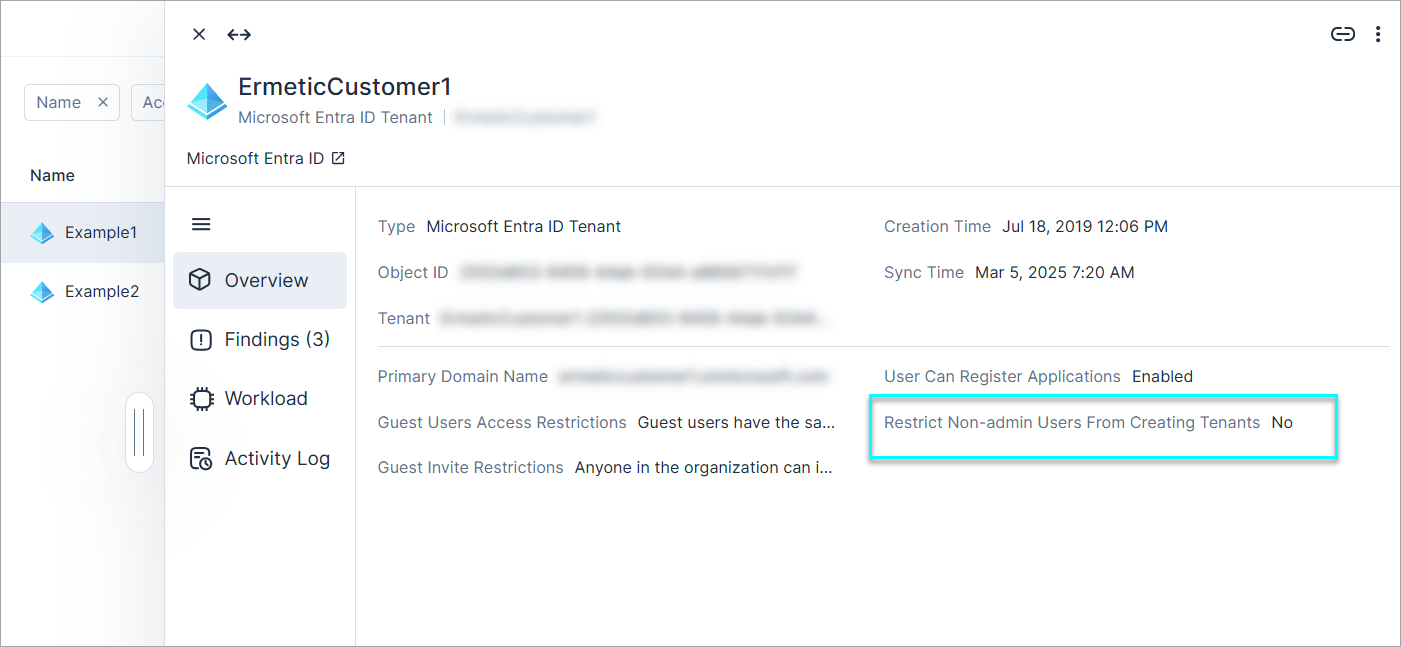
Microsoft Entra ID: Restrict Non-Admin Users from Creating Tenants Field Added
Microsoft Entra ID Tenants (Inventory > Management > Tenants) now display whether non-admins users are restricted from creating tenants. You can find the Restrict Non-admin Users From Creating Tenants field in:
- Microsoft Entra ID Tenants page as a new column
- Tenant profile (slideout panel)
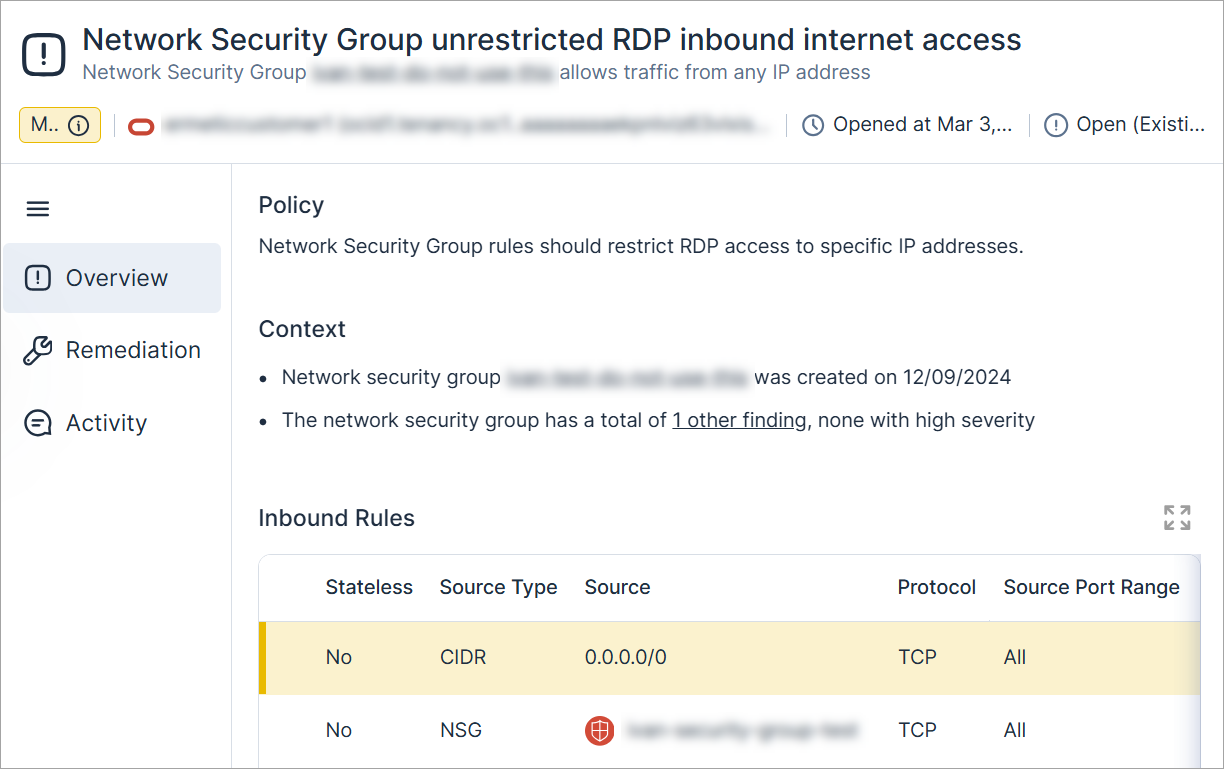
New OCI Policy: Network Security Group Unrestricted RDP Inbound Internet Access
Network Security Group rules should restrict RDP access to specific IP addresses.
The severity is dynamically determined based on whether the network security group is marked as sensitive
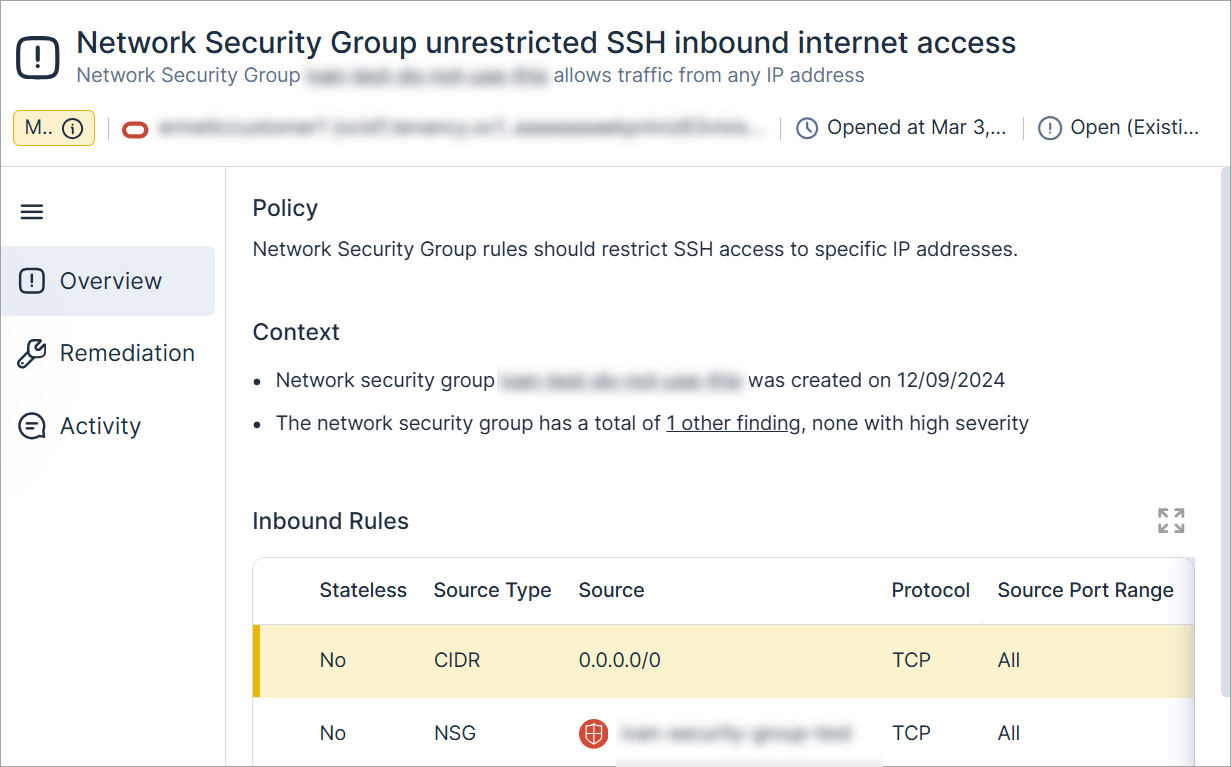
New OCI Policy: Network Security Group Unrestricted SSH Inbound Internet Access
Network Security Group rules should restrict SSH access to specific IP addresses.
The severity is dynamically determined based on whether the network security group is marked as sensitive
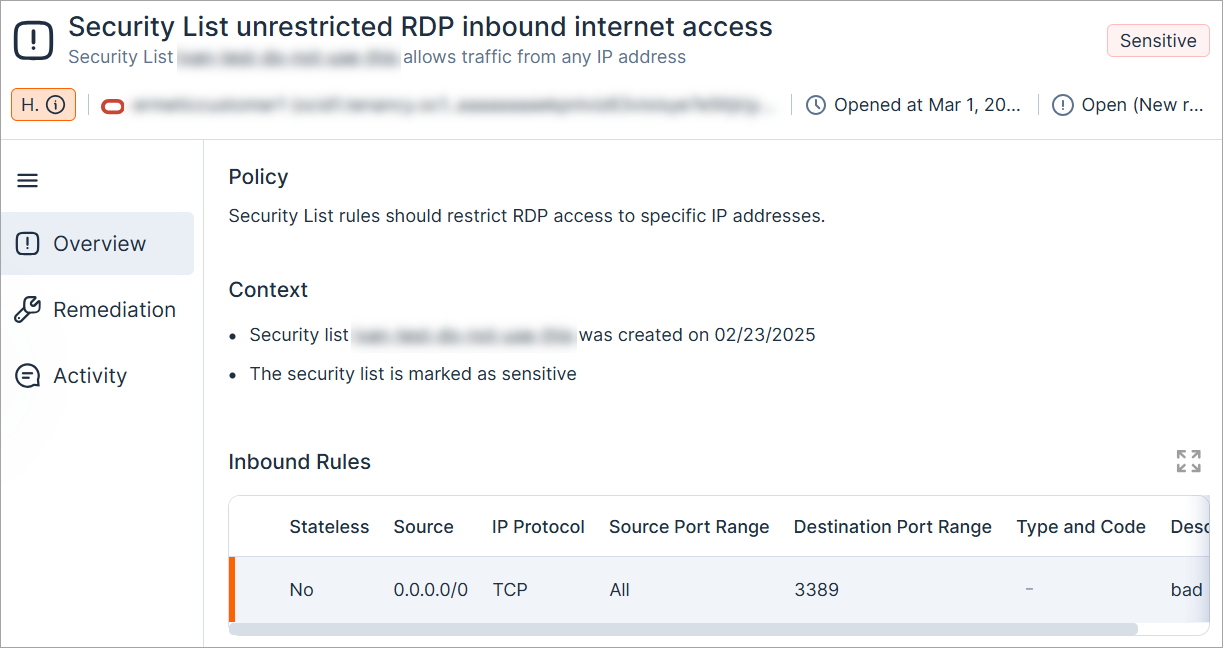
New OCI Policy: Security List Unrestricted RDP Inbound Internet Access
Security List rules should restrict RDP access to specific IP addresses.
The severity is dynamically determined based on whether the security list is marked as sensitive.
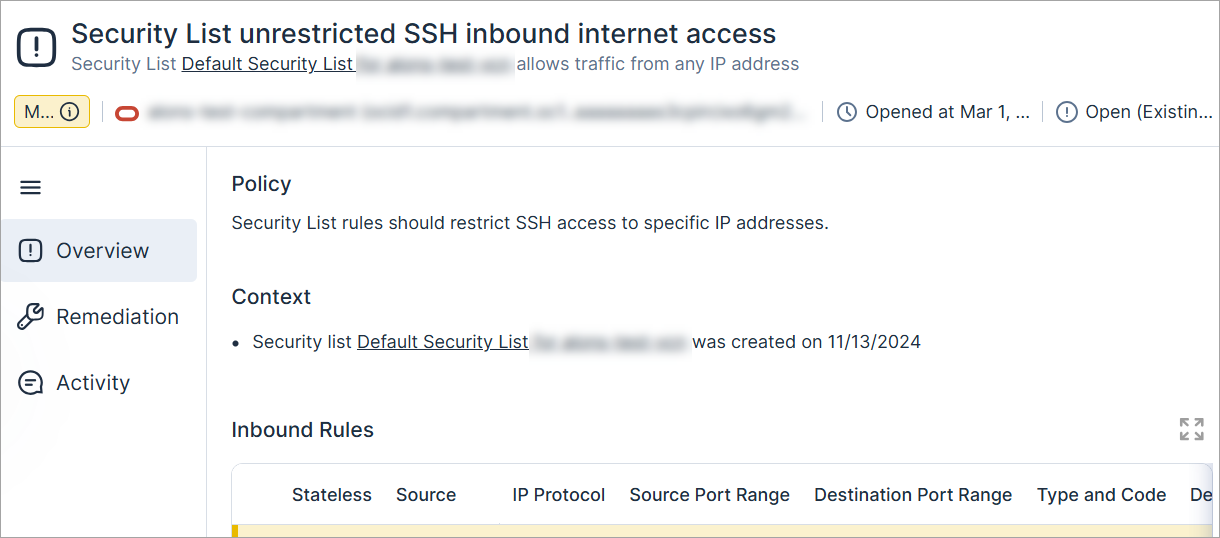
New OCI Policy: Security List Unrestricted SSH Inbound Internet Access
Security List rules should restrict SSH access to specific IP addresses.
The severity is dynamically determined based on whether the security list is marked as sensitive.
Workload Protection: Support for GitLab Components
Tenable added support for GitLab components to ease the integration with GitLab CI/CD pipeline.
A new GitLab parameters table has been added to assist you fine-tune how Cloud Exposure scans your GitLab CI/CD pipeline.
See the documentation for the complete parameters table.
Workload Protection: Enhanced Remediation for Vulnerability Findings in 'Go' Packages
Improved remediation steps on vulnerability finding identified on Go packages, previously identified as stdlib, and had software paths identified incorrectly and therefore could not be located on the host.
Note: Package path will not be available for packages installed through a package manager.
IAM: Anonymous User and External Accounts Visibility
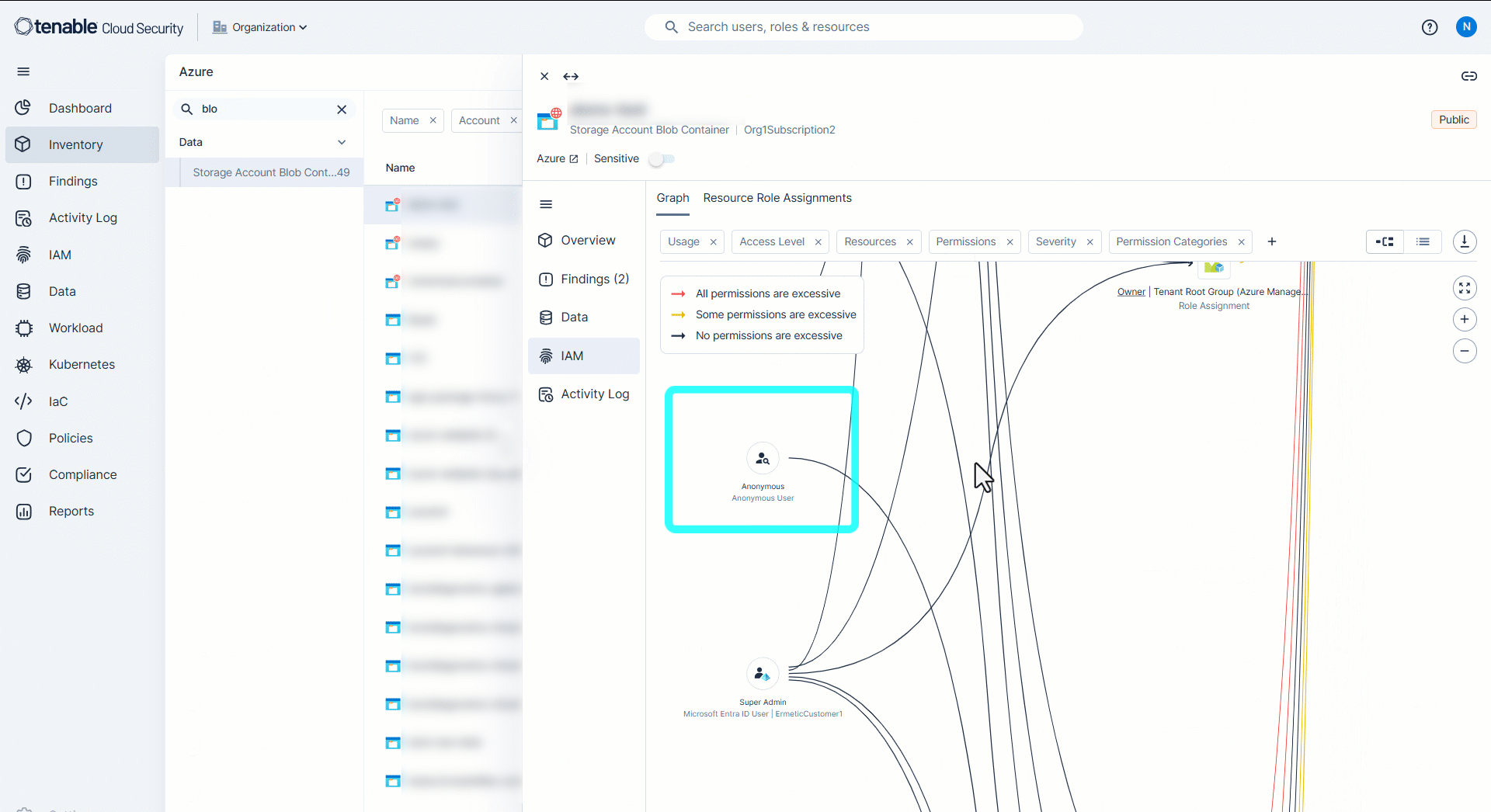
We’ve improved visibility into anonymous user access across AWS and Azure environments and external accounts for AWS.
Anonymous users and external accounts in AWS and Azure (including access to Storage Account Blob Containers in Azure) are now displayed in both the access graph and the Permission Query page (IAM > Permission Query).
Platform: New API Support for Filtering Blank Values
The API now supports querying for blank values in filterable fields. For example, you want to query for all open findings that don't have a label or AWS resources that have no creation time. To learn more, see Query Blank Fields.
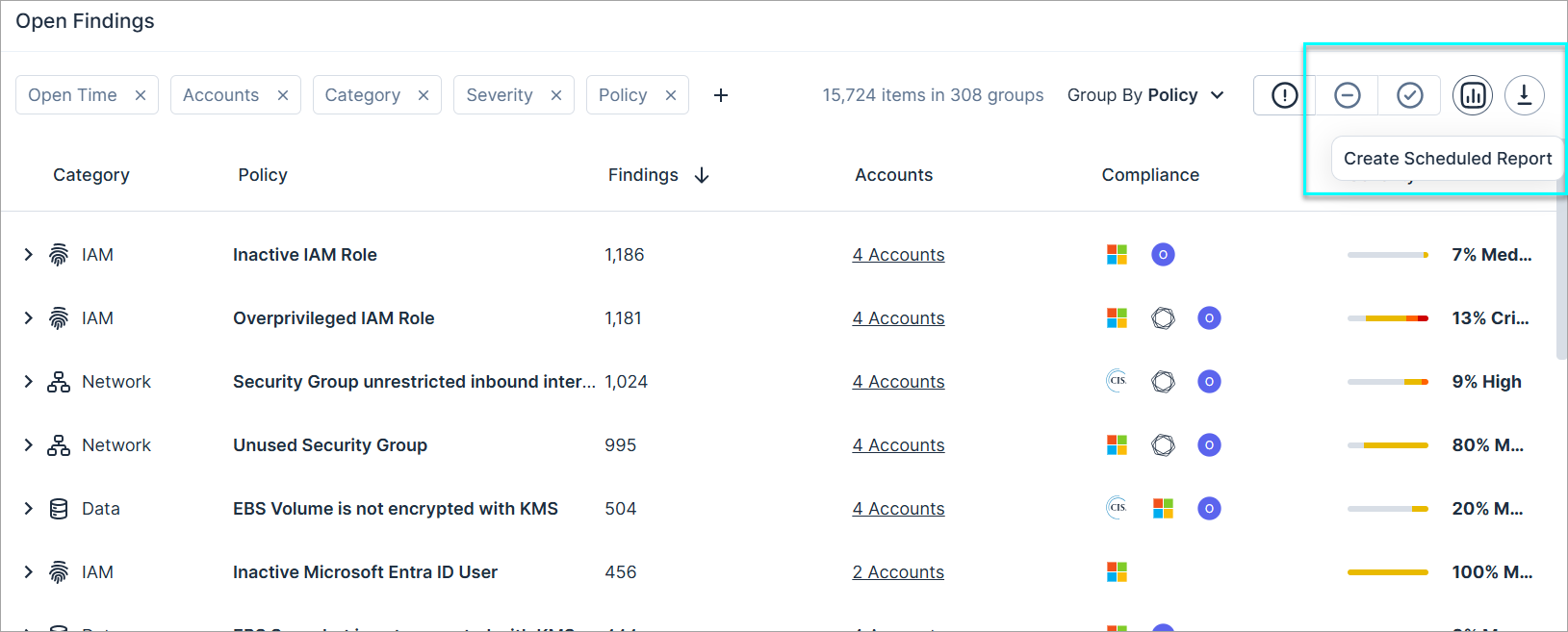
Platform: Create Finding Reports from Findings Page
You can now generate finding reports directly from the Findings and IaC Findings pages. When you create a report from these pages, any active filters are automatically applied, ensuring the report reflects the specific context you’re viewing.
IaC Security: Support for GitLab Components
Tenable added support for GitLab components to ease the integration with GitLab CI/CD pipeline.
A new GitLab parameters table has been added to assist you fine-tune how Cloud Exposure scans your GitLab CI/CD pipeline.
See the documentation for the complete parameters table.
IaC Security: New AWS Policies 1.156
The following new AWS IaC security policies (finding types) have been added:
- DocumentDB Cluster delete protection is not enabled (Medium) (Data)
- Neptune Cluster delete protection is not enabled (Medium) (Data)
See the documentation for a complete list of supported Cloud Exposure IaC policies.
IaC Security: New OCI Policies 1.156
The following new OCI IaC security policies (finding types) have been added:
- Network Security Group unrestricted RDP inbound internet access (Low) (Network)
- Network Security Group unrestricted SSH inbound internet access (Low) (Network)
- Security List unrestricted RDP inbound internet access (Low) (Network)
- Security List unrestricted SSH inbound internet access (Low) (Network)
See the documentation for a complete list of supported Cloud Exposure IaC policies.
March 2, 2025 (Release 1.155)
New Features
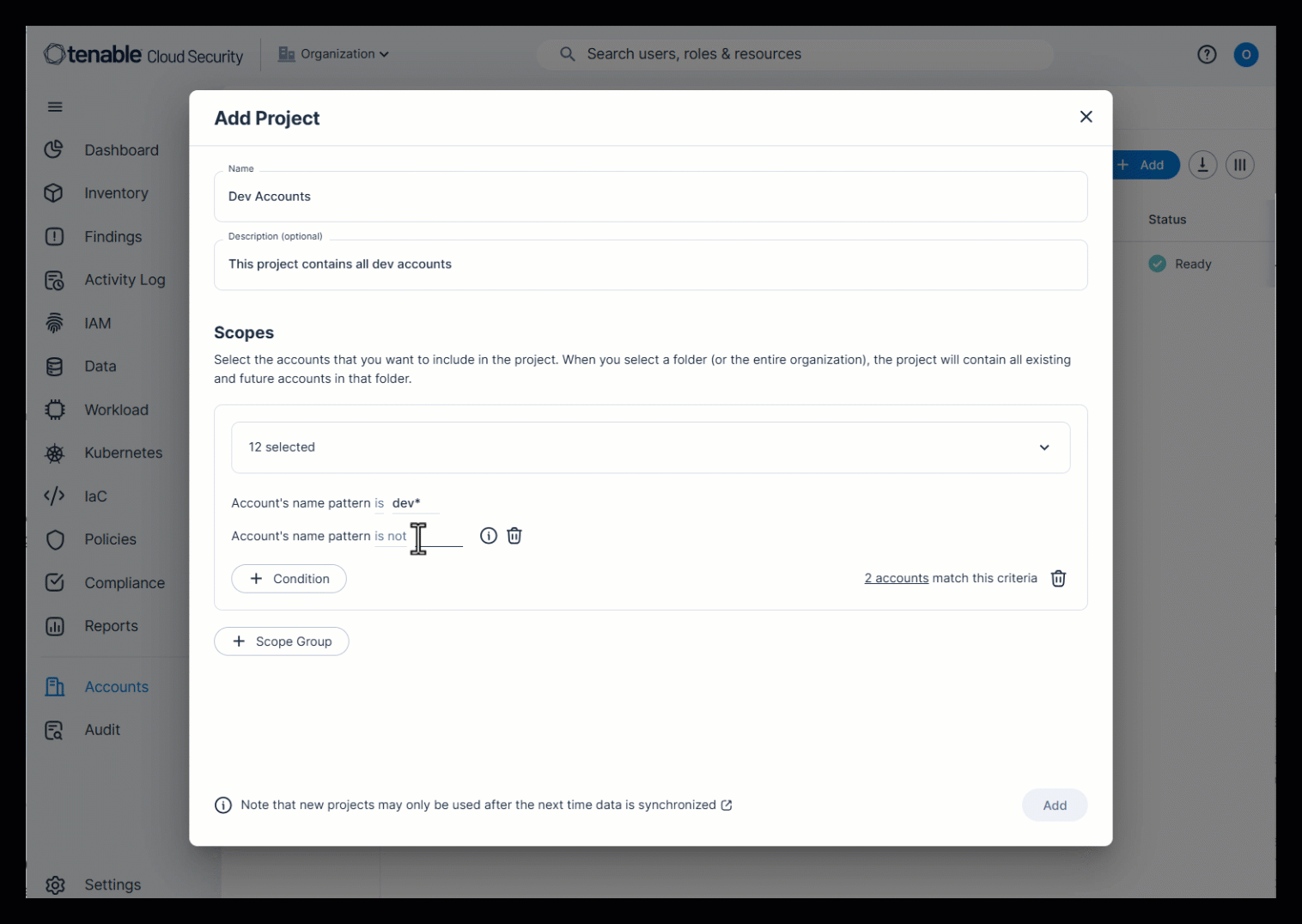
Console: Projects
Managing many cloud accounts across multiple providers is challenging, especially with frequent account creation and deletion. Projects in Cloud Exposure help simplify this by logically grouping accounts, making it easier to manage access.
Projects let you view Console data based on your organization's distinct operational groupings of your cloud environment. By organizing accounts into projects, you can align visibility and permissions with your existing cloud structure, ensuring a more intuitive and efficient management experience. Projects also streamline access control by allowing you to grant users permissions specific to the accounts and resources they need, reducing manual effort and improving cloud management.
For example, you can create projects for:
- Product groups or business units within an organization (for example, Group A, Group B, Group C).
- Development/production accounts.
After project creation, users can perform actions within a specific project scope. Only users assigned a matching project scope can view/manage these features.
For example, you can:
- Grant Cloud Exposure users access to the specific resources they're responsible for.
- Create reports for a project scope.
- Create API tokens and query the Cloud Exposure API for a project scope.
- View licensing data for a project scope.
To learn more about projects, see the documentation.
Console: Changes to Filtering Console Data
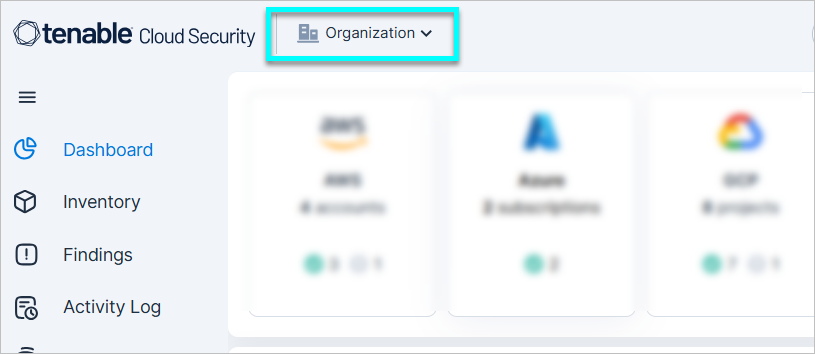
The following changes have been made to how users can filter Console data:
-
The account scope filters in the Console have been consolidated into a single filter, which is displayed at the top of the Console.
- This filter only replaces the global scope filter (All accounts) that was at at the top right of the Console, and the page-level scope filters, which were previously positioned next to the page name.
- This filter does not replace the individual data filters across the Console.
-
The account scope filter supports selecting a single scope at any given time. A scope can be, for example:
- All accounts belonging to a specific cloud provider.
- A group of accounts in a folder.
- A Console: Projects.
This filter does not support selecting multiple account scopes at once. What can you do instead?
- Create a project that includes the desired scopes, and then filter by the project.
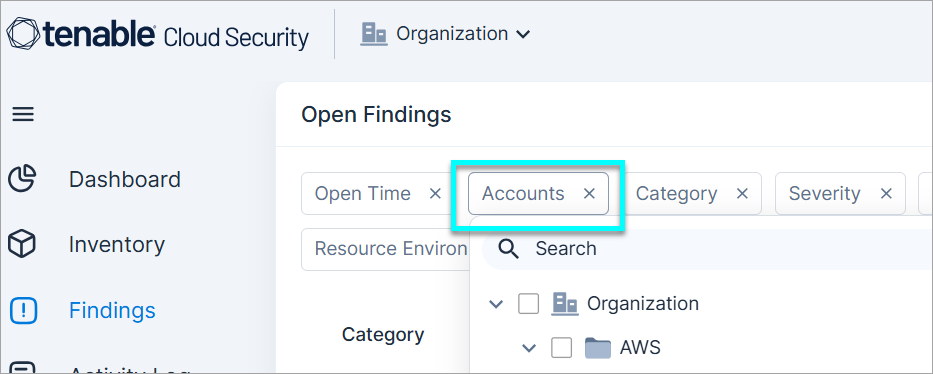
-
Within relevant Console pages, you can use the Account/s filter to filter for multiple account scopes at once. For example, in the Findings page, and across the Data/Workload pages. Be aware that you may need to add the filter if it doesn't appear by default.
Why was this change made? To improve system efficiency in presenting aggregated data.
- The account scope you select here will persist as you navigate across Console pages. It will remain set to your chosen scope, and won't revert to a default unless you manually change it.
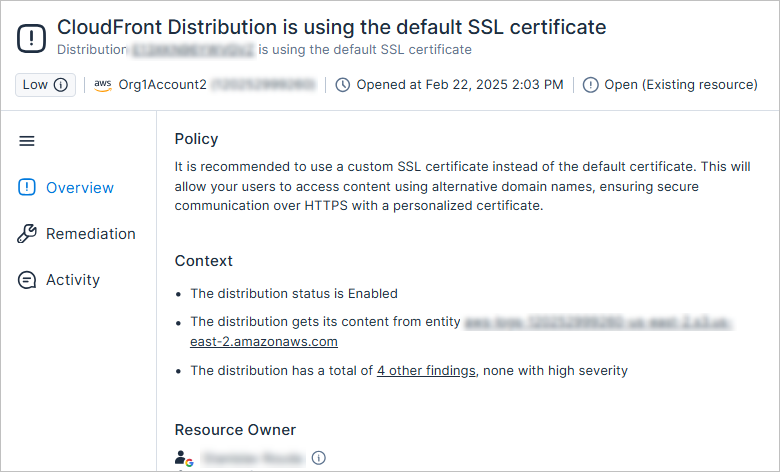
New AWS Policy: CloudFront Distribution Is Using the Default SSL Certificate
It is recommended to use a custom SSL certificate instead of the default certificate. This will allow your users to access content using alternative domain names, ensuring secure communication over HTTPS with a personalized certificate.
The severity is dynamically determined based on whether the distribution or its origins are marked as sensitive.
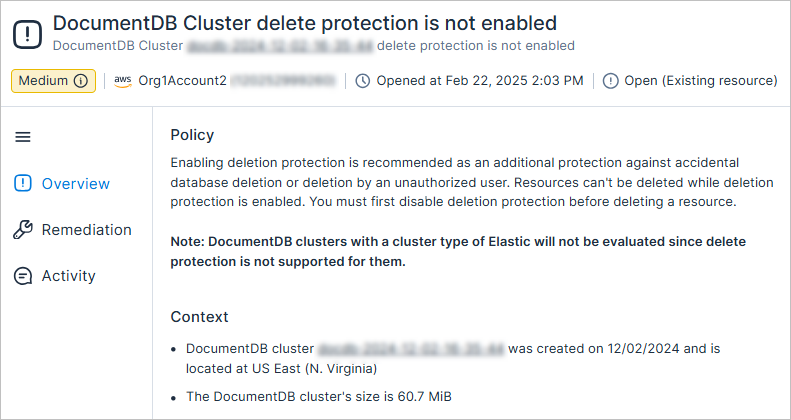
New AWS Policy: DocumentDB Cluster Delete Protection Is Not Enabled
Enabling deletion protection is recommended as an additional protection against accidental database deletion or deletion by an unauthorized user. Resources can't be deleted while deletion protection is enabled. You must first disable deletion protection before deleting a resource.
The severity is dynamically determined based on whether the cluster is marked as sensitive.
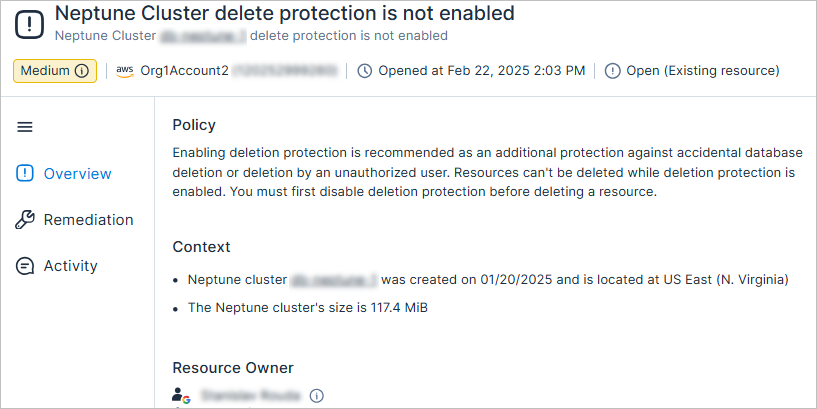
New AWS Policy: Neptune Cluster Delete Protection Is Not Enabled
Enabling deletion protection is recommended as an additional protection against accidental database deletion or deletion by an unauthorized user. Resources can't be deleted while deletion protection is enabled. You must first disable deletion protection before deleting a resource.
The severity is dynamically determined based on whether the cluster is marked as sensitive.
Azure Custom Policies: Monitor Permissions Granted to Managed Identities
You can now monitor permissions granted to managed identities via the following new Azure custom policy template (Monitor Permissions). For example, use this template to determine whether managed identities in one subscription can access resources in another (cross-account access), such as managed identities in a development subscription accessing a production subscription.
- These managed identities should not have these permissions on these resources
Azure Custom Policies: Template Name Changes
The following Azure custom policy templates in the Monitor Permissions category have been renamed, as follows:
| Old Name | New Name |
|---|---|
| Only these principals should have these permissions on these resources | Only these Microsoft Entra ID principals should have these permissions on these resources |
| These principals should not have these permissions on these resources | These Microsoft Entra ID principals should not have these permissions on these resources |
| These principals should not have these roles on these resources | These Microsoft Entra ID principals should not have these roles on these resources |
GCP Custom Policies: Monitor Cross-Account Access for Roles Granted to Principals
You can now monitor cross-account access for roles granted to principals via the following new custom policy condition.
| New Condition | Template | Category |
|---|---|---|
| Principals in these accounts | These principals should not have these roles on these resources | Permissions |
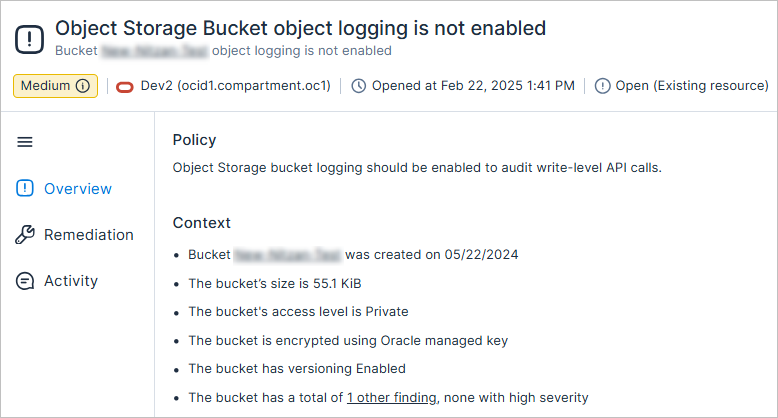
New OCI Policy: Object Storage Bucket Object Logging Is Not Enabled
Object Storage bucket logging should be enabled to audit write-level API calls.
The severity is dynamically determined based on the storage size and whether the bucket is marked as sensitive.
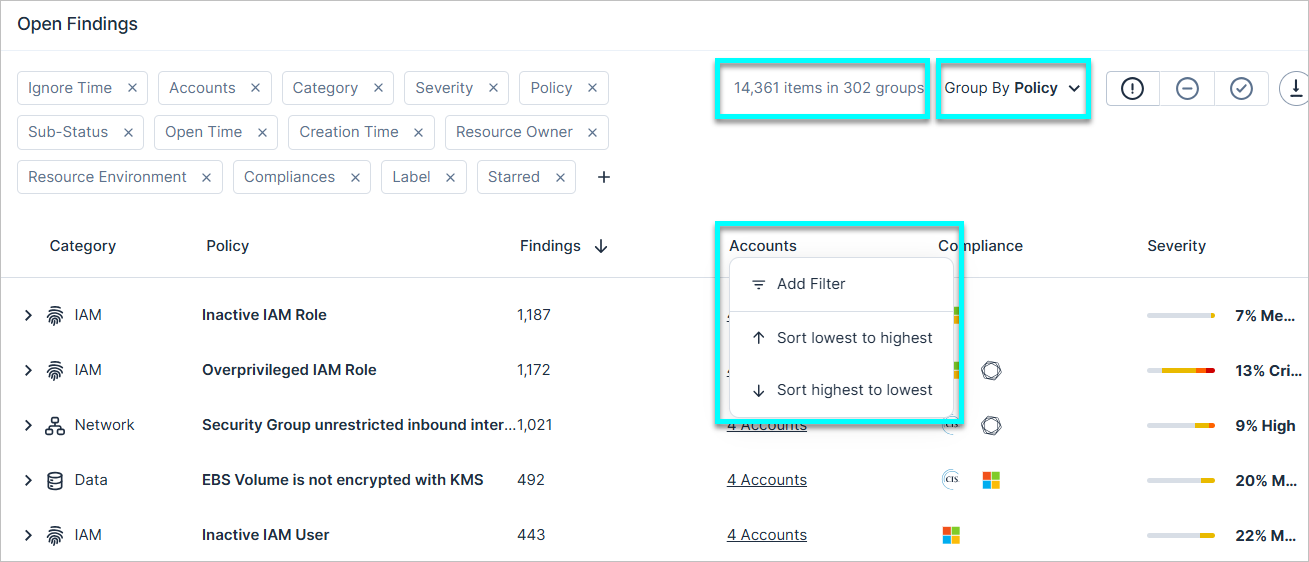
Improved Group by View for Findings: Sorting and Enhanced Findings Count
When using the Group By option on the Findings page, you can now:
- Sort columns.
- See both the total number of findings, and the total number of groups.
Workload Protection: Support for Scanning Workloads Running OSTree
Cloud Exposure now supports scanning workloads running on operating systems that use OSTree, including Red Hat Enterprise Linux CoreOS (RHCOS).
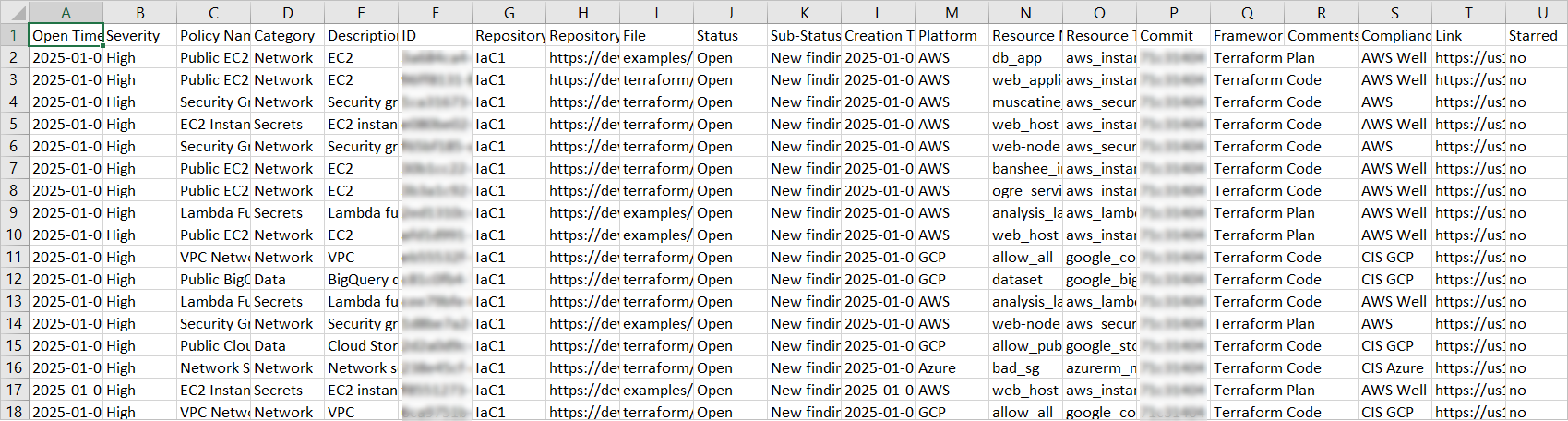
IaC Security: New IaC Findings Report
You can now generate an IaC Findings report (CSV) to see a summary of findings (discovered via code repository scanning) in your environment.
For example, you can:
- Create a report of all closed findings, containing sub-status information about the reason for closure (for example, Resource Deleted), to share with relevant stakeholders in your company.
- Create reports for open/starred/ignored findings, or any other subset of findings (using filters).
You can either generate a one-time report or set up a schedule, and you can also choose to send the report via email or Slack (if configured).
IaC Security: New AWS Policy 1.155
The following new AWS IaC security policy (finding type) has been added:
- CloudFront Distribution is using the default SSL certificate (Low) (Network)
See the documentation for a complete list of supported Cloud Exposure IaC policies.
IaC Security: New OCI Policies 1.155
The following new OCI IaC security policies (finding types) have been added:
- Object Storage Bucket object logging is not enabled (Low) (Logging)
- VCN Flow Logs is not enabled (Low) (Network)
See the documentation for a complete list of supported Cloud Exposure IaC policies.
February 23, 2025 (Release 1.154)
Important Changes
Container Image CI/CD Scanning: SKIP_SEND_RESULTS Flag No Longer Supported
With the new architecture of Tenable-based CVE detection, we have deprecated support in this parameter --skip-send-results,and parameters that were previously optional are now mandatory: --api-token string and --api-url string. It is required to provide these parameters in order to send the scan results to Cloud Exposure for CVE assessment. The scan results assessed with CVEs will be reported back by Tenable and will be visible in the CLI output, the same behavior as before. In addition, the scan results will be visible in the UI.
For more information, see the article about Configure Vulnerability Severity Metric (May 2025).
New Features
Console: Send Email per Resource Owner
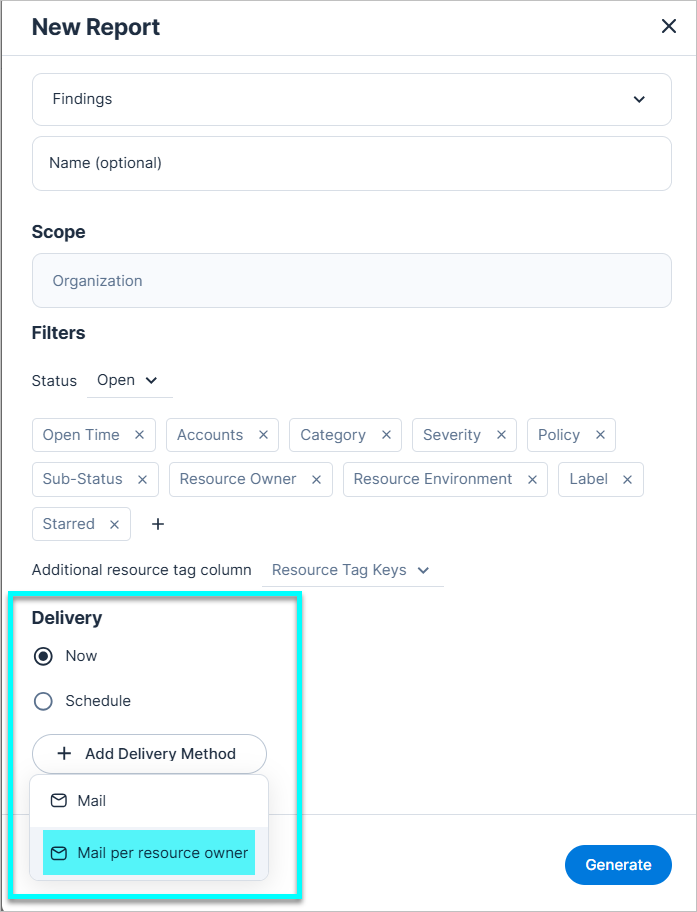
When creating a Findings report, you can choose to send a mail per resource owner to send each resource owner a report of findings associated with their resources.
The owner tag is used across cloud providers to indicate the owner and main user of a given resource, and can be a single user or group. Tenable searches across users/groups in all your integrated identity providers, and displays entities that match the tag pattern.
To learn more about resource owners, see the documentation.
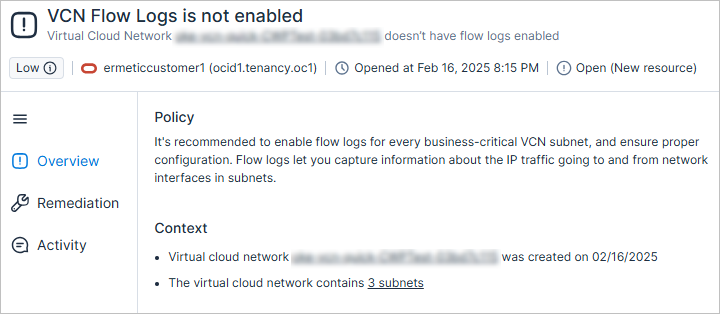
New OCI Policy: VCN Flow Logs Is Not Enabled
It's recommended to enable flow logs for every business-critical VCN subnet, and ensure proper configuration. Flow logs let you capture information about the IP traffic going to and from network interfaces in subnets.
The severity is dynamically determined based on whether the VCN or its subnets are marked as sensitive.
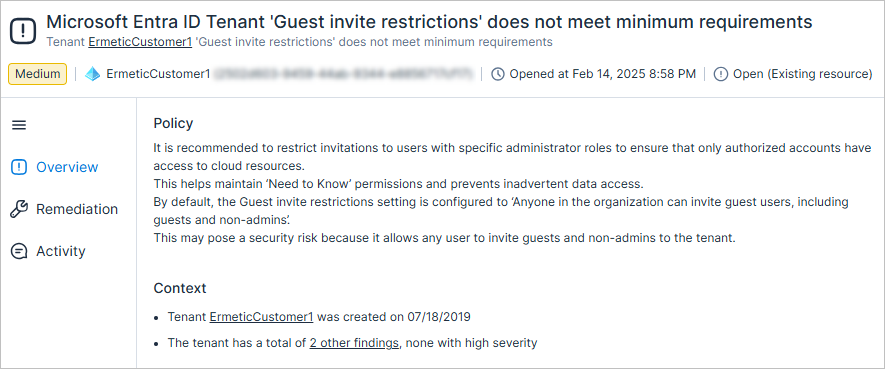
New Policy: Microsoft Entra ID Tenant 'Guest Invite Restrictions' Does Not Meet Minimum Requirements
It is recommended to restrict invitations to users with specific administrator roles to ensure that only authorized accounts have access to cloud resources. This helps maintain ‘Need to Know’ permissions and prevents inadvertent data access. By default, the Guest invite restrictions setting is configured to ‘Anyone in the organization can invite guest users, including guests and non-admins’. This may pose a security risk because it allows any user to invite guests and non-admins to the tenant.
The finding severity is Medium.
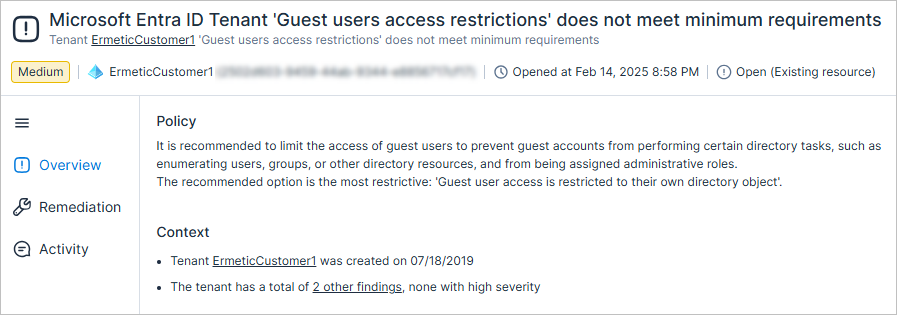
New Policy: Microsoft Entra ID Tenant 'Guest Users Access Restrictions' Does Not Meet Minimum Requirements
It is recommended to limit the access of guest users to prevent guest accounts from performing certain directory tasks, such as enumerating users, groups, or other directory resources, and from being assigned administrative roles. The recommended option is the most restrictive: 'Guest user access is restricted to their own directory object'.
The finding severity is Medium.
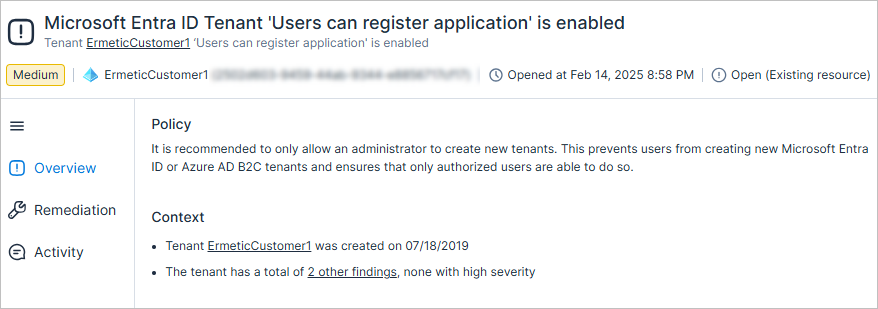
New Policy: Microsoft Entra ID Tenant 'Users Can Register Application' Is Enabled
It is recommended to only allow an administrator to create new tenants. This prevents users from creating new Microsoft Entra ID or Azure AD B2C tenants and ensures that only authorized users are able to do so.
The finding severity is Medium.
Data Protection: Support for Scanning Azure Storage Account Blob Containers with Network Restrictions
Cloud Exposure now supports scanning Azure storage account blob containers that have network restrictions configured at the storage account level.
To support this, the following new permission must be added to your Azure organization/subscription via custom role:
- Microsoft.Storage/storageAccounts/privateEndpointConnections/write
To add these permissions, do one of the following:
- If you already onboarded your organization/subscription to Tenable, the organization/subscription Status will indicate that there are missing permissions. Edit the organization/subscription and follow the steps in the Assign Roles step of the wizard to add a Tenable Data Scanning custom role with the above permission. See Grant Data Protection Permissions for more information.
- To onboard a new organization/subscription, follow the onboarding steps in the Add Organization/Subscription wizard. See Onboard Azure for more information.
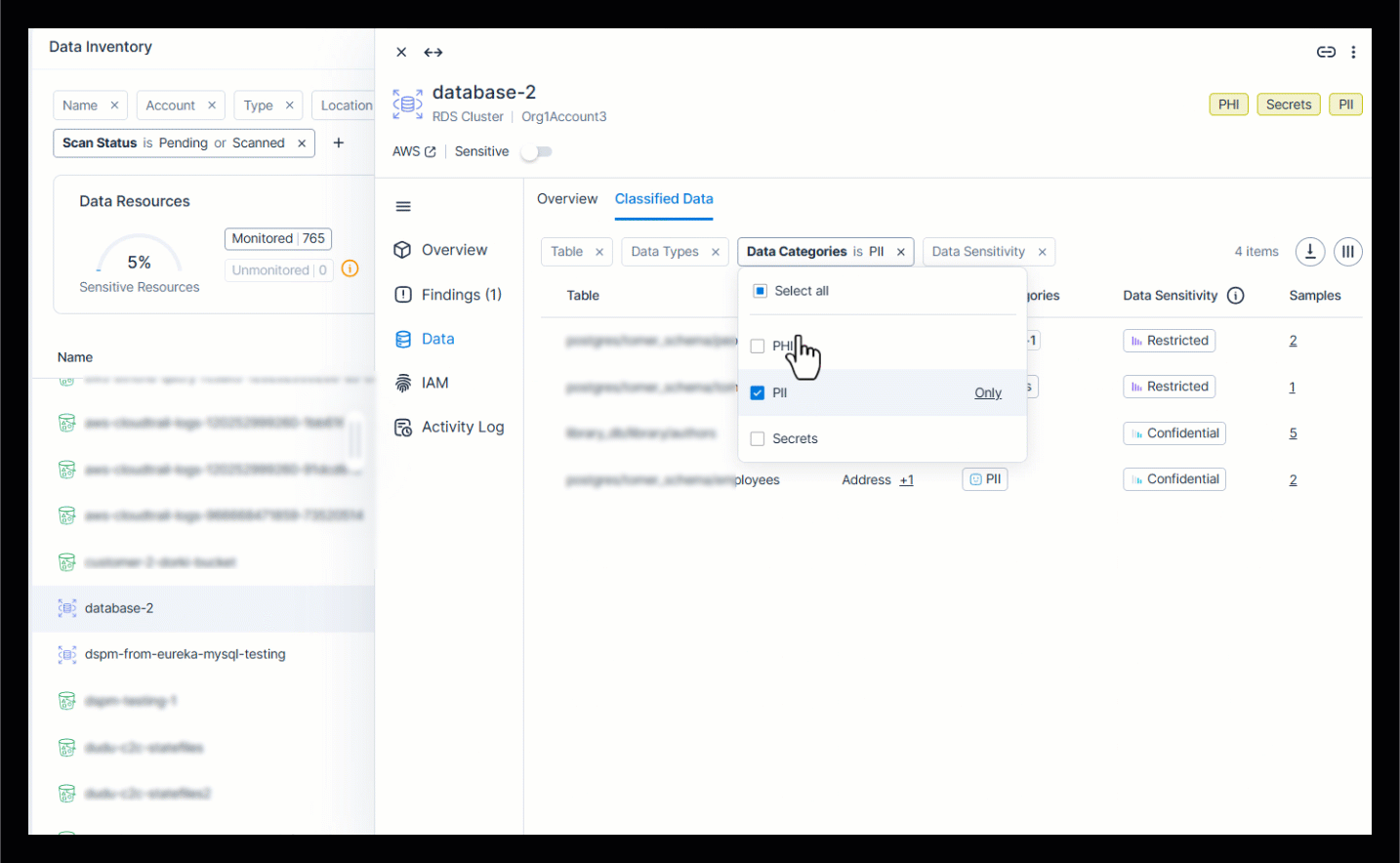
Data Protection: Enhanced Data Profile View
The Data profile slideout page has been enhanced with a clearer display and simplified navigation.
- Overview tab. (previously, Data Overview)
- Added more contextual information, including the last time data was modified, the number of sensitive objects scanned, and the size of the data scanned.
- Added icons for category/sensitivity.
- Classified Data tab. (previously, Details)
- Added icons for category.
- Improved filters, and added a column picker for table data.
- Simplified presentation by removing links, and instead including sample data in a dedicated column.
Workload Protection: Expanded Export of Results for Virtual Machines and Container Images Pages
You can now export an unlimited number of results on the Virtual Machines and Container Images pages, removing the previous limit of 10,000. This enhancement allows for more comprehensive reporting and analysis of large data sets.
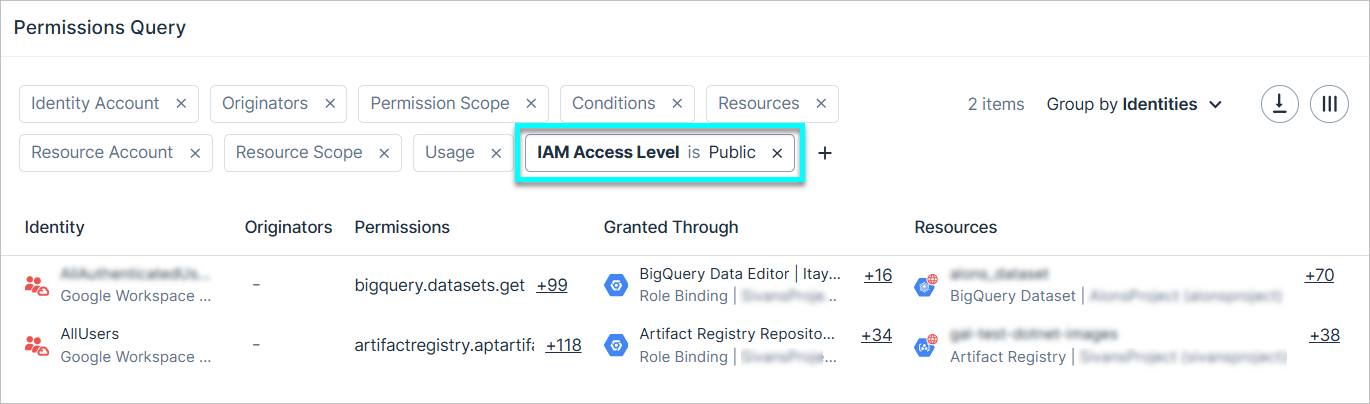
Permissions Query: Filter Permissions by Access Level
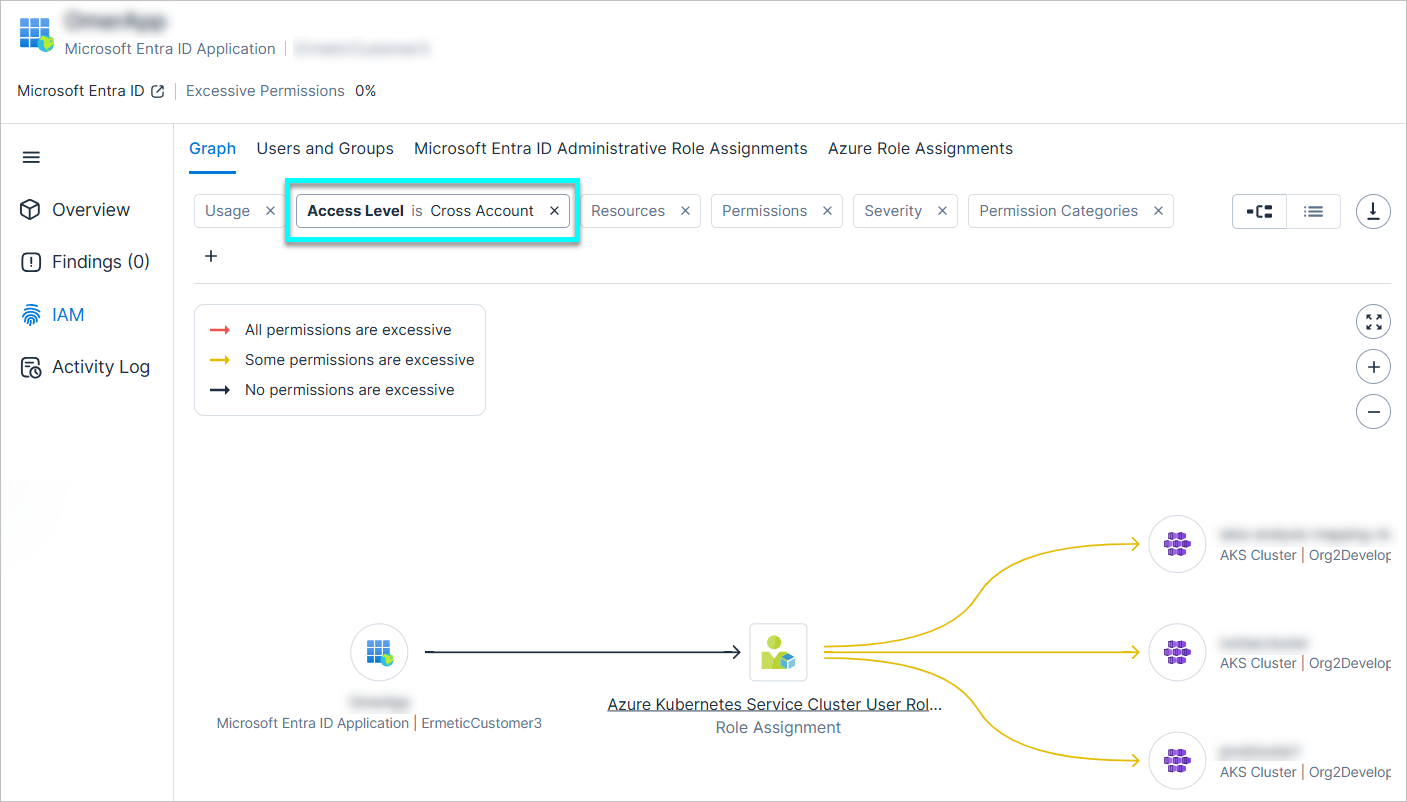
You can now filter permissions in the table by their Access Level. This level represents the scope of access granted to a resource. Possible values:
- Internal
- Cross Account
- External
- Public
For example, you can query for GCP permissions with an access level of Public to see permissions for resources accessible by public service accounts, users, or groups (excluding Google principals). The definition of each value differs between cloud providers.
To learn more about value definitions for each cloud provider, see the documentation.
You can see the access level of each permission via IAM permission mapping (access graph).
February 16, 2025 (Release 1.153)
New Features
New Compliance Report: Compliance Accounts Summary
You can now generate a Compliance Accounts Summary report (CSV) to gain visibility into compliance scoring across accounts in your organization for a specific standard. This report provides a clear breakdown of compliance risks at the account level, making it easier to identify and address high-risk areas.
- Account-level granularity — Easily determine which accounts are most at risk.
- Trends — Track compliance scores over time with snapshots from 7, 30, and 90 days ago.
- Customize — Choose a specific compliance type.
You can either generate a one-time report or set up a schedule, and you can also choose to send the report via email or Slack (if configured).
To learn more about creating reports, see the documentation.

AWS: Enhanced Network Evaluation via Support for VPC Block Public Access
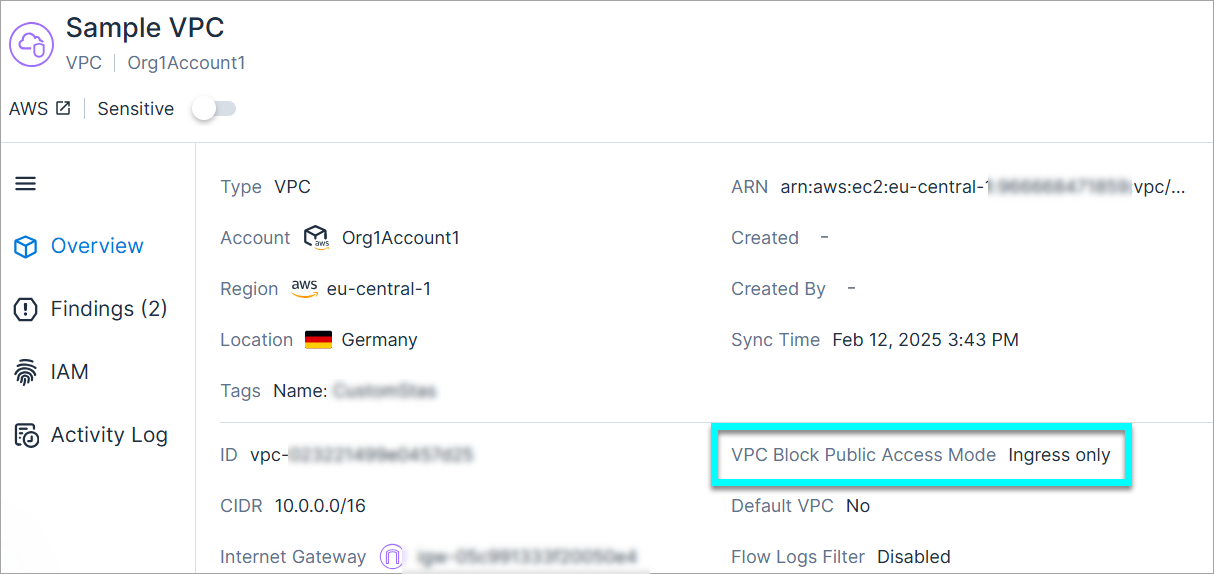
Tenable now supports the VPC Block Public Access Mode (BPA) feature, a configuration recently released by AWS. BPA lets you prevent public internet access to VPC resources across an entire AWS account.
- This support significantly enhances Tenable's network evaluation for resources in a VPC, by factoring in how this setting is configured in your environment. For example, an EC2 instance that was previously considered publicly accessible, would no longer be considered as such, if BPA was enabled for the associated VPC.
- A new VPC Block Public Access Mode field is displayed in the Inventory profile page for VPCs and subnets.
AWS Custom Policies: Monitor Permissions Granted to Group Members
You can now monitor permissions granted to AWS group members via the following new custom policy condition. For example, you can use this condition to monitor all R&D users with access to a specific production environment.
| New Condition | Template | Category |
|---|---|---|
| Principals in these groups |
|
Monitor Permissions |
See the documentation for more information about custom policies.
AWS: Exclude API Gateway Paths from Public Lambda Function Policy
You can now exclude API Gateway paths that are public by design from the Public Lambda Function policy. To exclude paths, edit the policy and enter a resource path pattern and HTTP method (e.g., Get). If a detected path and method match, Tenable classifies them as public by design and closes related findings. For example, enter "/health" with Get to mark this combination as intentionally public.
To learn more, see the documentation.
AWS: First Seen Time Column Added to AWS Federated Permissions Page
The First Seen Time column has been added to the IAM > AWS Federated Permissions page. This column represents the time when Tenable first detected the federated permission. If the permission was created before account onboarding, this reflects the onboarding time.
To learn more, see the documentation.
New AWS Resource Types: Neptune
API Support
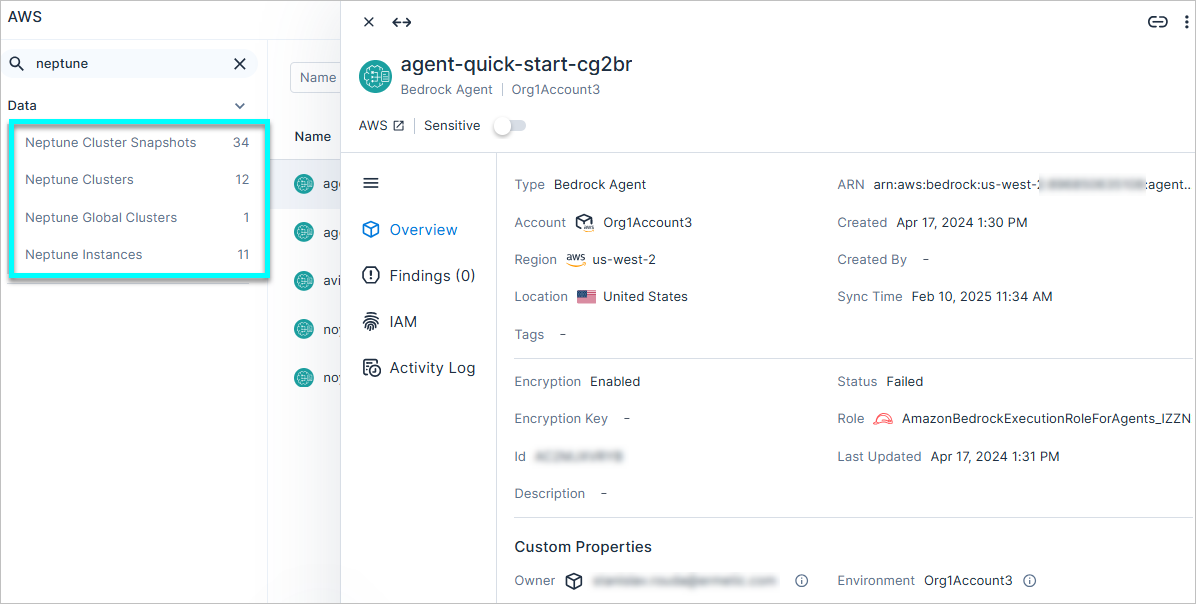
The following Neptune resources are now displayed in Cloud Exposure as independent resource types in the Inventory (AWS > Data), reflecting the fact that Neptune is an independent service in AWS. Previously, these resources were displayed as RDS resources, with Neptune DB listed as the engine type.
| New Resource | Previously Displayed As |
|---|---|
| Neptune Cluster Snapshots | RDS Snapshots |
| Neptune Clusters | RDS Clusters |
| Neptune Global Clusters | RDS Aurora Global Clusters |
| Neptune Instances | RDS Instances |
See the documentation for a list of all supported resources.
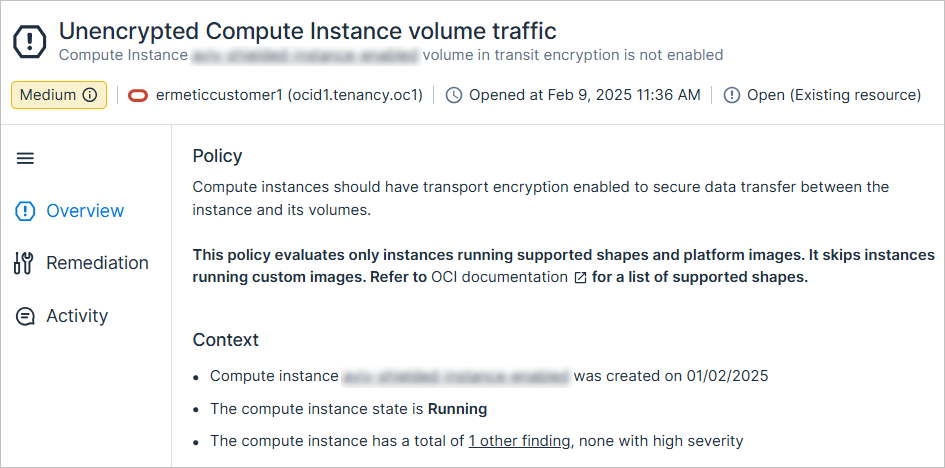
New OCI Policy: Unencrypted Compute Instance Volume Traffic
API Support
Compute instances should have transport encryption enabled to secure data transfer between the instance and its volumes.
The severity is dynamically determined based on the instance status and whether the instance is marked as sensitive.
AWS: Policy Changes to Support Neptune
In parallel with the addition of New AWS Resource Types: Neptune, RDS-related policies, which previously also alerted on Neptune resources, are changing. For all of the policies listed below, no new findings related to Neptune will be opened. In addition, the following new behavior applies to previously opened findings:
| Policy | New Behavior |
|---|---|
|
Opened findings related to Neptune will be closed with a sub-status of False positive |
|
Opened findings related to DocumentDB will be migrated to the new policy New AWS Policy: Neptune Cluster Snapshot Is Not Encrypted with KMS, and will remain Open. |
|
Opened findings related to DocumentDB will be migrated to the new policy New AWS Policy: Public Neptune Cluster Snapshot, and will remain Open. |
|
Opened findings related to DocumentDB will be migrated to the new policy New AWS Policy: Neptune Instance Automatic Minor Version Upgrade Is Not Enabled, and will remain Open. |
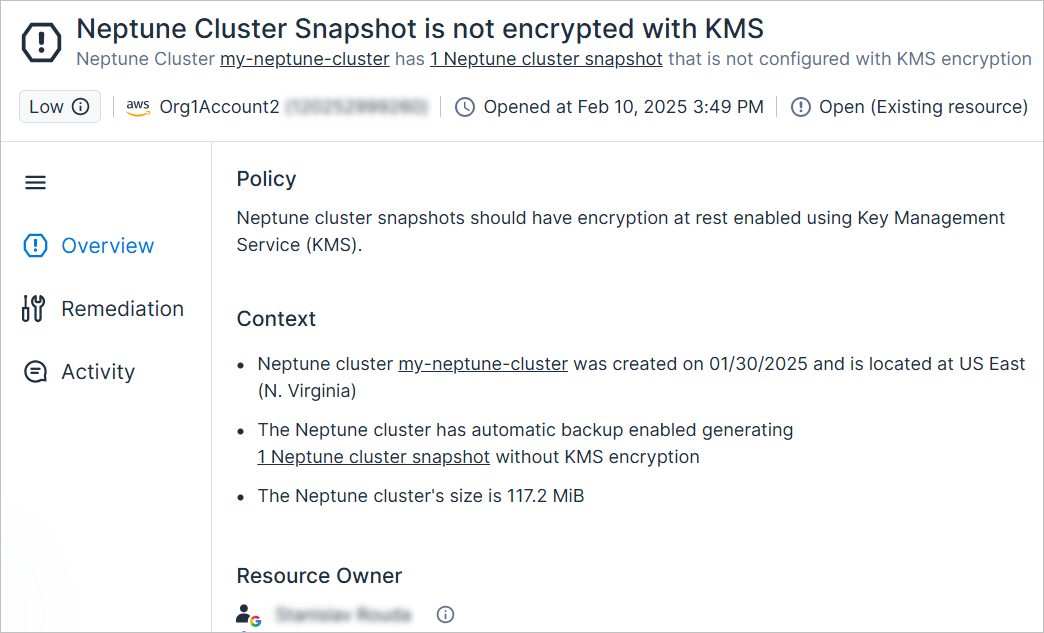
New AWS Policy: Neptune Cluster Snapshot Is Not Encrypted with KMS
API Support
Neptune cluster snapshots should have encryption at rest enabled using Key Management Service (KMS).
The severity is dynamically determined based on the snapshot's access level and sensitivity.
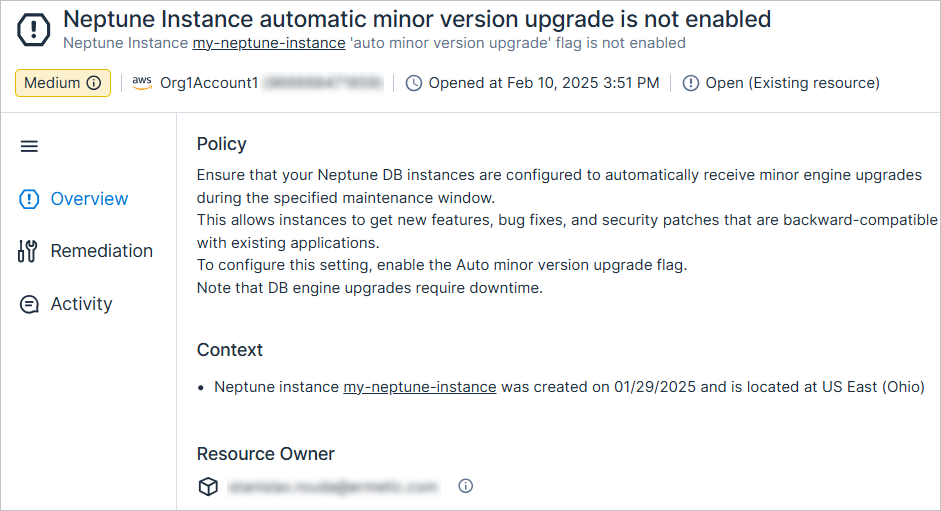
New AWS Policy: Neptune Instance Automatic Minor Version Upgrade Is Not Enabled
API Support
Ensure that your Neptune DB instances are configured to automatically receive minor engine upgrades during the specified maintenance window. This allows instances to get new features, bug fixes, and security patches that are backward-compatible with existing applications. To configure this setting, enable the Auto minor version upgrade flag. Note that DB engine upgrades require downtime.
The severity is dynamically determined based on whether the instance is marked as sensitive.
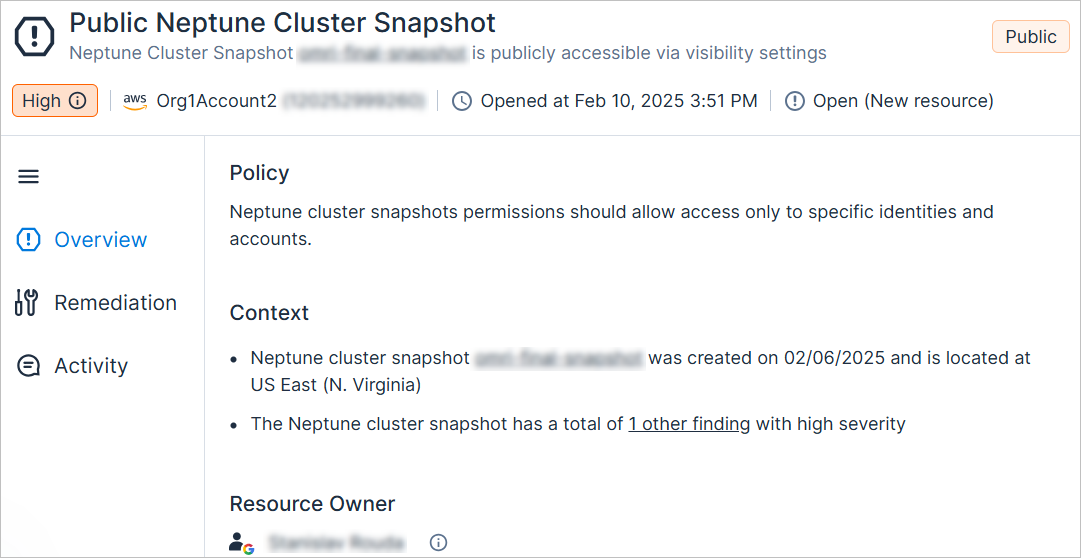
New AWS Policy: Public Neptune Cluster Snapshot
API Support
Neptune cluster snapshots permissions should allow access only to specific identities and accounts.
The severity is dynamically determined based on whether the snapshot or the cluster is marked as sensitive.
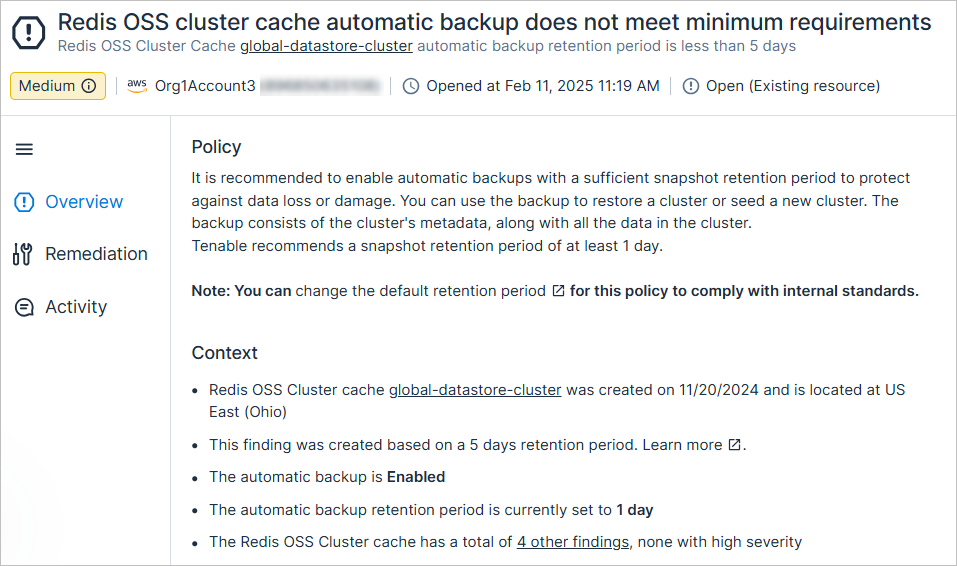
New AWS Policy: Redis OSS Cluster Cache Automatic Backup Does Not Meet Minimum Requirements
API Support
It is recommended to enable automatic backups with a sufficient snapshot retention period to protect against data loss or damage. You can use the backup to restore a cluster or seed a new cluster. The backup consists of the cluster's metadata, along with all the data in the cluster.
Tenable recommends a snapshot retention period of at least 1 day.
The severity is dynamically determined based on whether the cluster is marked as sensitive
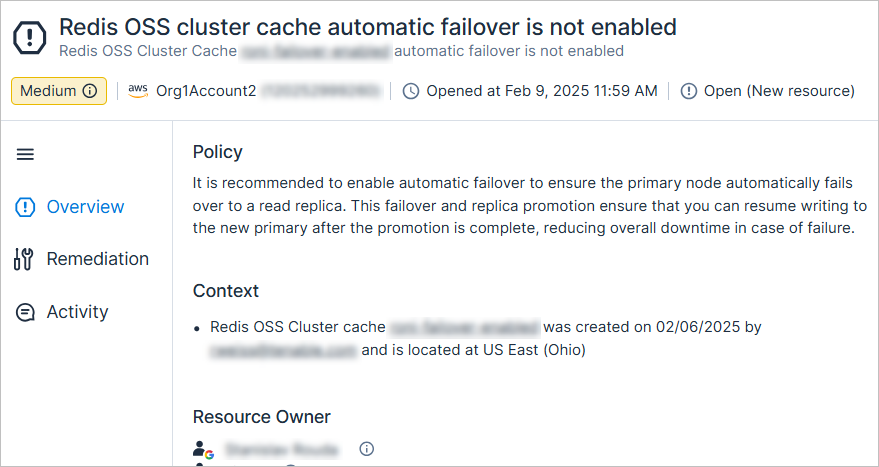
New AWS Policy: Redis OSS Cluster Cache Automatic Failover Is Not Enabled
API Support
It is recommended to enable automatic failover to ensure the primary node automatically fails over to a read replica. This failover and replica promotion ensure that you can resume writing to the new primary after the promotion is complete, reducing overall downtime in case of failure.
The severity is dynamically determined based on whether the cluster is marked as sensitive.
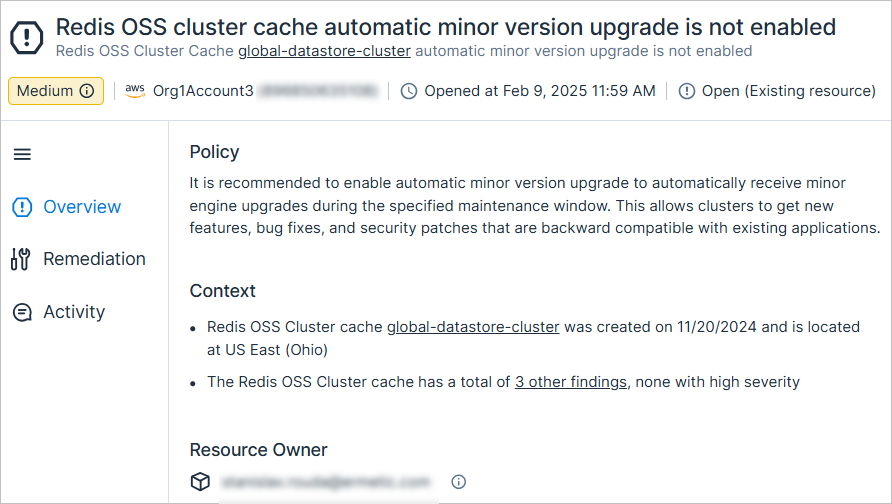
New AWS Policy: Redis OSS Cluster Cache Automatic Minor Version Upgrade Is Not Enabled
API Support
It is recommended to enable automatic minor version upgrade to automatically receive minor engine upgrades during the specified maintenance window. This allows clusters to get new features, bug fixes, and security patches that are backward compatible with existing applications.
The severity is dynamically determined based on whether the cluster is marked as sensitive.
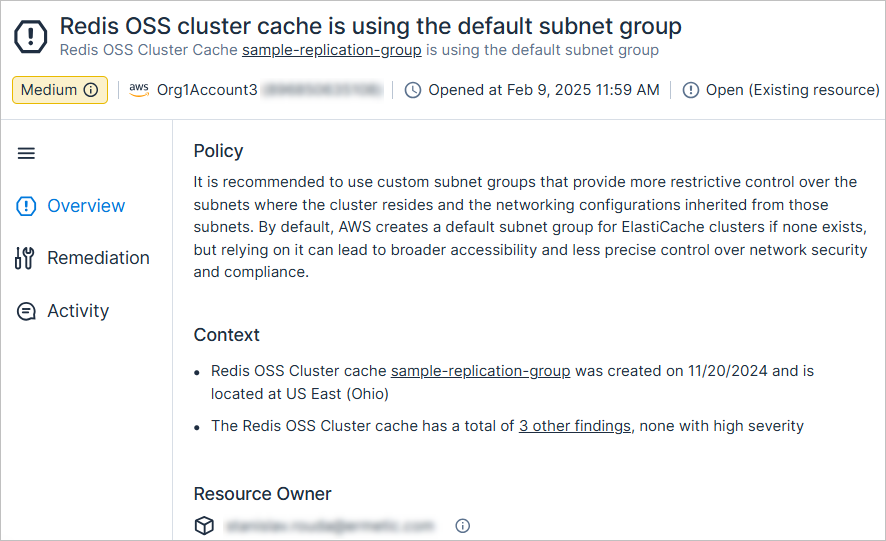
New AWS Policy: Redis OSS Cluster Cache Is Using the Default Subnet Group
API Support
It is recommended to use custom subnet groups that provide more restrictive control over the subnets where the cluster resides and the networking configurations inherited from those subnets. By default, AWS creates a default subnet group for ElastiCache clusters if none exists, but relying on it can lead to broader accessibility and less precise control over network security and compliance.
The severity is dynamically determined based on whether the cluster is marked as sensitive.
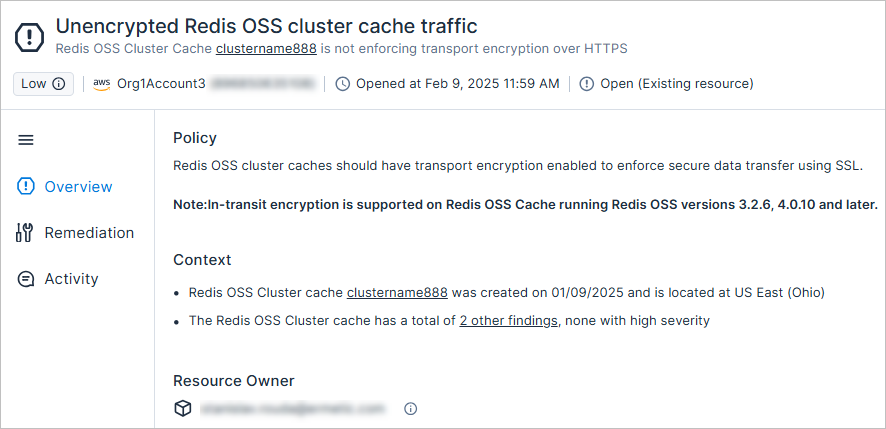
New AWS Policy: Unencrypted Redis OSS Cluster Cache Traffic
API Support
Redis OSS cluster caches should have transport encryption enabled to enforce secure data transfer using SSL.
The severity is dynamically determined based on whether the cluster is marked as sensitive.
GCP Custom Policies: Monitor Permissions Granted Directly and Indirectly to Google Workspace Group Members
You can now monitor permissions granted to Google Workspace group members, even if the permissions weren't granted via the group, via the following new custom policy condition. For example, you can use this condition to monitor all R&D users with access to a specific production environment.
| New Condition | Template | Category | Details |
|---|---|---|---|
| Principals that are members of these groups | these principals should not have these roles on these resources | Monitor Permissions | You can configure whether to monitor principals that are either direct or direct and indirect members of groups. |
See the documentation for more information about custom policies.
New Microsoft Entra ID Resource Type: Tenant
API Support
Cloud Exposure now provides visibility into tenants via the Inventory view (Microsoft Entra ID > Management), and displays relevant information.
To support this resource, the following additional permission needs to be granted to Tenable. For public tenants, you can grant this by updating permissions for the Cloud Exposure Connector app.
- Read your organization's policies (Policy.Read.All)
For a list of all supported resources, see the documentation.
New Google Workspace Resource Type: Account
API Support
Cloud Exposure now provides visibility into accounts via the Inventory view (Google Workspace > Management), and displays relevant information.
For a list of all supported resources, see the documentation.
Workload Protection: EPSS Score Field Added to Vulnerabilities Page
API Support
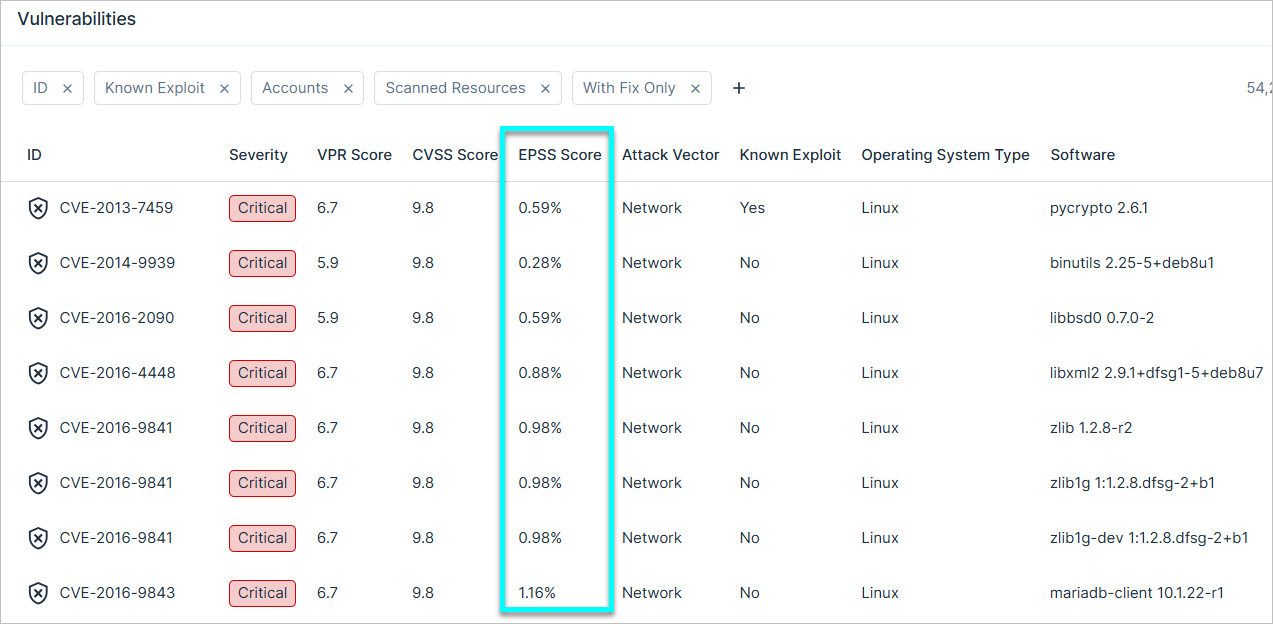
The EPSS Score column has been added to the Workload > Vulnerabilities page, helping you to prioritize vulnerabilities based on the likelihood of exploitation in the wild. This column is hidden by default but can be exposed via the table's column picker.
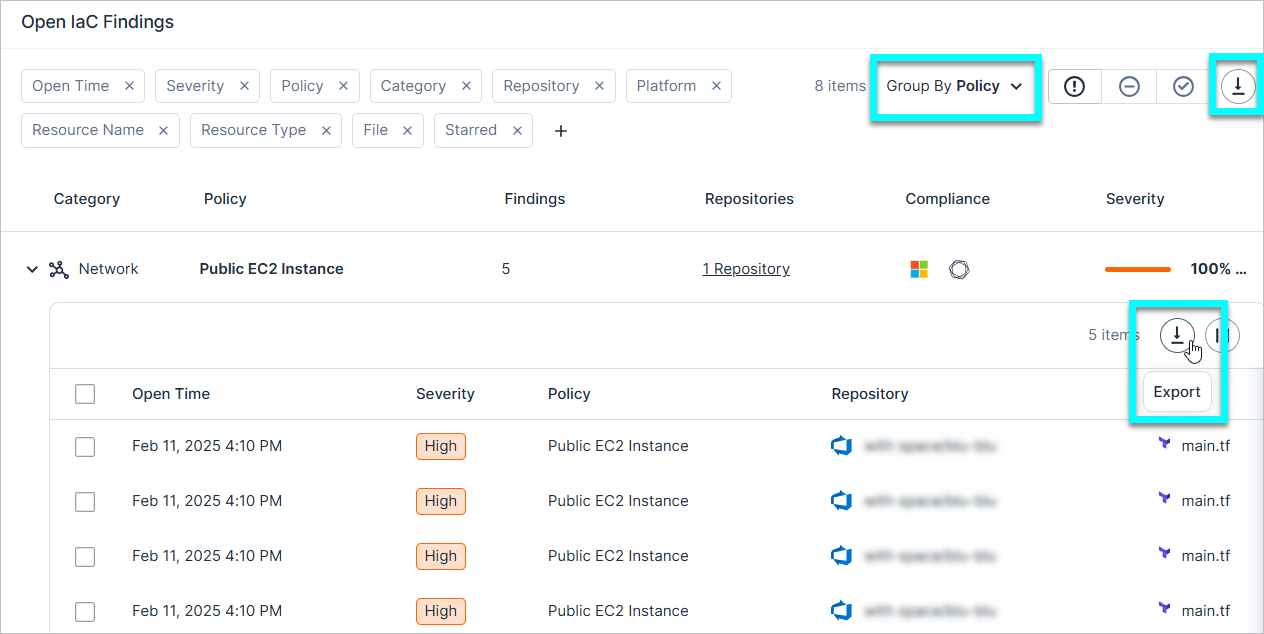
IaC Security: Export Finding Page Data
You can now export IaC findings to CSV format.
- The data is exported according to the current filters applied to the table.
- The exported file contains data such as policy name, severity, description, status, creation time, resource, and more.
-
You can export either:
- The entire table.
- All data from a specific policy (When grouped by Policy).
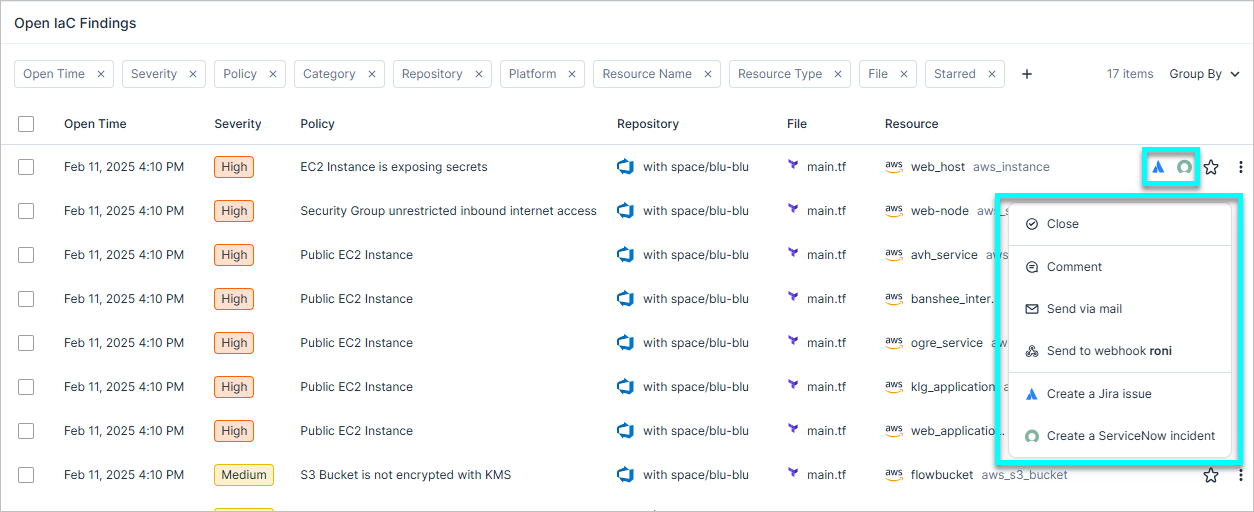
IaC Security: Manually Share Findings via Email, Webhook, or Ticketing Integrations
You can now manually share IaC findings via email, webhook, or ticketing integrations.
To learn more about sharing findings, see the documentation.
February 9, 2025 (Release 1.152)
New Features
Compliance: Enhanced Compliance View
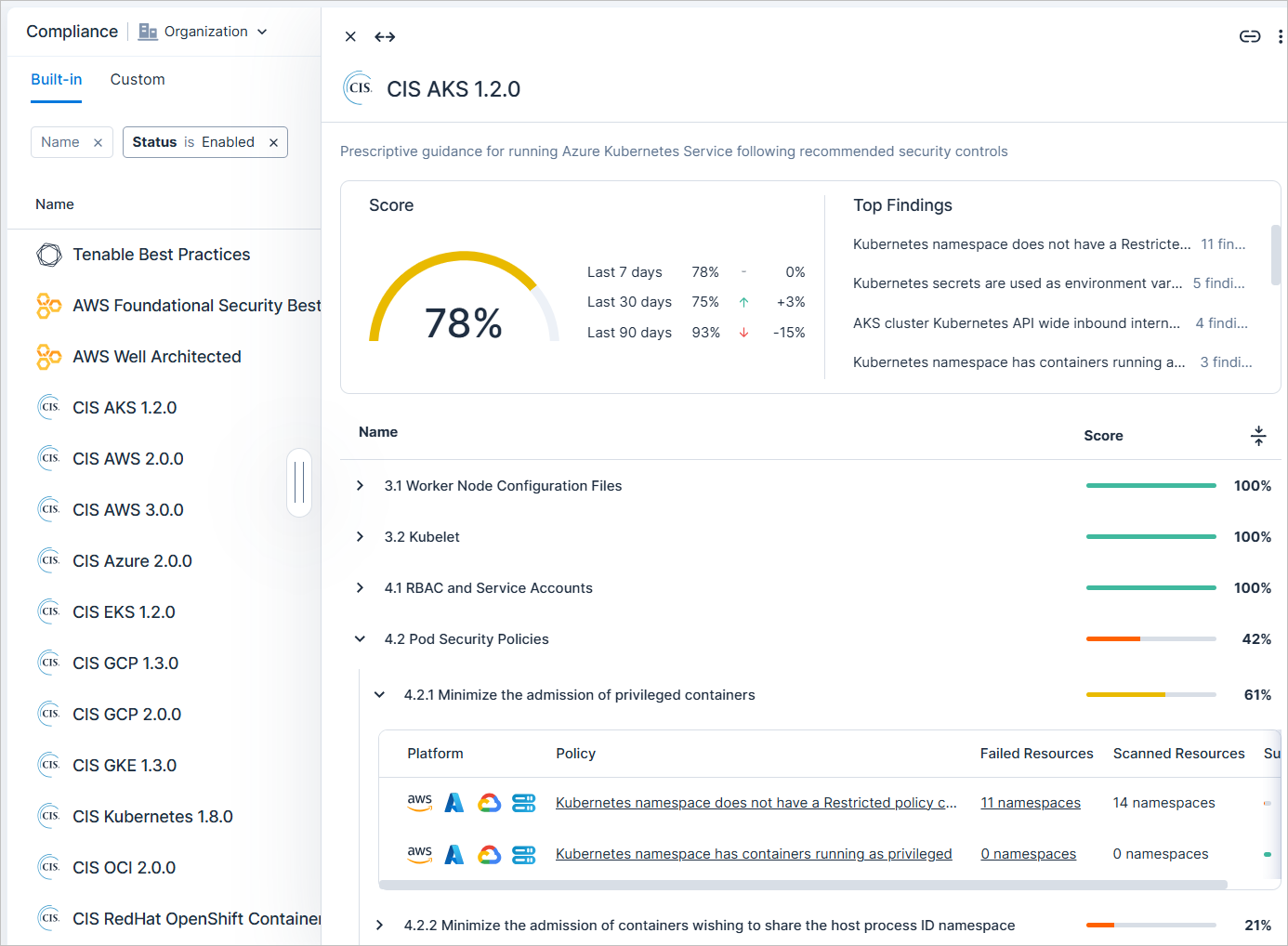
The Compliance page was enhanced as follows:
-
New slideout panel for all built-in and custom compliance standards. Click on a standard to see the panel, which includes details such as:
- Overall compliance score (last 7/30/90 days).
- Top findings. Policies in the standard that triggered the highest number of findings.
- A list of all sections and subsections in the standard, with a corresponding compliance score.
-
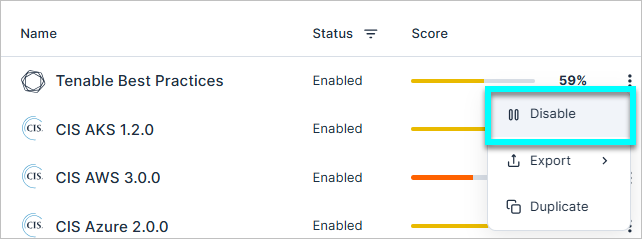
Enable/disable built-in policies with one click.
- Compliance: Duplicate Compliance Standards
To learn more, see the documentation.
Compliance: Create Hierarchical Custom Compliance Standards
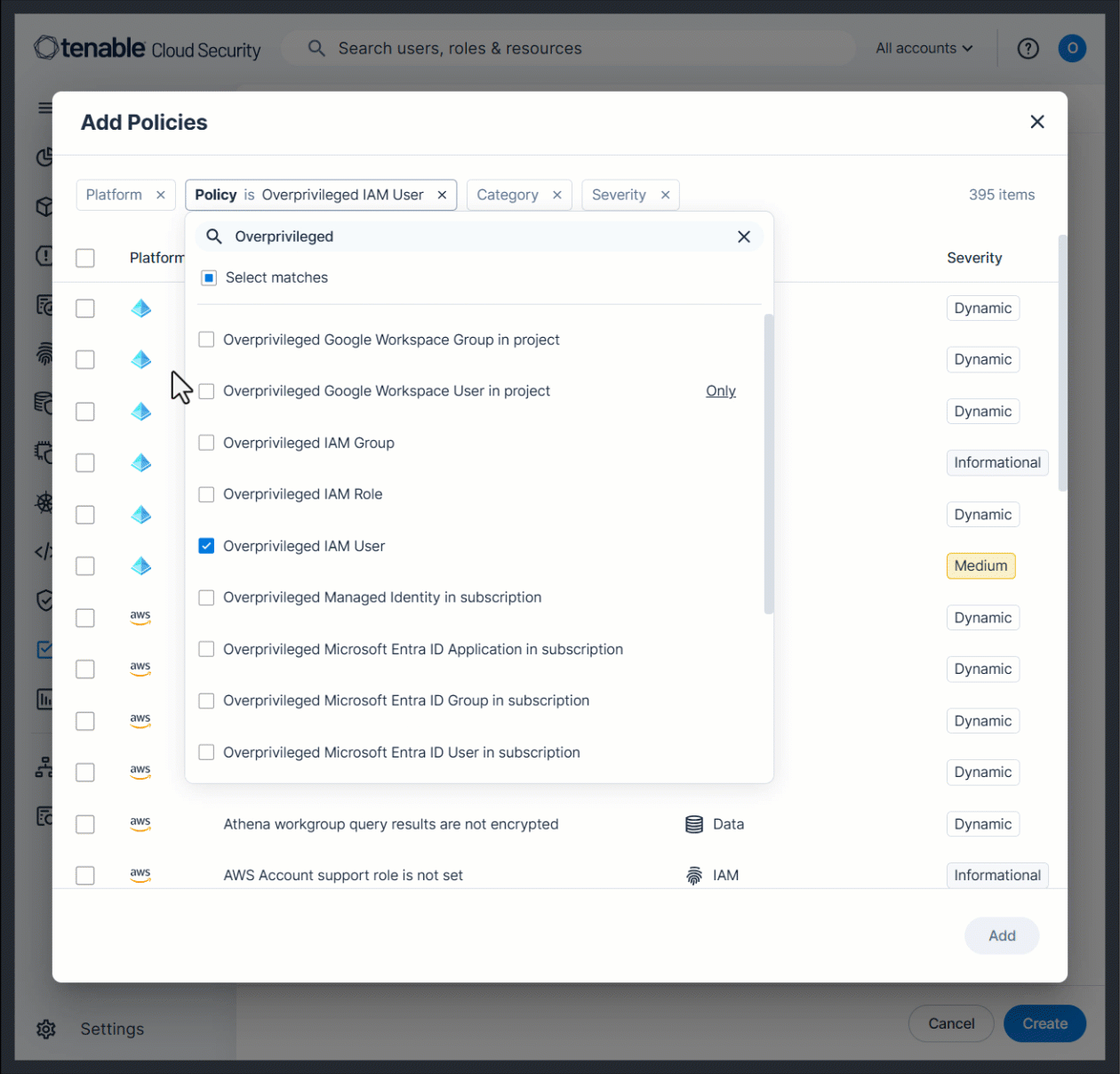
You can now create custom compliance standards with hierarchical sections and subsections, allowing you to build compliance frameworks that match your organization’s security and governance needs. This allows you to:
- Create high-level requirement sections, each of which contains a set of subsections, representing specific requirements.
- Track and monitor scores for individual sections, giving you granular visibility into standards.
- Map security policies more efficiently to align with internal or regulatory requirements.
To learn more, see the documentation.
Compliance: Duplicate Compliance Standards
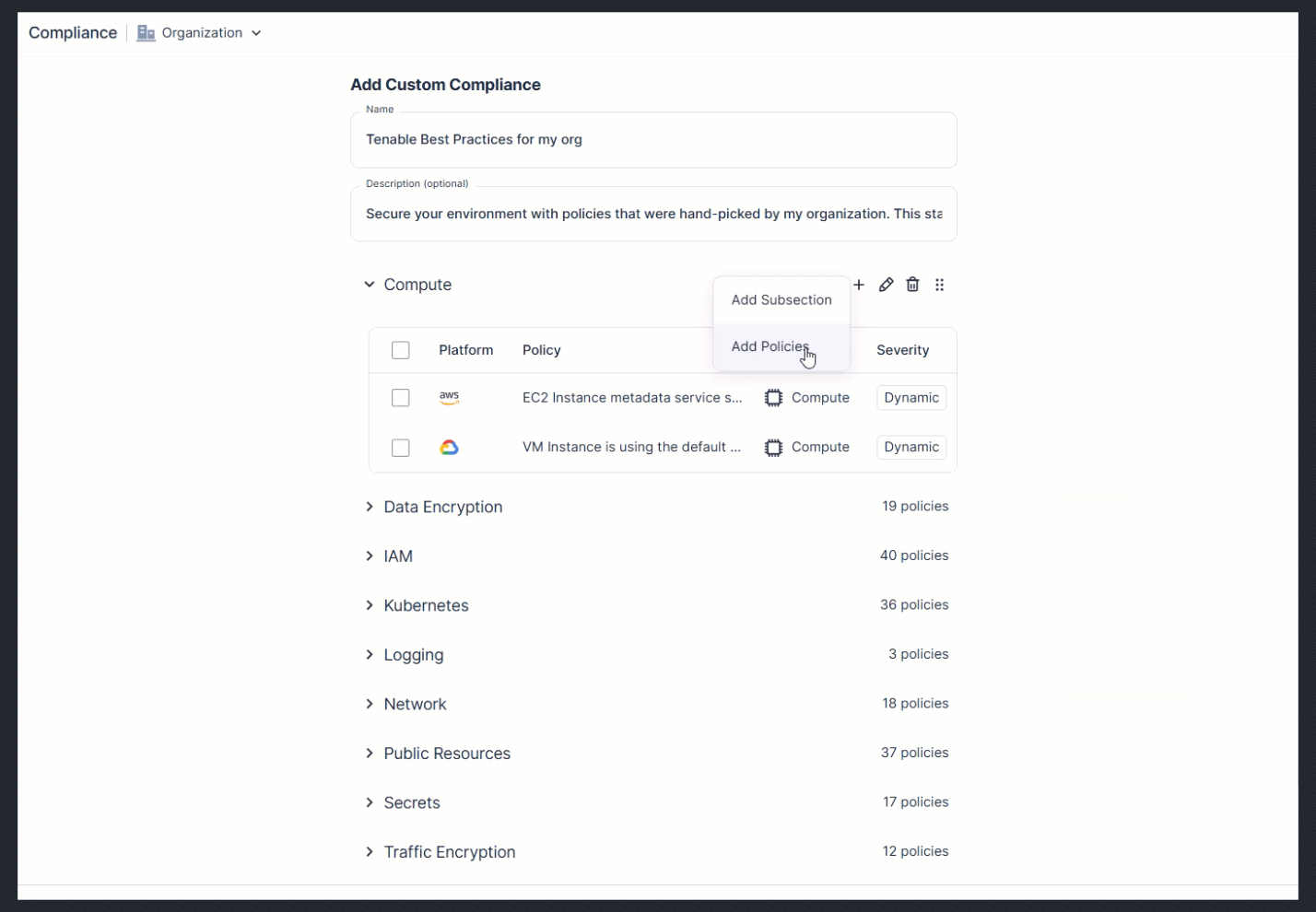
In parallel with the new ability to Compliance: Create Hierarchical Custom Compliance Standards, you can now duplicate any standard (built-in or custom) to use as a baseline for creating your own standard. For example, you can duplicate a built-in standard, and then modify it to meet the needs of your organization.
To learn more, see the documentation.
Console: Improved Navigation for Help Links
A new question mark icon  was added to the top navigation bar, containing links to Release Notes, Documentation, API Explorer, and Contact Us (previously found in the user profile dropdown). This change makes accessing support resources faster and more intuitive.
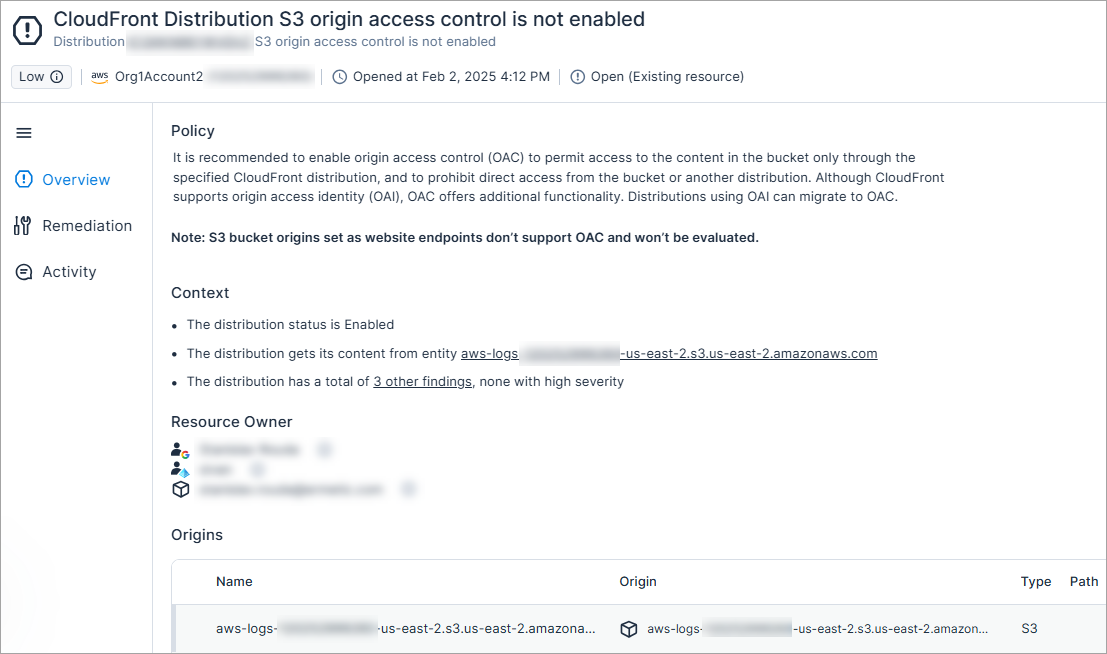
New AWS Policy: CloudFront Distribution S3 Origin Access Control Is Not Enabled
API Support
It is recommended to enable origin access control (OAC) to permit access to the content in the bucket only through the specified CloudFront distribution, and to prohibit direct access from the bucket or another distribution. Although CloudFront supports origin access identity (OAI), OAC offers additional functionality. Distributions using OAI can migrate to OAC.
The severity is dynamically determined based on whether the distribution or its origins are marked as sensitive
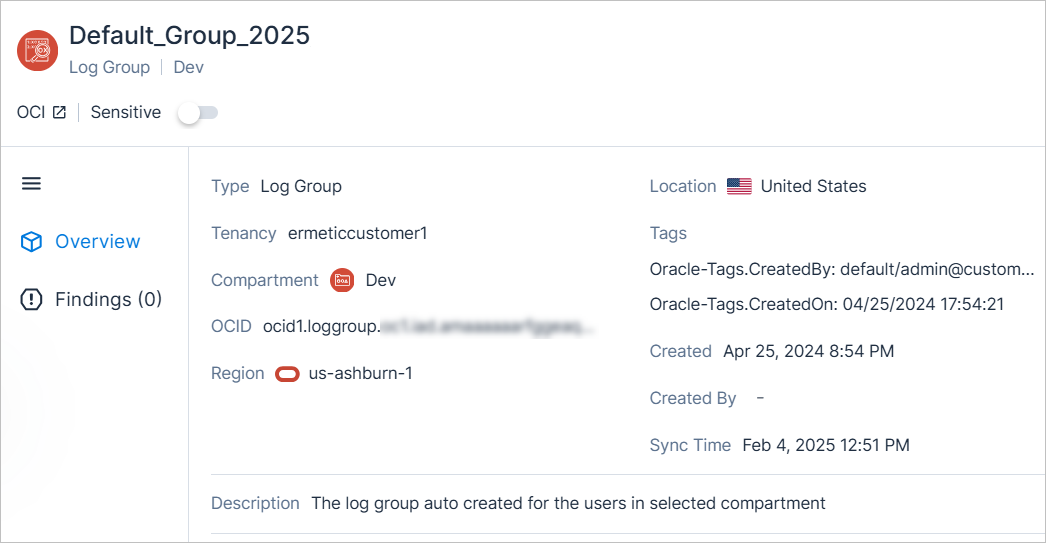
New OCI Resource Type: Log Group
API Support
Cloud Exposure now provides visibility into log groups via the Inventory view (OCI > Management), and displays relevant information.
For a list of all supported resources, see the documentation.
IaC Security: New AWS Policy 1.152
The following new AWS IaC security policy (finding type) has been added:
- CloudFront Distribution S3 origin access control is not enabled (Low) (Network)
For a complete list of supported Cloud Exposure IaC policies, see the documentation.
Data Protection: Support for Scanning XLSX Files
Cloud Exposure now scans xlsx files for sensitive data, enabling you to detect sensitive data in spreadsheets stored across your environments.
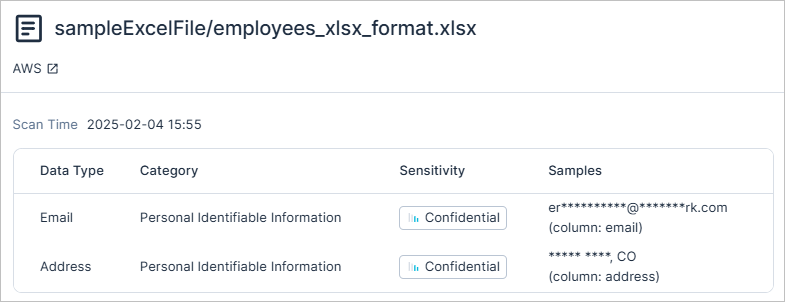
For a full list of scanned file types, see the documentation.
February 2, 2025 (Release 1.151)
New Features
New AWS Resource Types: DocumentDB
API Support
The following DocumentDB resources are now displayed in Cloud Exposure as independent resource types in the Inventory (AWS > Data), reflecting the fact that DocumentDB is an independent service in AWS. Previously, these resources were displayed as RDS resources, with Document DB listed as the engine type.
| New Resource | Previously Displayed As |
|---|---|
| DocumentDB Cluster Snapshots | RDS Snapshots |
| DocumentDB Clusters | RDS Clusters |
| DocumentDB Global Clusters | RDS Aurora Global Clusters |
| DocumentDB Instances | RDS Instances |
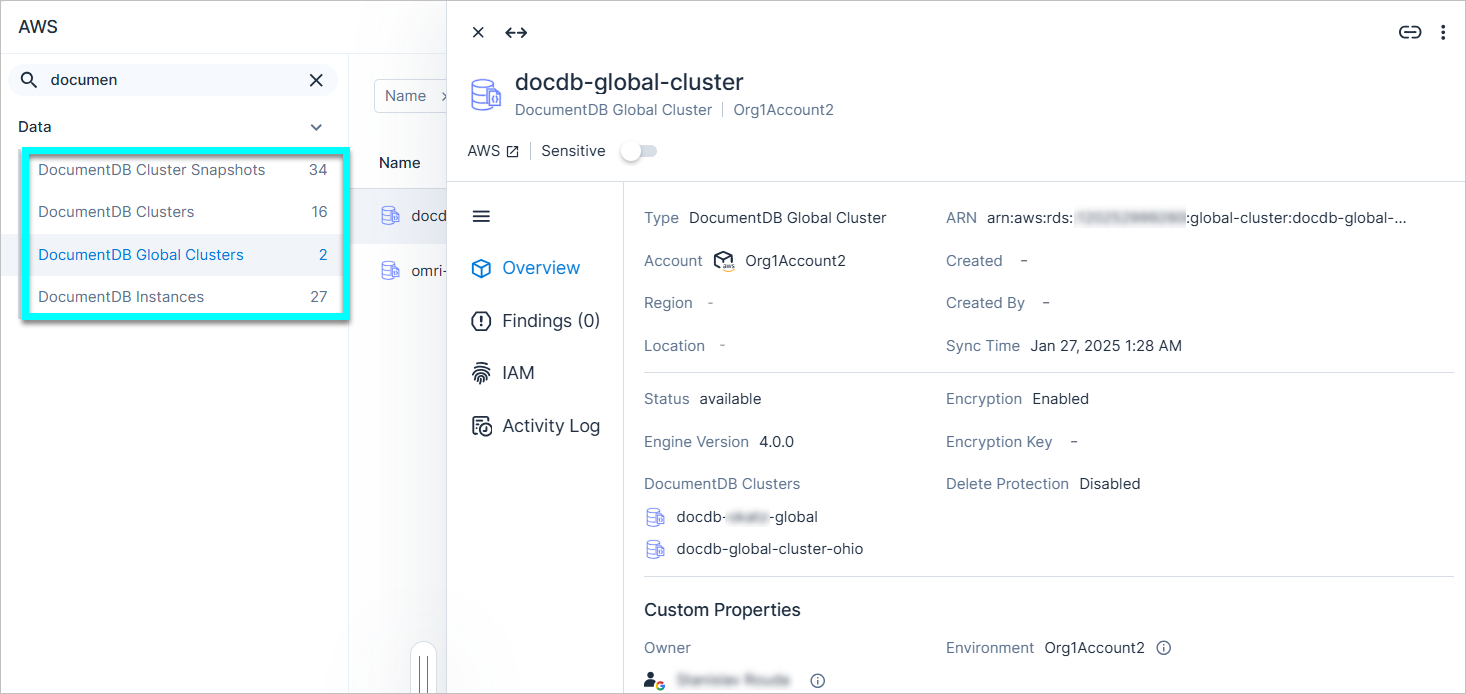
See the documentation for a list of all supported resources.
AWS: Policy Changes to Support DocumentDB
In parallel with the addition of New AWS Resource Types: DocumentDB, RDS-related policies, which previously also alerted on DocumentDB resources, are changing. For all of the policies listed below, no new findings related to DocumentDB will be opened. In addition, the following new behavior applies to previously opened findings:
| Policy | New Behavior |
|---|---|
|
Opened findings related to DocumentDB will be migrated to the new policy New AWS Policy: DocumentDB Cluster Snapshot Is Not Encrypted with KMS, and will remain Open. |
|
Opened findings related to DocumentDB will be migrated to the new policy New AWS Policy: Public DocumentDB Cluster Snapshot, and will remain Open. |
|
Opened findings related to DocumentDB will be closed with a sub-status of False positive |
New AWS Policy: DocumentDB Cluster Snapshot Is Not Encrypted with KMS
API Support
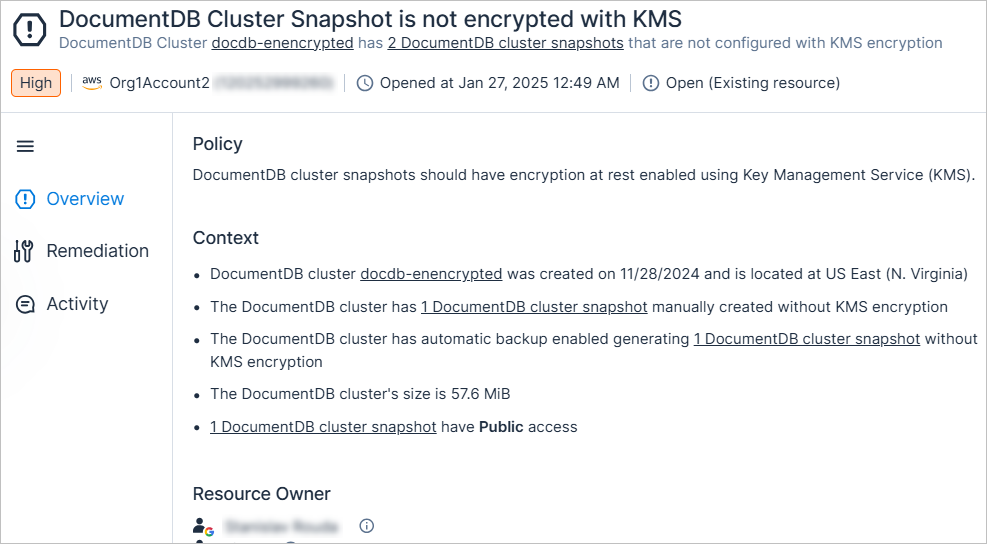
DocumentDB cluster snapshots should have encryption at rest enabled using Key Management Service (KMS).
The severity is dynamically determined based on the snapshot's access level and sensitivity
New AWS Policy: Public DocumentDB Cluster Snapshot
API Support
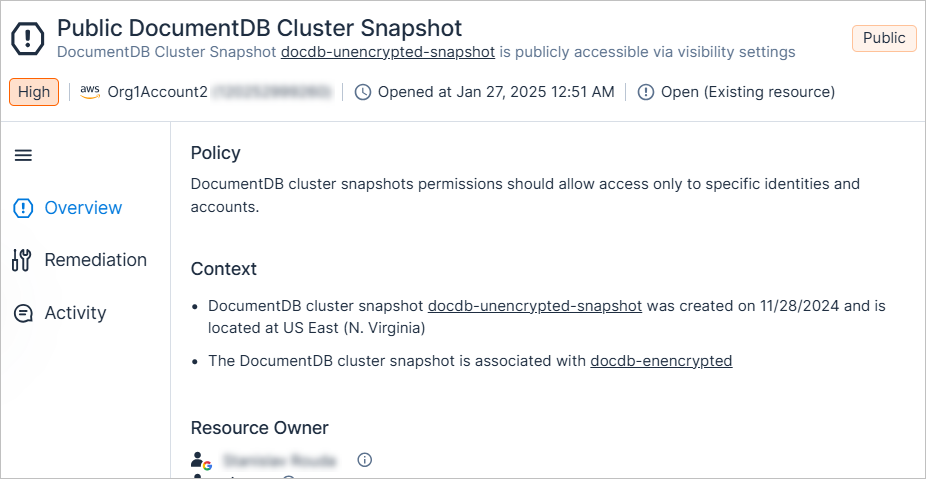
DocumentDB cluster snapshots permissions should allow access only to specific identities and accounts.
The severity is dynamically determined based on whether the snapshot or the cluster are marked as sensitive
Azure Custom Policies: Monitor Permissions Granted Directly and Indirectly to Microsoft Entra ID Group Members
You can now monitor permissions granted to Microsoft Entra ID group members, even if the permissions weren't granted via the group, via the following new custom policy condition. For example, you can use this condition to monitor all R&D users with access to a specific production environment.
| New Condition | Template | Category | Details |
|---|---|---|---|
| Principals that are members of these groups | these principals should not have these roles on these resources | Monitor Permissions | You can configure whether to monitor principals that are either direct or direct and indirect members of groups. |
See the documentation for more information about custom policies.
IAM: Configure Permission Usage Learning Period
You can now configure the learning period used to evaluate policies related to excessive permissions and inactive identities. This period determines the amount of time that must pass before triggering findings. Changing the time frame impacts findings, labels, and other system behavior.
- You can configure this period independently for service identities and for users.
- You can configure different learning periods for different account scopes.
- By default, Tenable uses a learning period of 90 days for all cloud and identity providers. If your environment has different configured values, they will be migrated and preserved.
See the documentation for more information, including how to configure the learning period, and a complete list of affected policies.
New Kubernetes Policies: API Server Requirements for CIS RedHat OpenShift Container Platform Standard
API Support
The following new built-in Kubernetes policies have been added to support API server requirements for the CIS RedHat OpenShift Container Platform standard.
- In the Kubernetes category.
- Mapped to the CIS RedHat OpenShift Container Platform 1.5.0 compliance standard.
- Assigned a severity which is dynamically determined based on the sensitivity of the cluster.
| Policy | Description |
|---|---|
| Kubernetes cluster allows unrestricted authorization mode (AlwaysAllow) | The API server can be configured with the "AlwaysAllow" authorization mode, which permits all requests without evaluation. This mode is highly insecure and should never be used on a production cluster, as it poses a significant security risk. Instead, use a more secure authorization mode, such as RBAC. |
| Kubernetes cluster AlwaysAdmit admission control plugin is enabled | The AlwaysAdmit plugin permits all API server requests without validation or filtering, bypassing critical security checks. This allows potentially harmful or unauthorized actions to be processed without restriction. It is recommended to disable the plugin and enable more restrictive admission control plugins that validate requests before they are processed. |
| Kubernetes cluster API server client CA file is not set | etcd is a highly available key-value store for Kubernetes' REST API objects, which are sensitive and require protection through client authentication. The API server must identify itself to etcd using an SSL Certificate Authority file. |
| Kubernetes cluster API server does not verify Kubelet certificate authority | Connections from the API server to the kubelet are used to fetch pod logs, attach to running pods via kubectl, and utilize the kubelet's port-forwarding functionality. These connections terminate at the kubelet's HTTPS endpoint. By default, the API server does not verify the kubelet's serving certificate, leaving the connection vulnerable to man-in-the-middle attacks and unsafe for use over untrusted or public networks. To secure these connections, configure the API server to verify the kubelet's certificate authority. |
| Kubernetes cluster API server service account key file is not set | By default, if no --service-account-key-file is specified, the API server uses the private key from the TLS serving certificate to verify service account tokens. To allow for key rotation and improve security, a separate public/private key pair should be used specifically for signing service account tokens. Therefore, the public key should be provided to the API server using the --service-account-key-file option. |
| Kubernetes cluster API server service account lookup argument is not enabled | If --service-account-lookup is not enabled, the API server only verifies that the authentication token is valid but does not check whether the associated service account exists in etcd. This allows the use of a service account token even after the corresponding service account is deleted, creating a time-of-check-to-time-of-use security vulnerability. |
| Kubernetes cluster API server TLS certificate and private key are not set | TLS and client certificate authentication must be configured for your Kubernetes cluster. By default, OpenShift uses X.509 certificates for secure API server-to-node/kubelet communication. OpenShift manages certificate validity, rotation, and provides alerts for potential certificate issues. |
| Kubernetes cluster API server uses insecure or unauthenticated connections to Kubelets | By default, the API server does not authenticate itself to the kubelet's HTTPS endpoints, causing requests from the API server to be treated as anonymous. To mitigate this, you should configure certificate-based authentication to ensure the API server properly authenticates itself when submitting requests to kubelets. |
| Kubernetes cluster etcd communication CA file is not set | etcd is a highly-available key value store used by Kubernetes deployments for persistent storage of all of its REST API objects. These objects are sensitive in nature and should be protected by client authentication. This requires the API server to identify itself to the etcd server using a SSL Certificate Authority file. |
| Kubernetes cluster API server is not authenticating to etcd with certificates | etcd is a highly available key-value store used by Kubernetes for persistent storage of REST API objects. These objects are sensitive and require protection through secure communication. To ensure confidentiality and integrity, the API server must authenticate itself to the etcd server using a client certificate and key, enabling encrypted communication. |
| Kubernetes cluster NodeRestriction admission control plugin is not enabled | The NodeRestriction admission control plugin ensures kubelets are limited to modifying only their own Node API object and Pod API objects bound to their node. This helps enforce proper access controls, preventing kubelets from affecting resources on other nodes. |
| Kubernetes cluster RBAC authorization is not enabled | Role-Based Access Control (RBAC) provides fine-grained control over the actions that various entities can perform on specific resources within the cluster. To enhance security, it is recommended to enable and use the RBAC authorization mode. |
| Kubernetes cluster SecurityContextConstraint admission control plugin is not enabled | The SecurityContextConstraint (SCC) admission control plugin restricts pod creation to those that meet security requirements. It rejects pods that do not comply with defined constraints, enforcing secure configurations and limiting risky actions. Enabling this plugin is critical to enforcing security best practices. |
Workload Protection: Support for Scanning Azure Virtual Machines with BitLocker Disk Encryption
Cloud Exposure now supports scanning Windows virtual machines with BitLocker disk encryption in Azure. This ensures comprehensive visibility into vulnerabilities and security risks, even for encrypted workloads.
To support scanning such virtual machines, you need to grant Tenable additional permissions in one of the following ways:
- Role: Key Vault Secrets User
- Permission (via custom role) Microsoft.KeyVault/vaults/secrets/getSecret/action
See the documentation for more information about granting these permissions.
-
If permissions weren't granted, relevant virtual machines will have a scan status of Disabled.
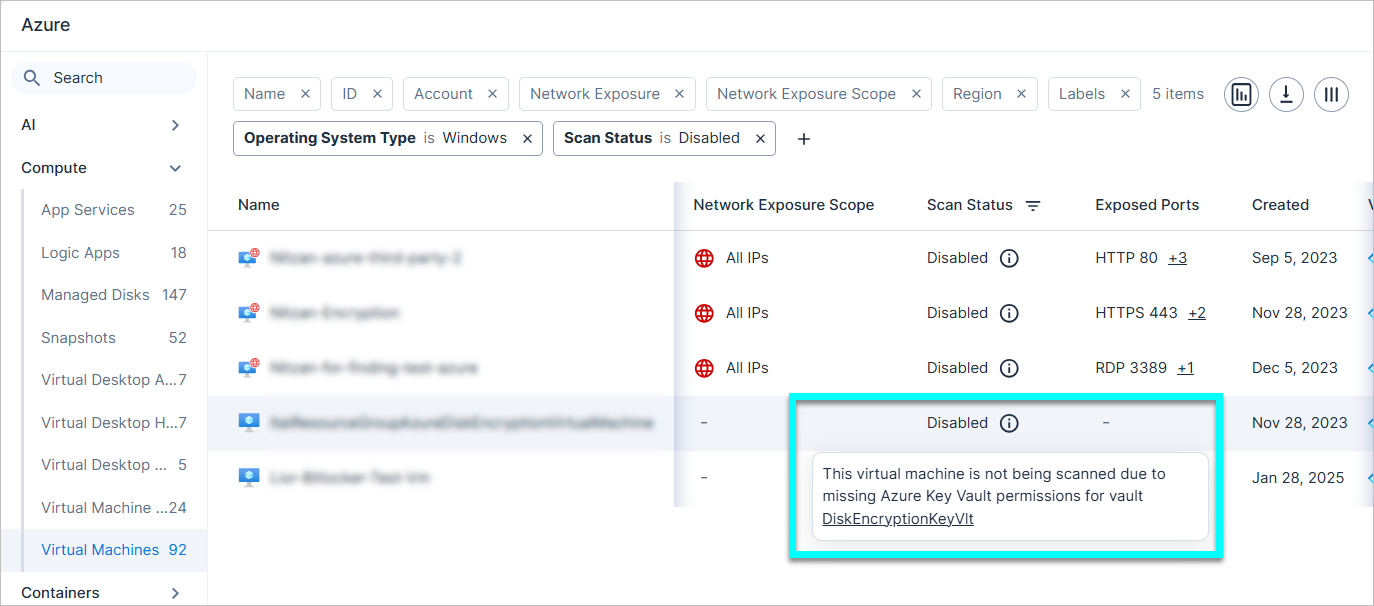
- After granting permissions, it may take up to 24 hours for scan results to be displayed in the Console. Tenable attempts to scan every virtual machine as soon as 24 hours have elapsed from the previous scan.
Data Protection: Support for Scanning AWS RDS Clusters
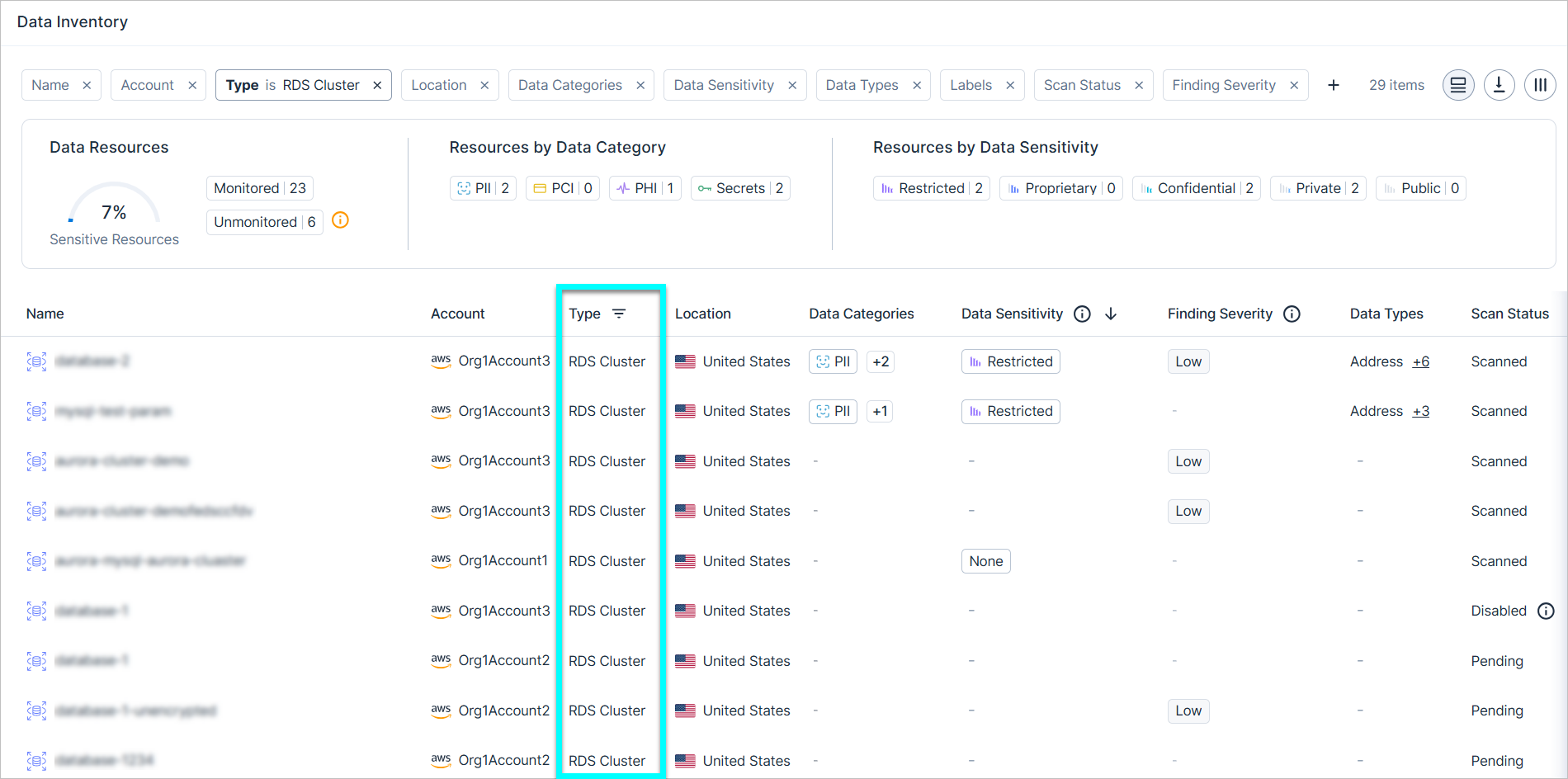
Cloud Exposure now supports scanning AWS RDS cluster managed databases.
To scan such resources, you need to:
- Grant Tenable Data Protection permissions for AWS.
- Enable Managed Database Scanning.
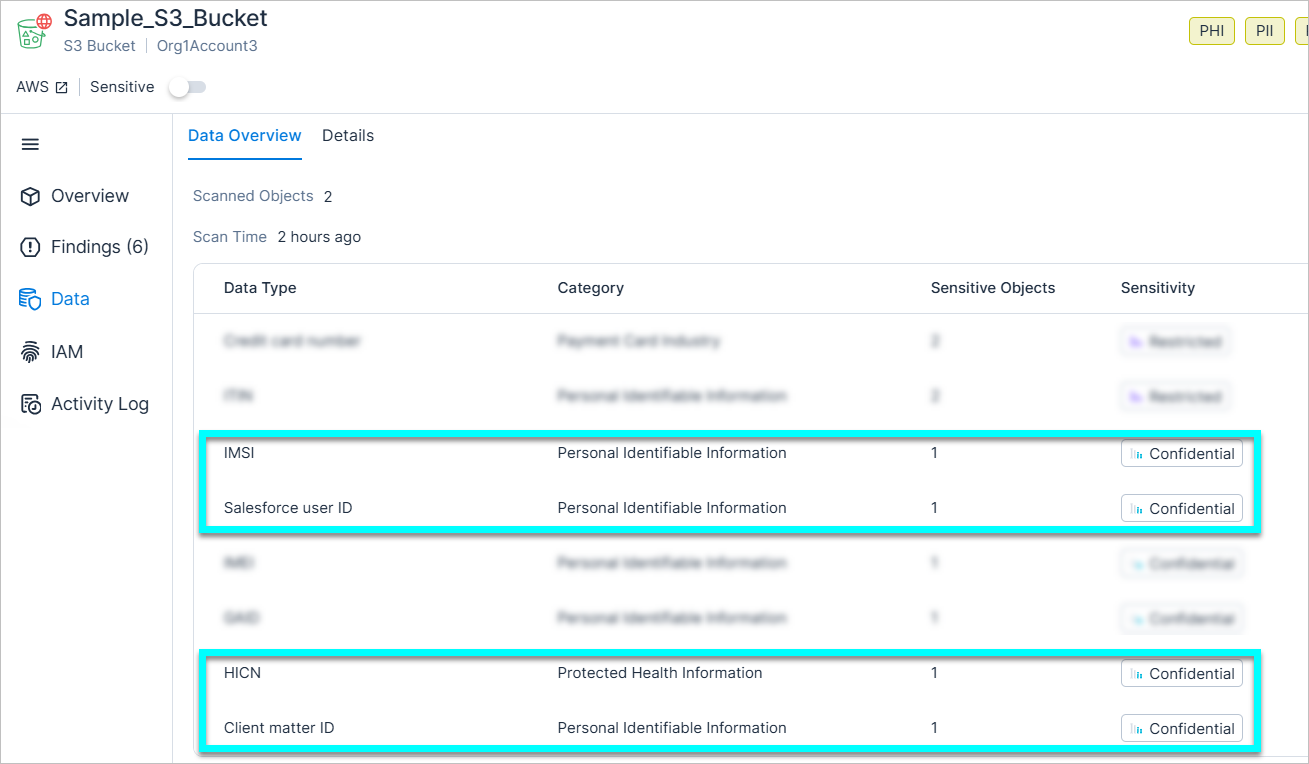
Data Protection: Support for Scanning Additional PHI and PII Data Types
Cloud Exposure now supports scanning the following additional data types:
| Data Type | Category | Sensitivity | Description |
|---|---|---|---|
| HICN | PHI | Confidential | Health Insurance Claim Number. Individual unique identifier of Medicare beneficiaries issued by the SSA |
| Client Matter ID | PII | Confidential | Unique legal identifier used to organize and manage matters or cases associated with a specific client |
| IMSI | PII | Confidential | International Mobile Subscriber Identity. Unique number automatically generated and stored in the SIM (phone number). |
| Salesforce User ID | PII | Confidential | Salesforce unique entity identifier of User Object |
See the documentation for a list of all supported data types, broken down by category.
Data Protection (In-Account Scanning): Support for Scanning GCP SQL Instances
Cloud Exposure now supports scanning GCP SQL Instance managed databases for in-account scanning deployments.
Console: Expanded Export of Results for Findings Page
You can now export an unlimited number of results on the Findings page, removing the previous limit of 10,000. This enhancement allows for more comprehensive reporting and analysis of large data sets.
JIT: Show Permission Descriptions in Access Request Dialog
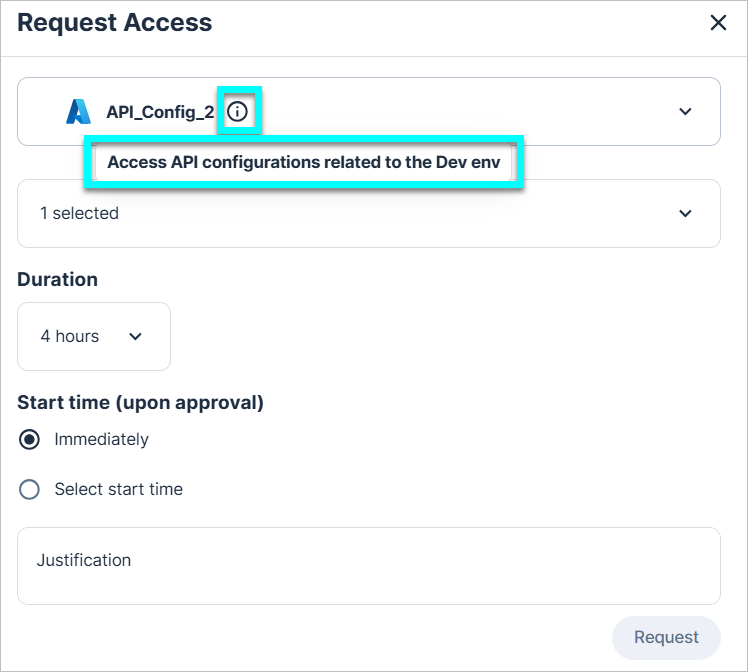
When requesting JIT permissions, Tenable now displays any permission description (entered by the admin in the relevant eligibility) in the relevant dropdown even after selecting the permission, allowing users to better understand the request.
January 26, 2025 (Release 1.150)
New Features
New AWS Resource Type: Athena Workgroup
API Support
Cloud Exposure now provides visibility into Athena Workgroups via the Inventory view (AWS > Data), and displays relevant information.
To support this resource, the following new permissions have been added to the Tenable Monitoring Policy (Read-Only):
- "athena:Get*"
- "athena:List*"
See the documentation for a list of all supported resources.
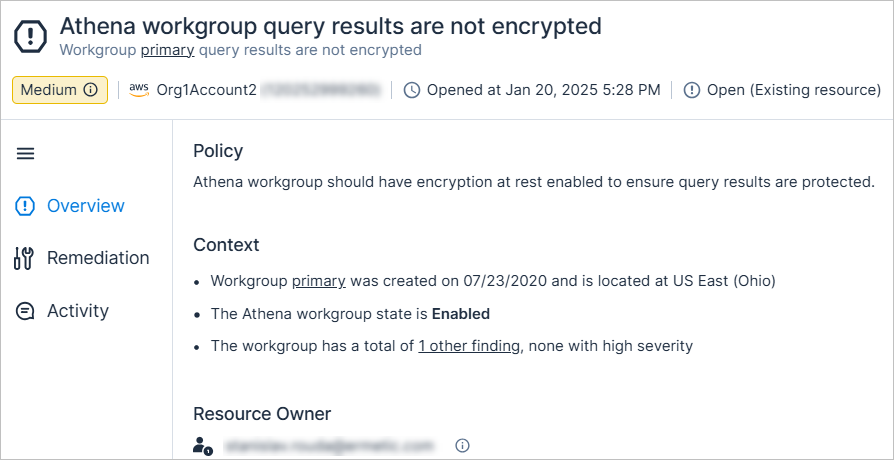
New AWS Policy: Athena Workgroup Query Results Are Not Encrypted
API Support
Athena workgroup should have encryption at rest enabled to ensure query results are protected.
The severity is dynamically determined based on whether the Athena workgroup is marked as sensitive.
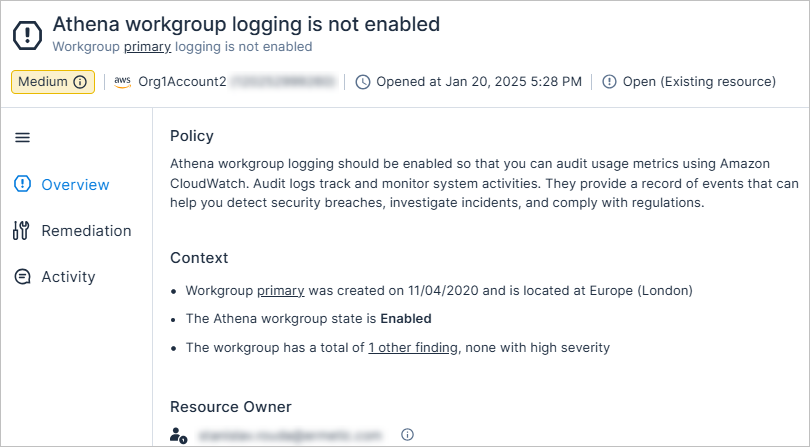
New AWS Policy: Athena Workgroup Logging Is Not Enabled
API Support
Athena workgroup logging should be enabled so that you can audit usage metrics using Amazon CloudWatch. Audit logs track and monitor system activities. They provide a record of events that can help you detect security breaches, investigate incidents, and comply with regulations.
The severity is dynamically determined based on whether the Athena workgroup is marked as sensitive.
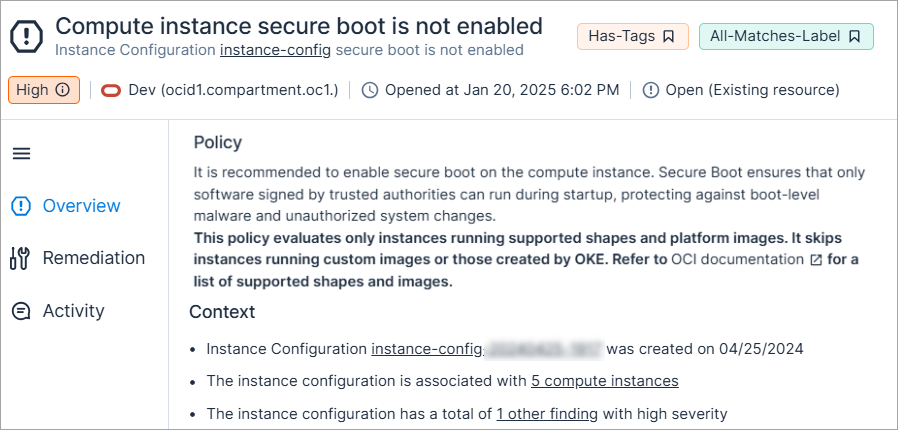
New OCI Policy: Compute Instance Secure Boot Is Not Enabled
API Support
It is recommended to enable secure boot on the compute instance. Secure Boot ensures that only software signed by trusted authorities can run during startup, protecting against boot-level malware and unauthorized system changes.
The severity is dynamically determined based on the instance status and whether the instance is marked as sensitive.
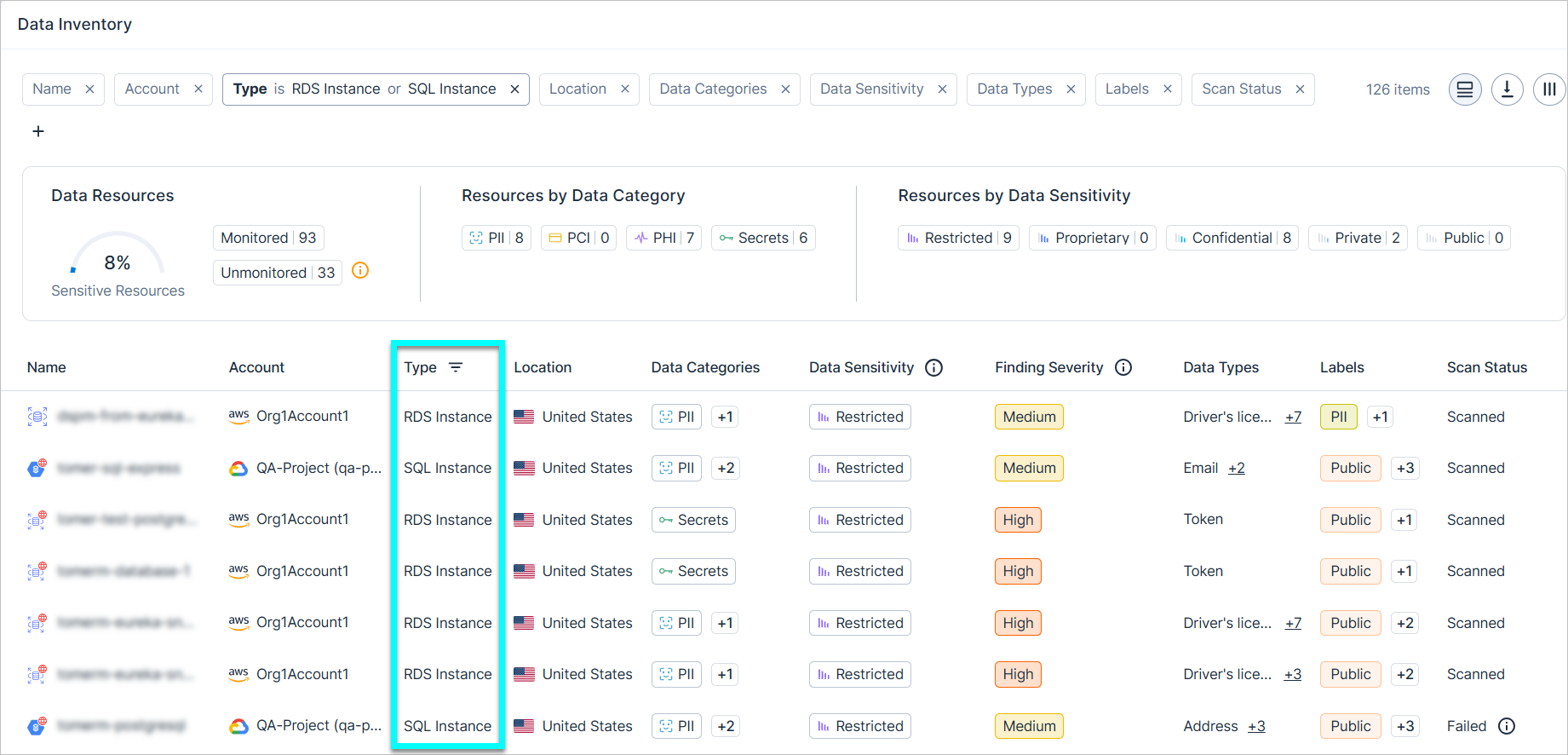
Data Protection: Support for Scanning AWS RDS Instance and GCP SQL Instances
Cloud Exposure now supports scanning the following managed databases:
- AWS: RDS instances
- GCP: SQL instances
To scan such resources, you need to ensure that:
- You grant Tenable Data Protection permissions for AWS and/or GCP, as relevant.
- Managed Database Scanning is enabled.
IaC Security: New AWS Policies 1.150
The following new AWS IaC security policies (finding type) have been added:
- Athena workgroup logging is not enabled (Medium) (Logging)
- Athena workgroup query results are not encrypted (Medium) (Data)
- Data Firehose Stream is not encrypted with KMS (Medium) (Data)
See the documentation for a complete list of supported Cloud Exposure IaC policies.
IaC Security: New Azure Policies 1.150
The following new Azure IaC security policies (finding type) have been added:
- CosmosDB account is not associated with private endpoint (Medium) (Network)
- Key vault is not associated with private endpoint (Medium) (Network)
- Storage account is not associated with private endpoint (Medium) (Network)
See the documentation for a complete list of supported Cloud Exposure IaC policies.
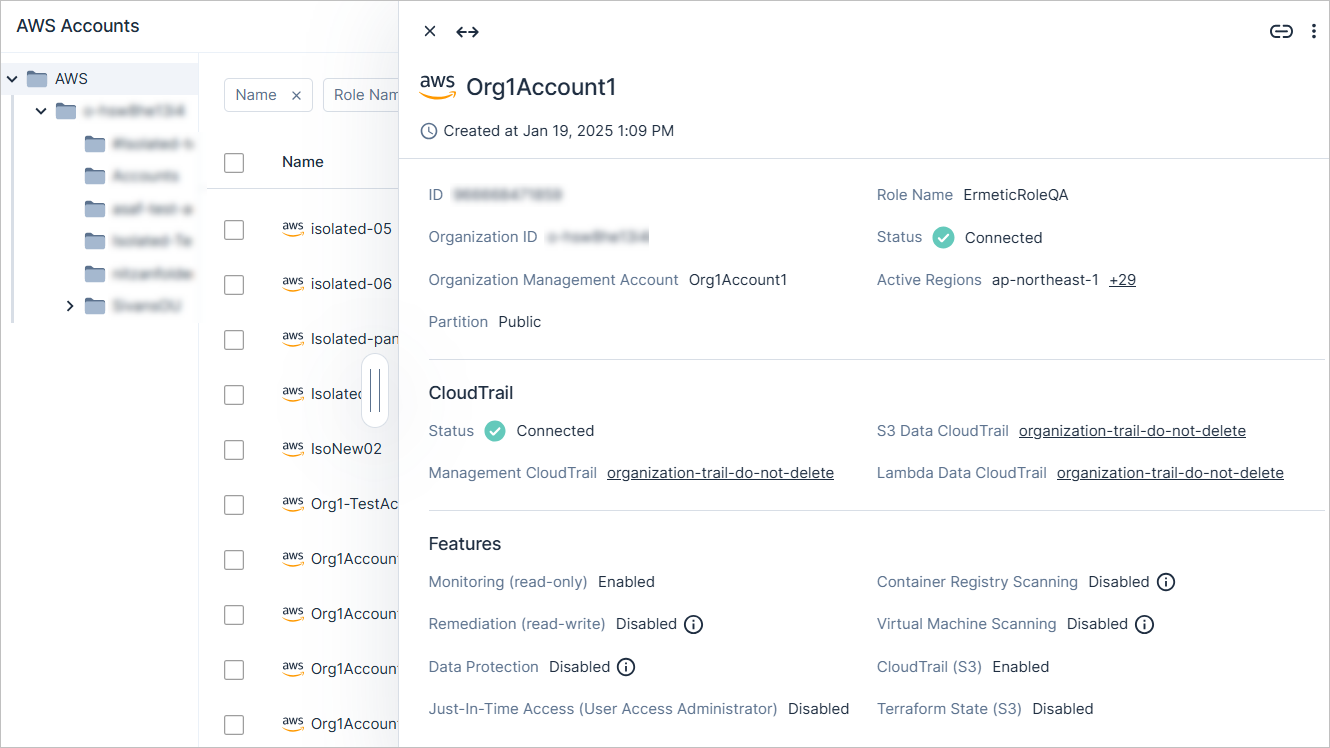
Console: Enhanced Slideout Panels for Accounts Page
The Accounts page now includes an enhanced slideout panel for onboarded cloud accounts. This lets you easily access all relevant account insights in one place for improved visibility and management.
Click on an account to see the panel, which includes details such as:
- Account information.
- Information about the associated parent cloud organization.
-
The status of relevant platform features. For each feature, you can see:
- Whether it was enabled/disabled.
Tooltips indicating whether the required permissions were actually granted.
For example:
- You may have enabled the feature, but the required permissions weren't actually granted, meaning that the feature isn't active.
- Conversely, you may have disabled the feature, but the required permissions are still granted, meaning that you may want to consider removing permissions if the feature is not needed.
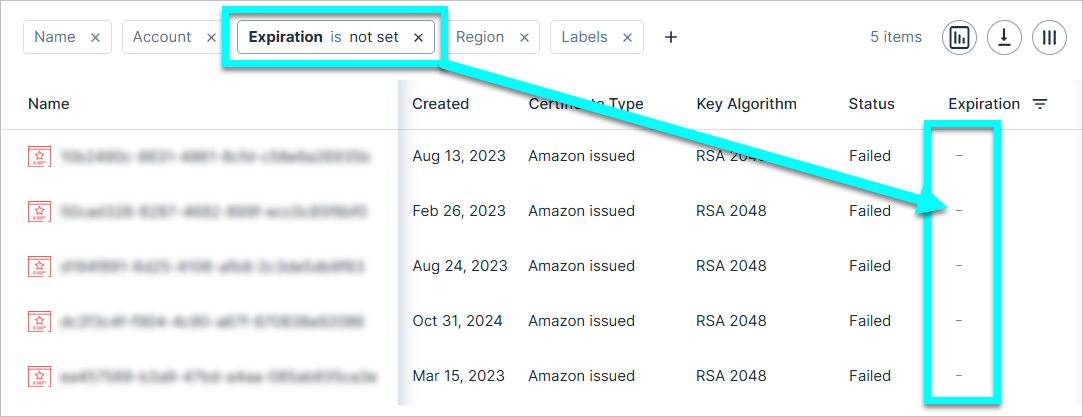
Console: Date Filters Support Blank Value Filtering
Date filters across the Console now support filtering for blank values, since these filters can sometimes contain values which are not dates. To filter for such values, select the Not set values in relevant filters.
For example, you can now filter for:
- Ignored findings without an Ignored Until date (i.e. that are ignored permanently).
- Entities with an Expiration of Never/Null.
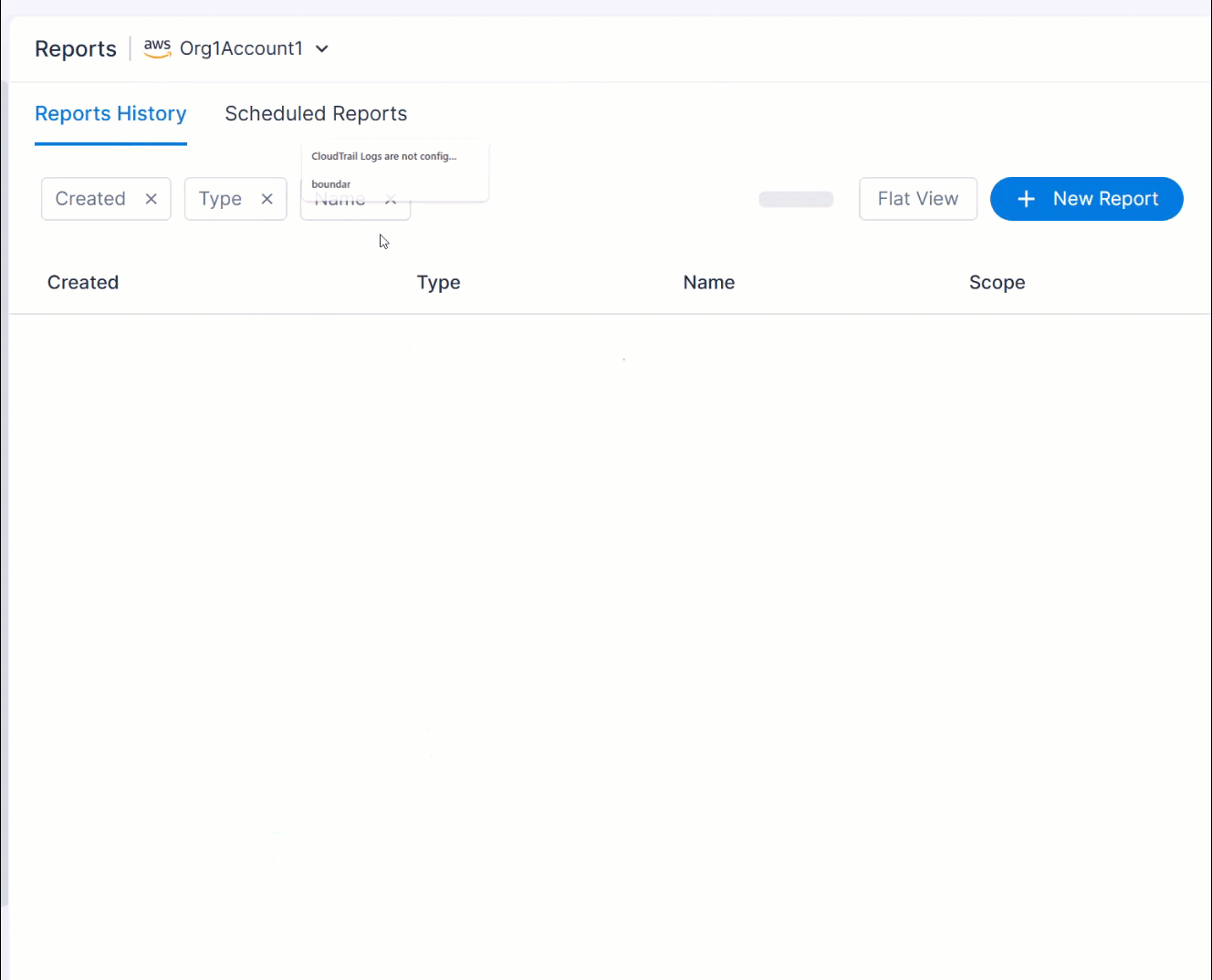
Console: Streamlined Report Creation
The Scope and Targets fields have been combined into a single Scope field to simplify report creation. This unified field now determines both:
- Which accounts are included in the report.
- Which users have access to the report, based on their permissions within the selected scope.
To select a Scope, choose an account scope from the dropdown on the Reports page, and then click New Report.
Previously created scheduled reports will be migrated to the new format, as follows:
- If the account scope in the Targets field was identical to the Scope field, the Scope field will remain as is.
- If the account scope in the Targets field was a subset of the Scope field, the Scope field will now be updated to match the Targets field.
- For Findings/Inventory reports, any account scope selected in the Targets field will be copied and moved to the Account filter. For example, if AWS was selected for the Targets,
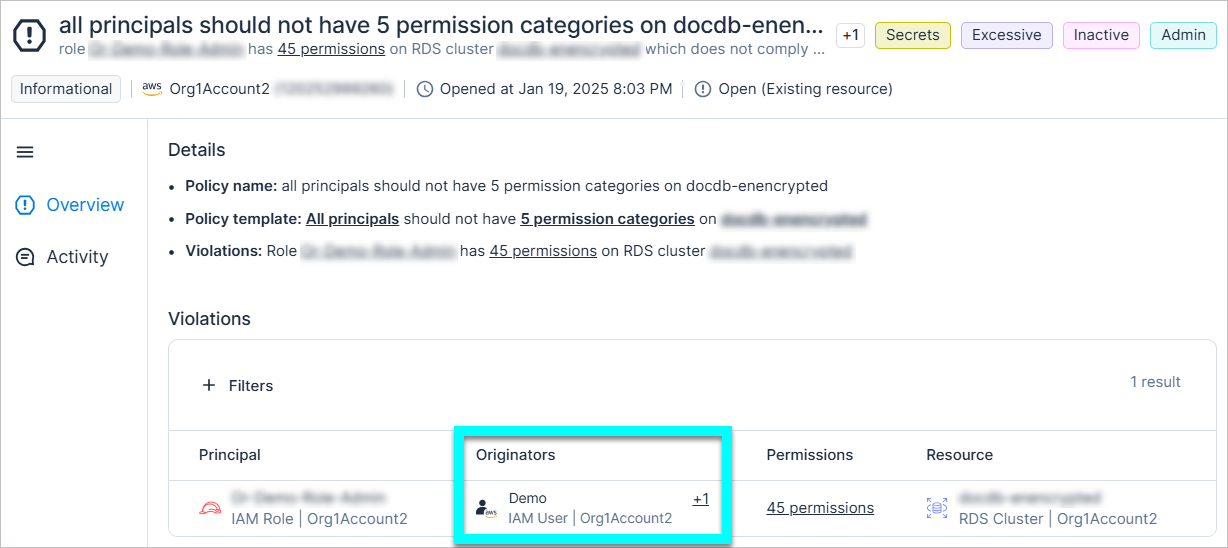
Custom Policies: Show Originators in Policy Violations
Findings that were triggered by the following custom policy templates now display any relevant originators in the Violations section:
-
AWS:
- For these resources, only these principals should have these permissions
- These principals should not have these permissions on these resources
- Only these principals should have these permissions
-
Azure:
- Only these principals should have these permissions on these resources
- These principals should not have these permissions on these resources
- These principals should not have these roles on these resources
-
GCP:
- Only these principals should have these permissions on these resources
- These principals should not have these permissions on these resources
- These principals should not have these roles on these resources
JIT: Default Account Selection in JIT Requests Changed
The default account selection (Accounts) in the JIT request flow is now empty, requiring users to actively choose accounts they want to access. This change helps prevent unintentional requests for all accounts in the organization, and ensures that users select relevant accounts.
January 19, 2025 (Release 1.149)
New Features
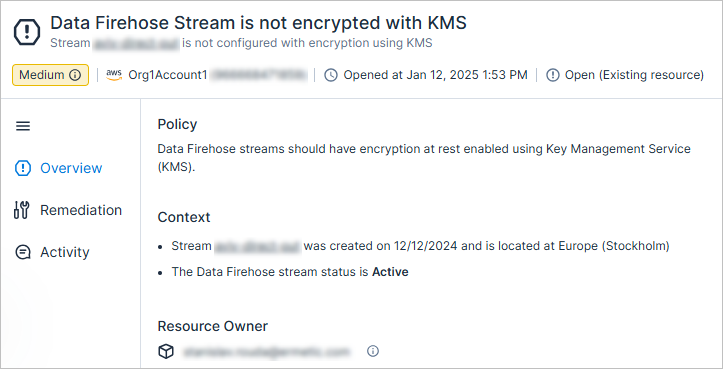
New AWS Policy: Data Firehose Stream Is Not Encrypted with KMS
API Support
Data Firehose streams should have encryption at rest enabled using Key Management Service (KMS).
The severity is dynamically determined based on whether the data firehose stream is marked as sensitive.
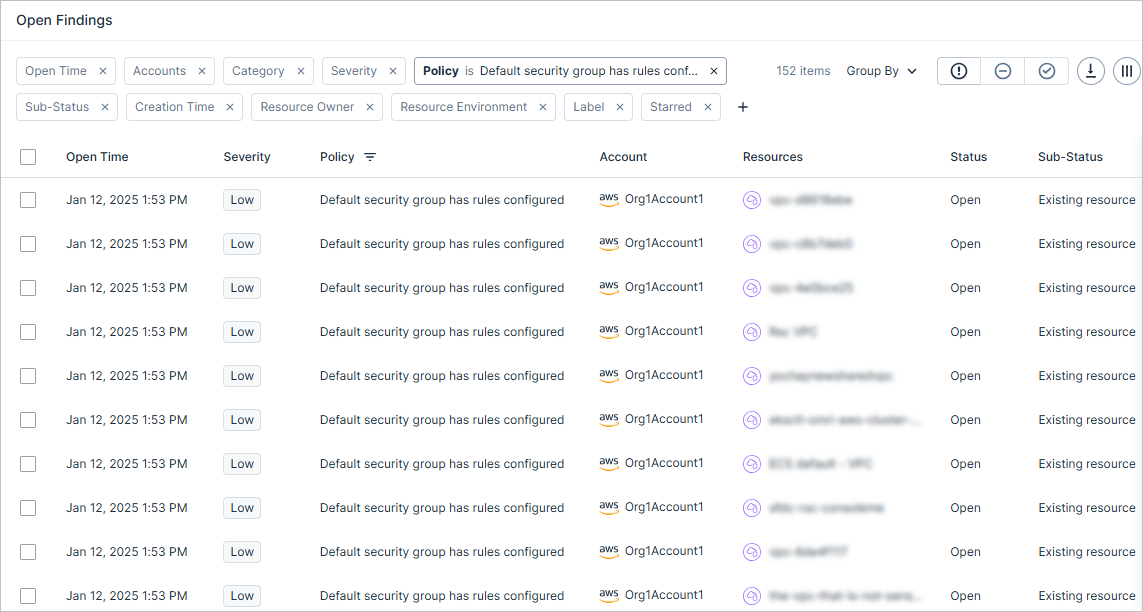
Split AWS Finding: Default Security Group Has Rules Configured
The Default Security Group rules exist policy (Network category) was changed, as follows:
- Renamed to Default security group has rules configured
- Modified to create a separate finding per resource, as opposed to a single finding that aggregates all resources with the same issue.
Creating a finding per resource allows Cloud Exposure to send granular notifications to third party tools for each specific resource.
See the documentation for more information.
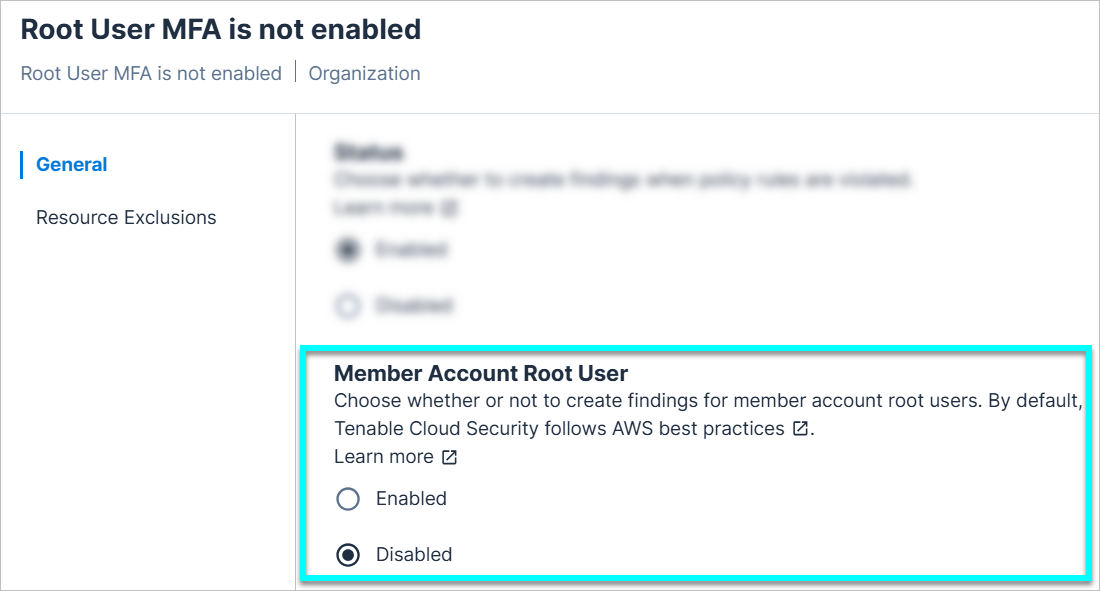
Root User MFA Is Not Enabled: Create Findings for Member Account Root Users
You can now choose whether or not to create findings for member account root users. By default, this option is disabled, following AWS best practices.
See the documentation for more information.
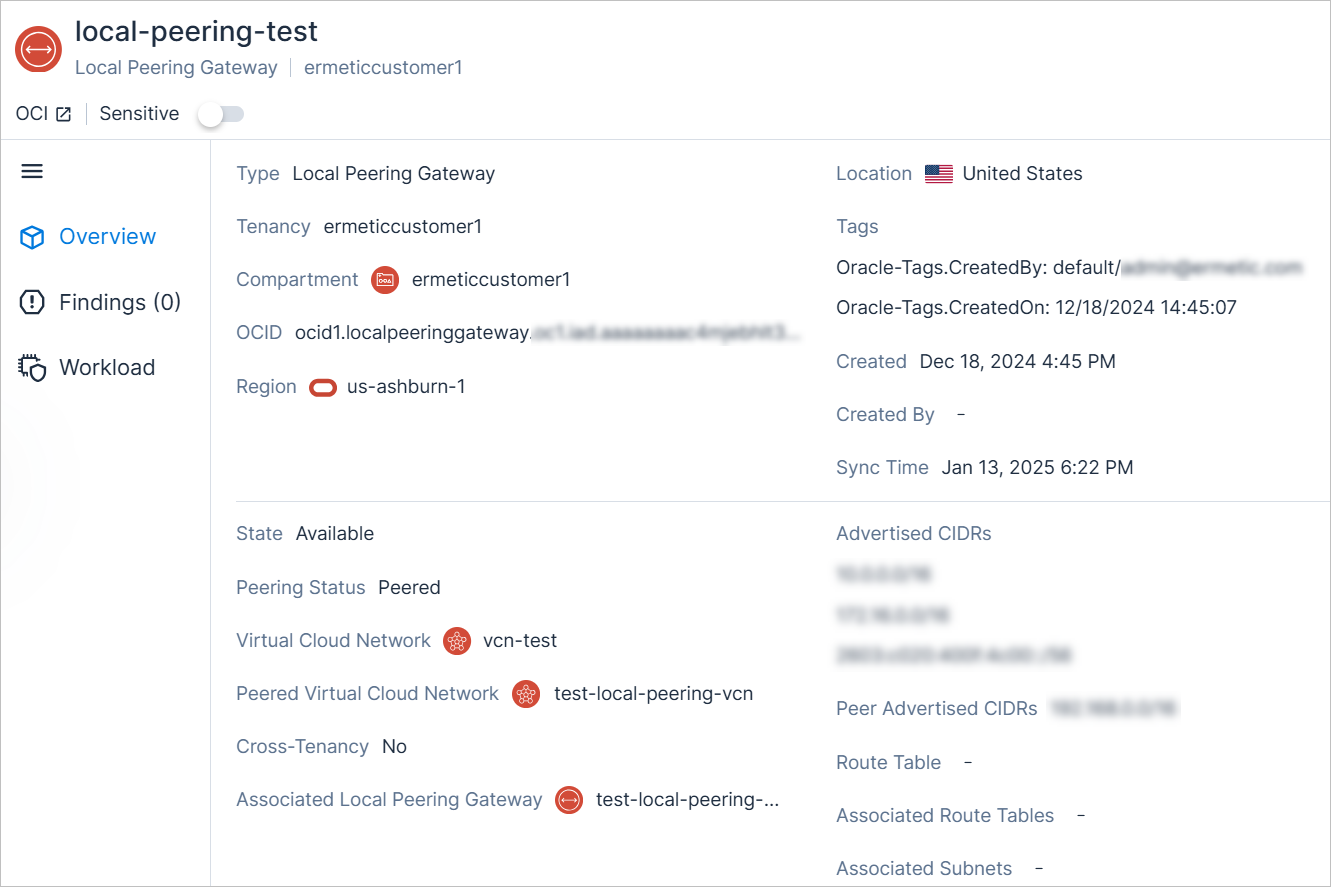
New OCI Resource Type: Local Peering Gateway
API Support
Cloud Exposure now provides visibility into local peering gateways via the Inventory view (OCI > Network), and displays relevant information such as:
- Peering status
- Associated Route Tables
- Cross-Tenancy
See the documentation for a list of all supported resources.
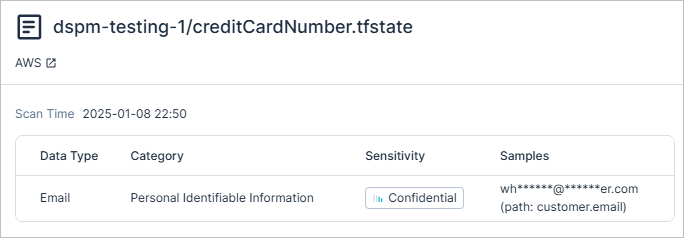
Data Protection: Support for Scanning Tfstate Files
Cloud Exposure now scans tfstate files for sensitive data, helping you identify exposed sensitive information, prevent configuration drift, and ensure secure infrastructure management. The tfstate file format is a JSON-based state file used by Terraform to store the state of infrastructure managed by Terraform.
See the documentation for a full list of scanned file types.
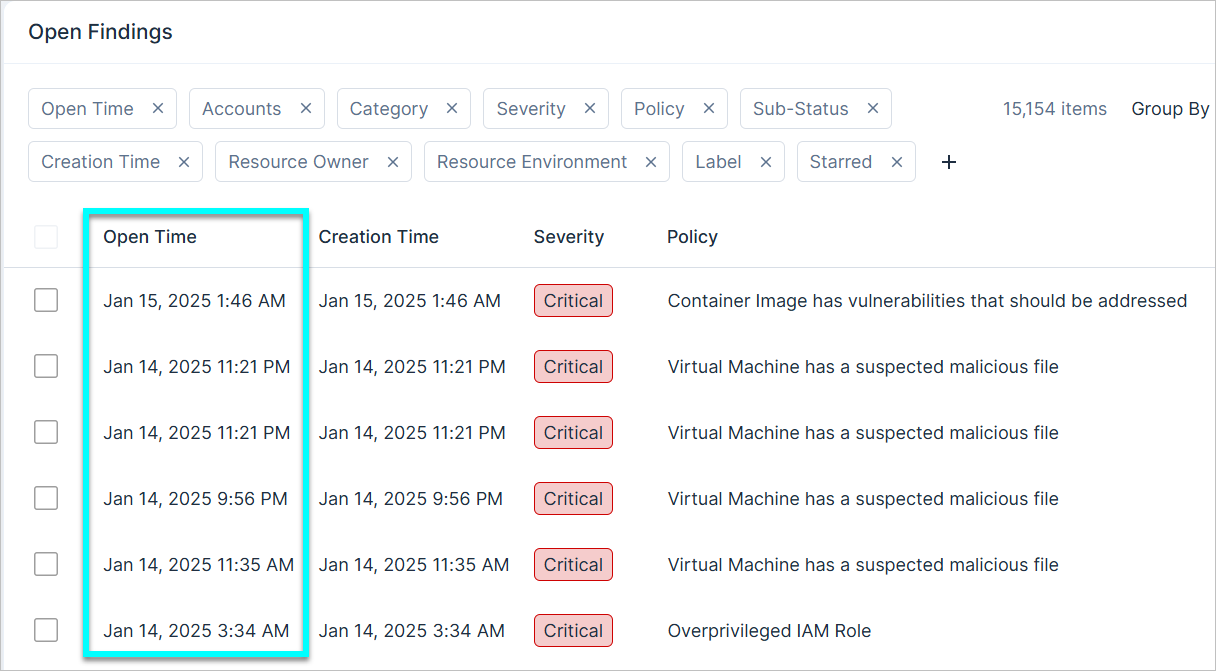
Findings: View When Findings Were Opened
API Support
You can now view when findings were last opened, giving you clear visibility into when findings were, for example, reopened or unignored. This information can potentially be used to help your team meet SLAs for resolving findings.
- Console: Via the new Open Time column on the Findings page
- API: Via the following new filters:
- OpenTimeStart
- OpenTimeEnd
January 12, 2025 (Release 1.148)
New Features
New AWS Policy: Lambda Function Does Not Operate in Multiple Availability Zones
API Support
It is recommended to deploy the Lambda function across multiple AZs to ensure high availability within your architecture.
The severity is dynamically determined based on whether the Lambda function is is marked as sensitive.
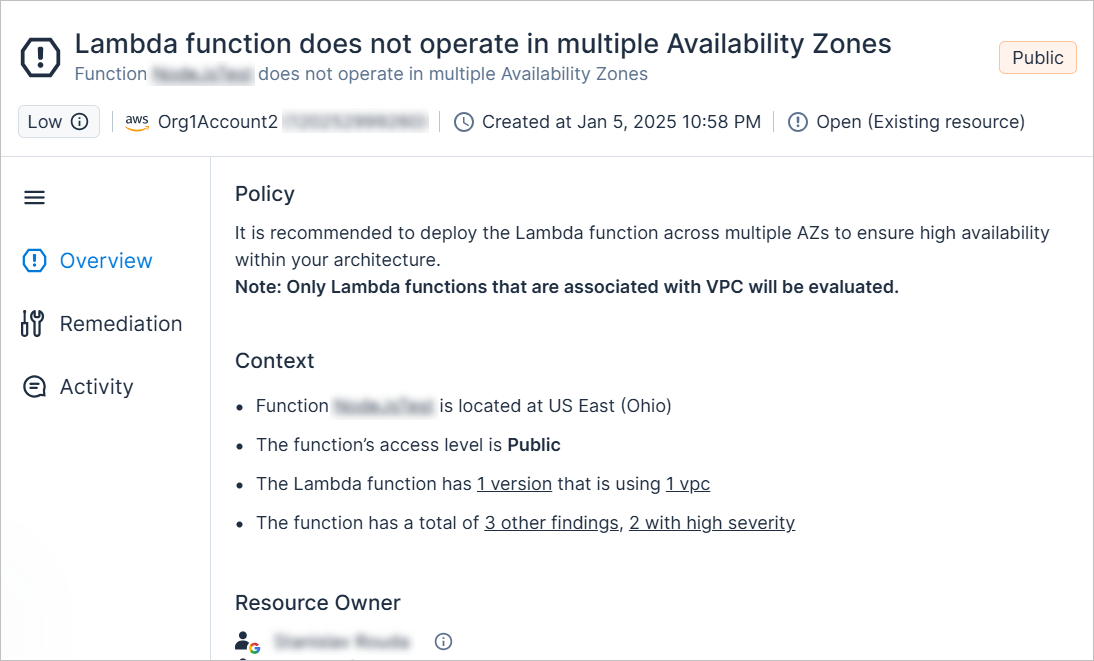
New AWS Resource Type: Data Firehose Stream
API Support
Cloud Exposure now provides visibility into Data Firehose Streams via the Inventory view (AWS > Data), and displays relevant information.
To support this resource, the following new permissions have been added to the Tenable Monitoring Policy (Read-Only):
- "firehose:Describe*"
- "firehose:List*"
See the documentation for a list of all supported resources.
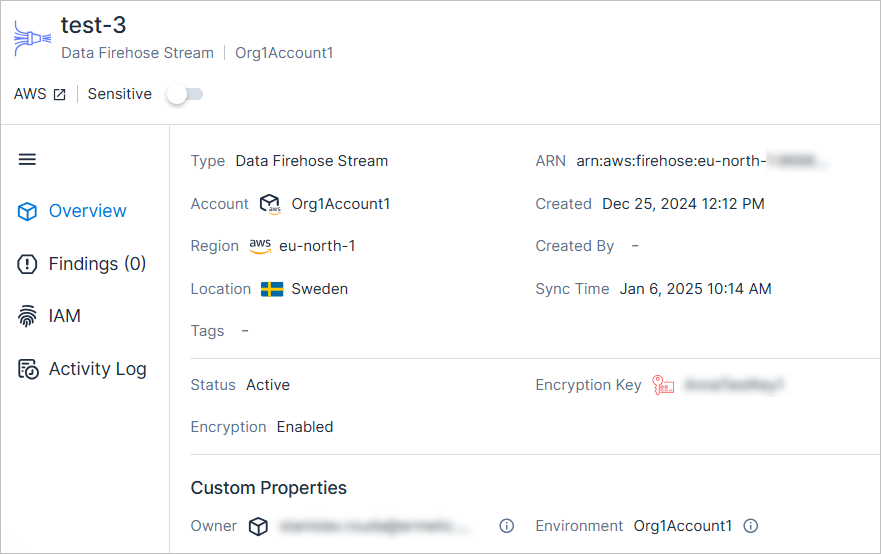
AWS: Updated Policy Logic for Unused SSO Permission Set
Cloud Exposure has improved the policy logic for Unused SSO Permission Set to exclude permission sets that are being used in JIT eligibilities. In such cases, the following logic is now applied:
- Any previously opened finding will be closed, and marked as fixed
- No new finding will be opened
Azure: Updated Policy Logic for Inactive Microsoft Entra ID Application
Cloud Exposure has improved the policy logic for Inactive Microsoft Entra ID Application, as follows:
-
Monitor applications that are performing provisioning. For any such applications, the following logic is now applied:
- Any previously opened finding for applications that performed provisioning will be closed, and marked as fixed.
- No new finding will be opened.
-
Reflect the fact that Tenable can't monitor activity for Enterprise applications with linked single sign-on, since such applications lack sign-on events. For any such applications, the following logic is now applied:
- Any previously opened finding will be closed, and marked as false positive.
- No new finding will be opened.
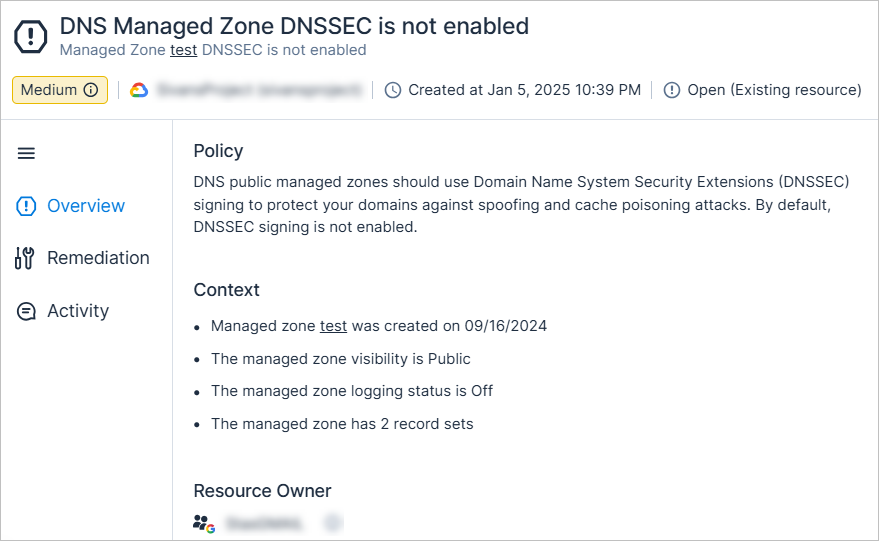
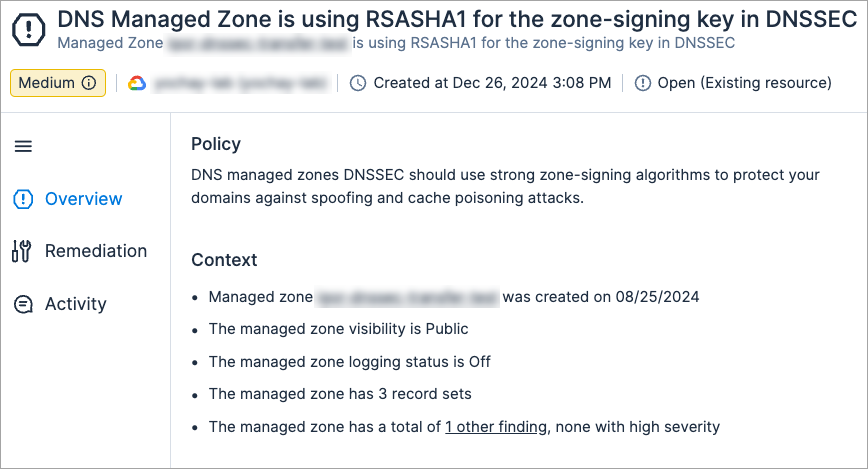
New GCP Policy: DNS Managed Zone DNSSEC Is Not Enabled
API Support
DNS public managed zones should use Domain Name System Security Extensions (DNSSEC) signing to protect your domains against spoofing and cache poisoning attacks. By default, DNSSEC signing is not enabled.
The severity is dynamically determined based on whether the DNS managed zone is marked as sensitive.
New GCP Policy: DNS Managed Zone Is Using RSASHA1 for the Key-Signing Key in DNSSEC
API Support
DNS managed zones DNSSEC should use strong key-signing algorithms to protect your domains against spoofing and cache poisoning attacks.
The severity is dynamically determined based on whether the DNS managed zone is marked as sensitive.
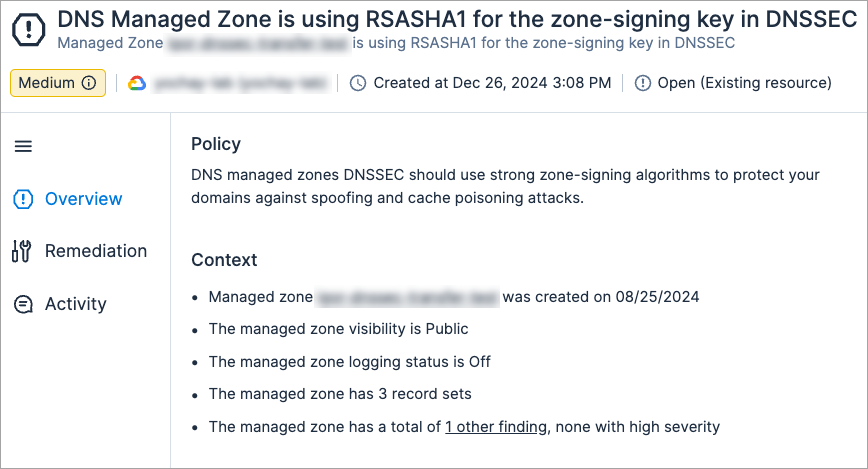
New GCP Policy: DNS Managed Zone Is Using RSASHA1 for the Zone-Signing Key in DNSSEC
API Support
DNS managed zones DNSSEC should use strong zone-signing algorithms to protect your domains against spoofing and cache poisoning attacks.
The severity is dynamically determined based on whether the DNS managed zone is marked as sensitive.
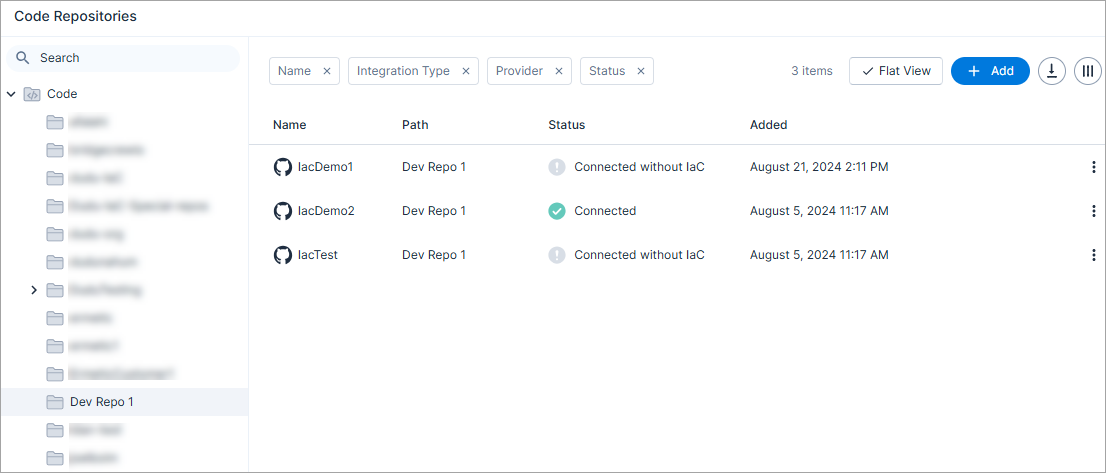
IaC Security: Manage Repositories via Folders
You can now manage your code repositories via folders to group your onboarded repositories together logically.
If your organization has a large number of repositories, it's important to maintain a structured hierarchy within Cloud Exposure, using folders. You can create this structure in the following ways:
- (Recommended) Automatically update folder structure in Cloud Exposure based on the repository structure of the onboarded organization.
- Manually create folders in Tenable to group your onboarded repositories together logically. For example, you may want to group your repositories by location, or by users.
See the documentation for more information.
IaC Security: New AWS Policy 1.148
The following new AWS IaC security policy (finding type) has been added:
- Lambda function does not operate in multiple Availability Zones (Low) (Compute)
See the documentation for a complete list of supported Cloud Exposure IaC policies.
New Custom Policy Condition: Permissions That Match Patterns
You can now monitor when principals are granted specific permissions for selected resources based on the pattern of the permission. For example, you can monitor any permissions that include the words *Modify* or *Update*.
When creating or editing custom policies, you can now select or exclude permissions based on pattern, using the following new condition:
- Permissions that match any of these patterns
This condition is available for the following templates:
- AWS:
- Only these principals should have these permissions
- For these resources, only these principals should have these permissions
- These principals should not have these permissions on these resources
- Azure:
- Only these principals should have these permissions on these resources
- These principals should not have these permissions on these resources
- GCP:
- Only these principals should have these permissions on these resources
- These principals should not have these permissions on these resources
January 5, 2025 (Release 1.147)
Important Changes
Inactive Microsoft Entra ID Group Policy Logic
The behavior of the Inactive Microsoft Entra ID Group policy is changing, to reflect the fact that Tenable doesn't monitor the activation of device identities.
When one or more of the entities in a group detected by this policy is a device identity, the following logic is now applied:
- Any previously opened finding will be closed, and marked as a false positive
- No new finding will be opened
See Microsoft documentation to learn more about device identities.
New Features
AWS: Support for Serverless ElastiCache Redis OSS Caches
Tenable now provides visibility into serverless ElastiCache Redis OSS Caches via the Inventory view (AWS > Data). A new Deployment Type column has been added to indicate whether the resource is part of a cluster, or serverless.
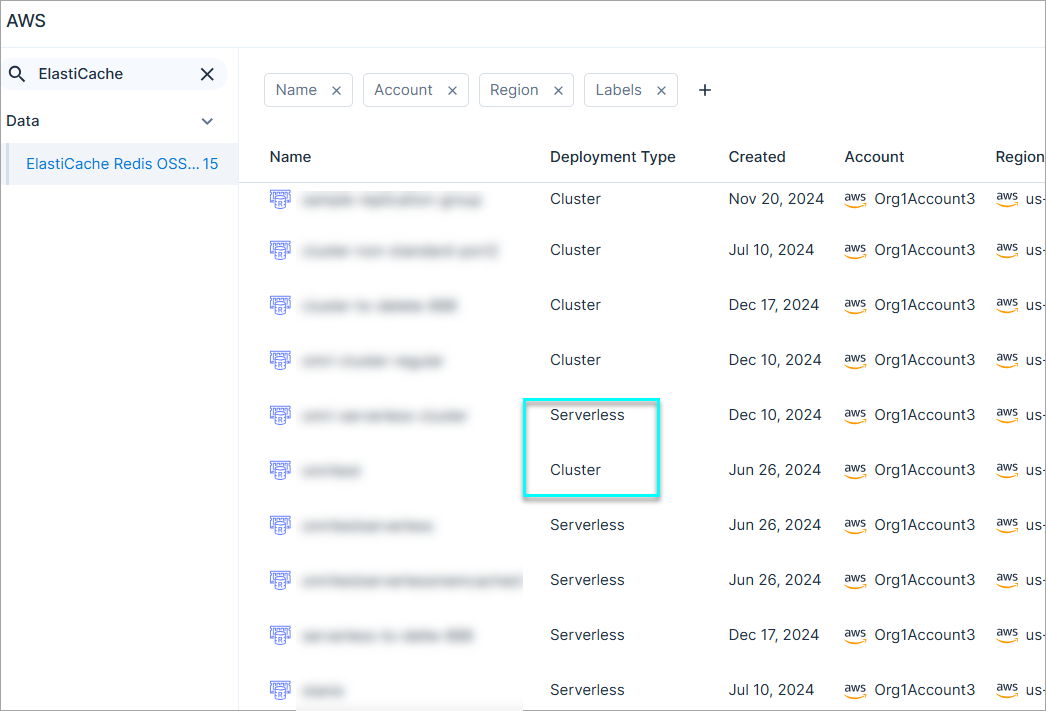
New Azure Policy: CosmosDB Account Is Not Associated with Private Endpoint
API Support
It is recommended to use Azure private endpoints to access CosmosDB accounts, allowing clients and services to securely access data located over a network via an encrypted Private Link.
The severity is dynamically determined based on the CosmosDB account network exposure and whether it is marked as sensitive
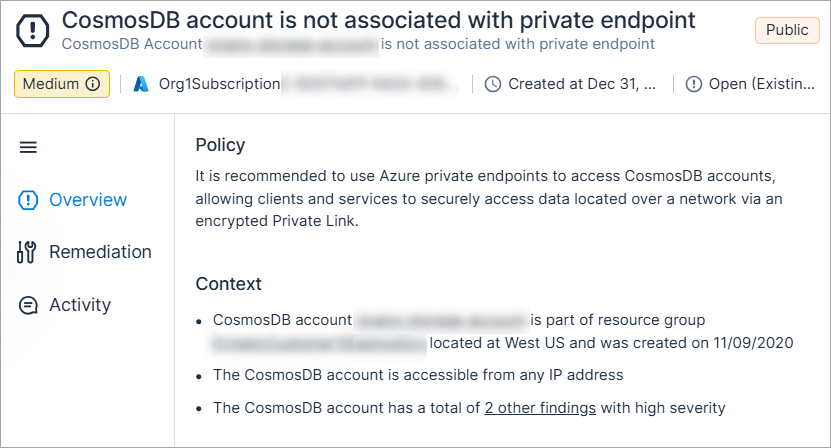
New Azure Policy: Key Vault Is Not Associated with Private Endpoint
API Support
It is recommended to use Azure private endpoints to access Key vaults, allowing clients and services to securely access data located over a network.
The severity is dynamically determined based on the key vault network exposure and whether it is marked as sensitive
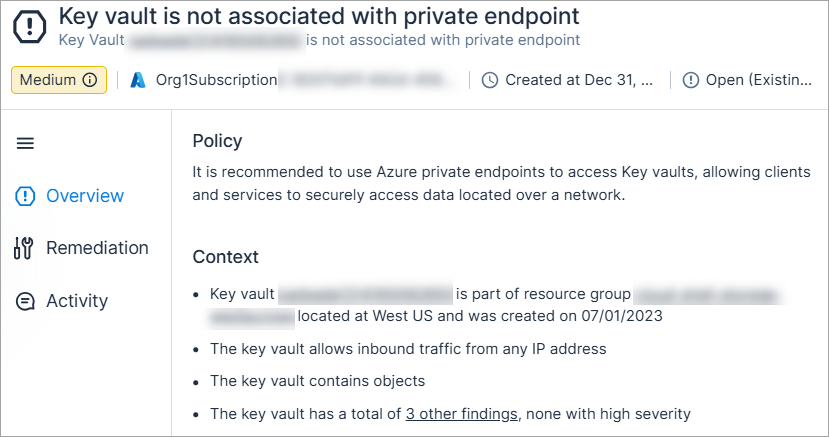
New Azure Policy: Storage Account Is Not Associated with Private Endpoint
API Support
It is recommended to use Azure private endpoints to access storage accounts, allowing clients and services to securely access data located over a network via an encrypted Private Link.
The severity is dynamically determined based on the storage account network exposure and whether it is marked as sensitive
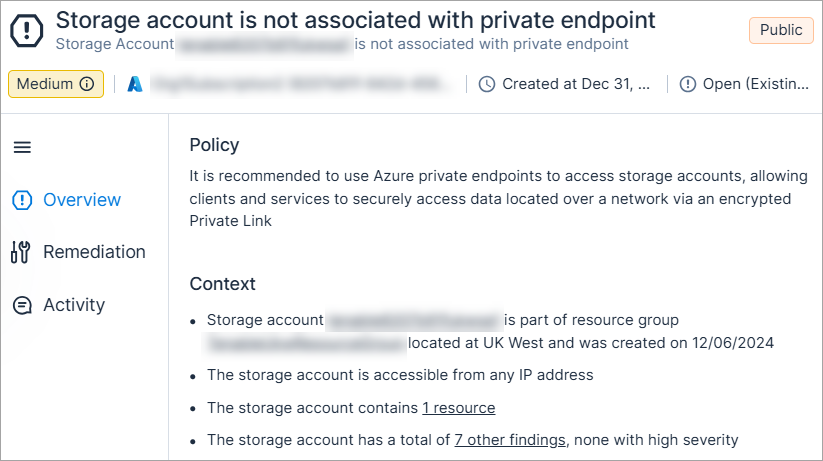
New OCI Resource Type: Internet Gateway
API Support
Cloud Exposure now provides visibility into Internet Gateways via the Inventory view (OCI > Network), and displays relevant information.
See the documentation for a list of all supported resources.
New OCI Resource Type: NAT Gateway
API Support
Cloud Exposure now provides visibility into NAT Gateways via the Inventory view (OCI > Network), and displays relevant information.
See the documentation for a list of all supported resources.
New OCI Resource Type: Route Table
API Support
Cloud Exposure now provides visibility into Route Tables via the Inventory view (OCI > Network), and displays relevant information.
See the documentation for a list of all supported resources.
New OCI Resource Type: Service Gateway
API Support
Cloud Exposure now provides visibility into Service Gateways via the Inventory view (OCI > Network), and displays relevant information.
See the documentation for a list of all supported resources.
Console: Dedicated Folders Automatically Created for Organizations
When you onboard an entire cloud organization, Tenable will now automatically create a dedicated root folder for the organization under the relevant cloud folder (for example, Azure).
- The option to disable the creation of this folder has been removed from the onboarding configuration for all relevant clouds.
-
If you previously disabled this option and chose to not create such a folder, a folder will automatically be added to your organizational structure.
Console: Automatically Update Folder Structure
During onboarding, you can now choose whether to automatically update the folder structure in Cloud Exposure. When this option is enabled:
- The folder structure of the onboarded organization is copied into the platform, keeping your account hierarchy intact and continuously synchronized.
- Account structure changes are reflected in Cloud Exposure the next time data is synchronized in your environment.
- Any folders that don't exist in your environment are deleted.
- Any empty folders in your environment are deleted.
- You can't move, edit, or create folders/accounts in the organization within Cloud Exposure.
- See the documentation for additional information, and advanced use case examples.
Note:
- Code repositories/OCI: This option is enabled by default.
- Code repositories: This represents a change from previous system behavior, where the folder structure of onboarded organizations was not reflected in the platform.
- Container registries — This option is disabled by default.
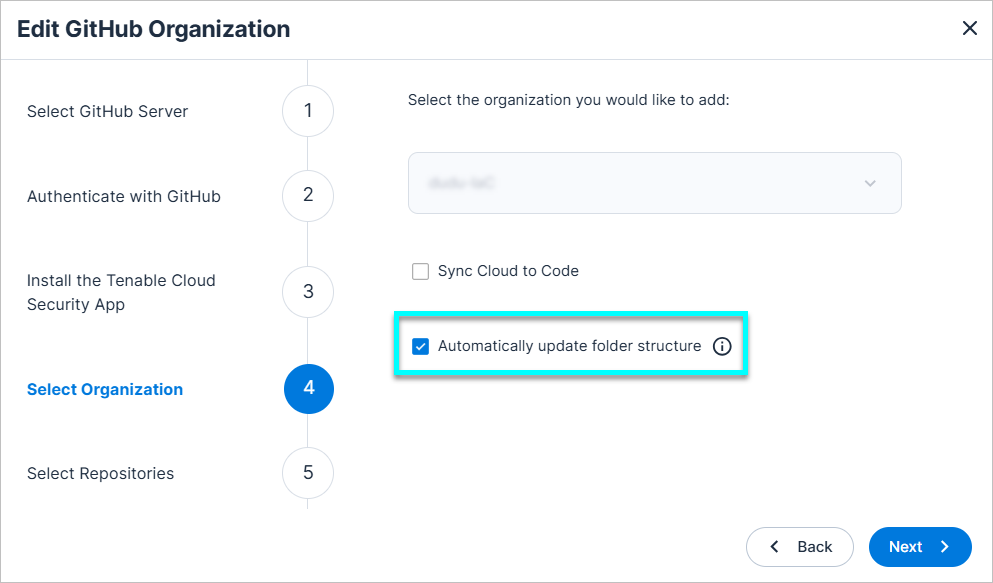
See the documentation for more information.